Compare commits
167 Commits
pr_3
...
feature_En
| Author | SHA1 | Date | |
|---|---|---|---|

|
5abbea10ba | ||
|
|
2bb8cee087 | ||
|
|
d660879cc9 | ||
|
|
9d8106fcdf | ||
|
|
c8d2b1ed48 | ||
|
|
b7eaabad1d | ||
|
|
08a70092ee | ||
|
|
4f13875e01 | ||
|
|
c79f66dd9f | ||
|
|
835df039e8 | ||
|
|
f23ea9ffd5 | ||
|
|
7994d7ef15 | ||
|
|
323e5f8981 | ||
|
|
e1916b937e | ||
|
|
2ecf40e873 | ||
|
|
63ea0a87f7 | ||
|
|
a3f4e42034 | ||
|
|
018db2a14f | ||
|
|
f238a1d4ea | ||
|
|
709d51d4d5 | ||
|
|
ce528808c7 | ||
|
|
51266aab87 | ||
|
|
e99dd2e870 | ||
|
|
95c36fd9a3 | ||
|
|
2553c6f61e | ||
|
|
cc92f82472 | ||
|
|
8dd2c1e47f | ||
|
|
6a9d65ba5d | ||
|
|
3c48b4c71f | ||
|
|
636303021f | ||
|
|
0cf66f32ff | ||
|
|
fbf7ebd834 | ||
|
|
327f527082 | ||
|
|
2f52ff5e63 | ||
|
|
abe24914d3 | ||
|
|
491ca17106 | ||
|
|
feef3e7054 | ||
|
|
5c7bb4b14e | ||
|
|
bb636c9bae | ||
|
|
d871572438 | ||
|
|
d169dac94d | ||
|
|
cc22196d4a | ||
|
|
820cb7a3e5 | ||
|
|
155bdaf462 | ||
|
|
11981942d7 | ||
|
|
8473545d89 | ||
|
|
eea9e601cf | ||
|
|
711f0e070a | ||
|
|
1f52ae4a88 | ||
|
|
a6a5f6abb4 | ||
|
|
56f2e826a9 | ||
|
|
ddb290bba3 | ||
|
|
f710795f0f | ||
|
|
88b03448e3 | ||
|
|
63d03c7ac6 | ||
|
|
223f36c6cb | ||
|
|
bf31faa831 | ||
|
|
792d461844 | ||
|
|
63fe51b597 | ||
|
|
eb65ee4206 | ||
|
|
b5bc5d2975 | ||
|
|
4db3e04dd6 | ||
|
|
540f4bcbf4 | ||
|
|
9eb3b9842d | ||
|
|
790bcc6f16 | ||
|
|
4ce0698834 | ||
|
|
6c69da92f6 | ||
|
|
84c1f6b348 | ||
|
|
4ebf408349 | ||
|
|
5b33ac687e | ||
|
|
0f5a0c0cfc | ||
|
|
4404d2347b | ||
|
|
49660ff03f | ||
|
|
b2558d641d | ||
|
|
a6038d1feb | ||
|
|
eca634bd55 | ||
|
|
c99cfaf2b7 | ||
|
|
daa505ce20 | ||
|
|
c2e60bebdd | ||
|
|
8b97d0a2ca | ||
|
|
7c12eda30e | ||
|
|
9a62ed5769 | ||
|
|
b6ca0f4db9 | ||
|
|
f324eeaa42 | ||
|
|
0a3b077172 | ||
|
|
cf79f5ec63 | ||
|
|
36926f0fa2 | ||
|
|
326cc35199 | ||
|
|
a6c3384e3e | ||
|
|
9ffeb05605 | ||
|
|
7ce60041df | ||
|
|
05eb1d9805 | ||
|
|
6c5e46571a | ||
|
|
ff8f99c567 | ||
|
|
35f5bda51a | ||
|
|
f3557b2859 | ||
|
|
c606b5596d | ||
|
|
935378f90b | ||
|
|
17ef5e7dee | ||
|
|
e9c3094ec6 | ||
|
|
176b039967 | ||
|
|
c954b930ce | ||
|
|
cdc5edf72b | ||
|
|
ebfa44a22b | ||
|
|
aea6896b5a | ||
|
|
17a158a015 | ||
|
|
49e40bd262 | ||
|
|
ca223ed66a | ||
|
|
e1d34c925b | ||
|
|
09e7498df5 | ||
|
|
1f8951084c | ||
|
|
08957e6ba3 | ||
|
|
3a948ffb28 | ||
|
|
8a3b304738 | ||
|
|
34030fa720 | ||
|
|
d27919dcb5 | ||
|
|
c31a22e3ad | ||
|
|
2458bd9836 | ||
|
|
67da4f6435 | ||
|
|
ba28940ee8 | ||
|
|
53fc4358ea | ||
|
|
ac66499bf3 | ||
|
|
e54ba2b058 | ||
|
|
c1010da2fe | ||
|
|
c0fa283993 | ||
|
|
f2f5b2b680 | ||
|
|
d694fb9956 | ||
|
|
06249d0408 | ||
|
|
4880c4fc4c | ||
|
|
0a9ed1112a | ||
|
|
fae68c06f0 | ||
|
|
5d0cfcbec9 | ||
|
|
d6376a0cb2 | ||
|
|
7d23e1e076 | ||
|
|
a7c7bc6bf9 | ||
|
|
ab8bd560f0 | ||
|
|
918e086299 | ||
|
|
62c37972d4 | ||
|
|
c40af85f50 | ||
|
|
8a90851f5e | ||
|
|
dce144ef04 | ||
|
|
d5c1ab11b0 | ||
|
|
7bc237b7db | ||
|
|
fcfc9a2aa2 | ||
|
|
cf965672b3 | ||
|
|
9c38da871a | ||
|
|
e6d0540813 | ||
|
|
cef82ddf3b | ||
|
|
2ccc7b070d | ||
|
|
2dd10792ec | ||
|
|
11f7d33ed2 | ||
|
|
1b12cfec28 | ||
|
|
3651c44ac3 | ||
|
|
a4abe0e241 | ||
|
|
6d37d5bc14 | ||
|
|
e6673325a8 | ||
|
|
69fff98140 | ||
|
|
b6a4626530 | ||
|
|
41d79ff81e | ||
|
|
ef0ba111cc | ||
|
|
5556ec1d0c | ||
|
|
ac609f939f | ||
|
|
48b9949786 | ||
|
|
0c491ed777 | ||
|
|
4410dbf87c | ||
|
|
d0d4712742 | ||
|
|
f26d52dbf4 |
3
.github/FUNDING.yml
vendored
Normal file
3
.github/FUNDING.yml
vendored
Normal file
@@ -0,0 +1,3 @@
|
||||
# These are supported funding model platforms
|
||||
|
||||
custom: ['https://hertzbeat.com/docs/others/sponsor']
|
||||
31
.github/ISSUE_TEMPLATE/bug_report.md
vendored
Normal file
31
.github/ISSUE_TEMPLATE/bug_report.md
vendored
Normal file
@@ -0,0 +1,31 @@
|
||||
---
|
||||
name: Bug report
|
||||
about: Create a report to help us improve
|
||||
title: ''
|
||||
labels: bug
|
||||
assignees: ''
|
||||
|
||||
---
|
||||
|
||||
**Describe the bug**
|
||||
A clear and concise description of what the bug is.
|
||||
|
||||
**Used Version**
|
||||
the version , tag or branch used
|
||||
|
||||
**To Reproduce**
|
||||
Steps to reproduce the behavior:
|
||||
1. Go to '...'
|
||||
2. Click on '....'
|
||||
3. Scroll down to '....'
|
||||
4. See error
|
||||
|
||||
**Expected behavior**
|
||||
A clear and concise description of what you expected to happen.
|
||||
|
||||
**Screenshots**
|
||||
If applicable, add screenshots to help explain your problem.
|
||||
|
||||
|
||||
**Additional context**
|
||||
Add any other context about the problem here.
|
||||
8
.github/ISSUE_TEMPLATE/config.yml
vendored
Normal file
8
.github/ISSUE_TEMPLATE/config.yml
vendored
Normal file
@@ -0,0 +1,8 @@
|
||||
blank_issues_enabled: true
|
||||
contact_links:
|
||||
- name: Community Support
|
||||
url: https://github.com/dromara/hertzbeat/discussions
|
||||
about: Please ask and answer questions here.
|
||||
- name: Security Bug Bounty
|
||||
url: https://github.com/dromara/hertzbeat/issues
|
||||
about: Please report security vulnerabilities here.
|
||||
10
.github/ISSUE_TEMPLATE/custom.md
vendored
Normal file
10
.github/ISSUE_TEMPLATE/custom.md
vendored
Normal file
@@ -0,0 +1,10 @@
|
||||
---
|
||||
name: Custom issue template
|
||||
about: Describe this issue template's purpose here.
|
||||
title: ''
|
||||
labels: ''
|
||||
assignees: ''
|
||||
|
||||
---
|
||||
|
||||
|
||||
20
.github/ISSUE_TEMPLATE/feature_request.md
vendored
Normal file
20
.github/ISSUE_TEMPLATE/feature_request.md
vendored
Normal file
@@ -0,0 +1,20 @@
|
||||
---
|
||||
name: Feature request
|
||||
about: Suggest an idea for this project
|
||||
title: ''
|
||||
labels: enhancement
|
||||
assignees: ''
|
||||
|
||||
---
|
||||
|
||||
**Is your feature request related to a problem? Please describe.**
|
||||
A clear and concise description of what the problem is. Ex. I'm always frustrated when [...]
|
||||
|
||||
**Describe the solution you'd like**
|
||||
A clear and concise description of what you want to happen.
|
||||
|
||||
**Describe alternatives you've considered**
|
||||
A clear and concise description of any alternative solutions or features you've considered.
|
||||
|
||||
**Additional context**
|
||||
Add any other context or screenshots about the feature request here.
|
||||
67
.github/workflows/codeql-analysis.yml
vendored
Normal file
67
.github/workflows/codeql-analysis.yml
vendored
Normal file
@@ -0,0 +1,67 @@
|
||||
# For most projects, this workflow file will not need changing; you simply need
|
||||
# to commit it to your repository.
|
||||
#
|
||||
# You may wish to alter this file to override the set of languages analyzed,
|
||||
# or to provide custom queries or build logic.
|
||||
#
|
||||
# ******** NOTE ********
|
||||
# We have attempted to detect the languages in your repository. Please check
|
||||
# the `language` matrix defined below to confirm you have the correct set of
|
||||
# supported CodeQL languages.
|
||||
#
|
||||
name: "CodeQL"
|
||||
|
||||
on:
|
||||
push:
|
||||
branches: [ master ]
|
||||
pull_request:
|
||||
# The branches below must be a subset of the branches above
|
||||
branches: [ master ]
|
||||
schedule:
|
||||
- cron: '21 13 * * 4'
|
||||
|
||||
jobs:
|
||||
analyze:
|
||||
name: Analyze
|
||||
runs-on: ubuntu-latest
|
||||
|
||||
strategy:
|
||||
fail-fast: false
|
||||
matrix:
|
||||
language: [ 'java' ]
|
||||
# CodeQL supports [ 'cpp', 'csharp', 'go', 'java', 'javascript', 'python' ]
|
||||
# Learn more:
|
||||
# https://docs.github.com/en/free-pro-team@latest/github/finding-security-vulnerabilities-and-errors-in-your-code/configuring-code-scanning#changing-the-languages-that-are-analyzed
|
||||
|
||||
steps:
|
||||
- name: Checkout repository
|
||||
uses: actions/checkout@v2
|
||||
|
||||
# Initializes the CodeQL tools for scanning.
|
||||
- name: Initialize CodeQL
|
||||
uses: github/codeql-action/init@v1
|
||||
with:
|
||||
languages: ${{ matrix.language }}
|
||||
# If you wish to specify custom queries, you can do so here or in a config file.
|
||||
# By default, queries listed here will override any specified in a config file.
|
||||
# Prefix the list here with "+" to use these queries and those in the config file.
|
||||
# queries: ./path/to/local/query, your-org/your-repo/queries@main
|
||||
|
||||
# Autobuild attempts to build any compiled languages (C/C++, C#, or Java).
|
||||
# If this step fails, then you should remove it and run the build manually (see below)
|
||||
- name: Autobuild
|
||||
uses: github/codeql-action/autobuild@v1
|
||||
|
||||
# ℹ️ Command-line programs to run using the OS shell.
|
||||
# 📚 https://git.io/JvXDl
|
||||
|
||||
# ✏️ If the Autobuild fails above, remove it and uncomment the following three lines
|
||||
# and modify them (or add more) to build your code if your project
|
||||
# uses a compiled language
|
||||
|
||||
#- run: |
|
||||
# make bootstrap
|
||||
# make release
|
||||
|
||||
- name: Perform CodeQL Analysis
|
||||
uses: github/codeql-action/analyze@v1
|
||||
12
.github/workflows/issues-translator.yml
vendored
Normal file
12
.github/workflows/issues-translator.yml
vendored
Normal file
@@ -0,0 +1,12 @@
|
||||
name: 'issues-translator'
|
||||
on:
|
||||
issue_comment:
|
||||
types: [created]
|
||||
issues:
|
||||
types: [opened]
|
||||
|
||||
jobs:
|
||||
build:
|
||||
runs-on: ubuntu-latest
|
||||
steps:
|
||||
- uses: tomsun28/issues-translate-action@v2.6
|
||||
24
.github/workflows/maven-build.yml
vendored
Normal file
24
.github/workflows/maven-build.yml
vendored
Normal file
@@ -0,0 +1,24 @@
|
||||
# This workflow will build a Java project with Maven
|
||||
# For more information see: https://help.github.com/actions/language-and-framework-guides/building-and-testing-java-with-maven
|
||||
|
||||
name: Java CI with Maven
|
||||
|
||||
on:
|
||||
push:
|
||||
branches: [ master ]
|
||||
pull_request:
|
||||
branches: [ master ]
|
||||
|
||||
jobs:
|
||||
build:
|
||||
|
||||
runs-on: ubuntu-latest
|
||||
|
||||
steps:
|
||||
- uses: actions/checkout@v2
|
||||
- name: Set up JDK 1.8
|
||||
uses: actions/setup-java@v1
|
||||
with:
|
||||
java-version: 1.8
|
||||
- name: Build with Maven
|
||||
run: mvn -B package --file pom.xml
|
||||
6
.gitignore
vendored
6
.gitignore
vendored
@@ -37,4 +37,10 @@ nbdist/
|
||||
### VS Code ###
|
||||
.vscode/
|
||||
|
||||
# dependencies
|
||||
node_modules
|
||||
.docusaurus
|
||||
yarn.lock
|
||||
|
||||
# debug env
|
||||
application-dev.yml
|
||||
62
CONTRIBUTING.md
Normal file
62
CONTRIBUTING.md
Normal file
@@ -0,0 +1,62 @@
|
||||
参与贡献
|
||||
=======================================
|
||||
|
||||
非常欢迎参与项目贡献,我们致力于维护一个互相帮助的快乐社区。
|
||||
|
||||
### 模块
|
||||
|
||||
- **[manager](https://github.com/dromara/hertzbeat/tree/master/manager)** 提供监控管理,系统管理基础服务
|
||||
> 提供对监控的管理,监控应用配置的管理,系统用户租户后台管理等。
|
||||
- **[collector](https://github.com/dromara/hertzbeat/tree/master/collector)** 提供监控数据采集服务
|
||||
> 使用通用协议远程采集获取对端指标数据。
|
||||
- **[scheduler](https://github.com/dromara/hertzbeat/tree/master/scheduler)** 提供监控任务调度服务
|
||||
> 采集任务管理,一次性任务和周期性任务的调度分发。
|
||||
- **[warehouse](https://github.com/dromara/hertzbeat/tree/master/warehouse)** 提供监控数据仓储服务
|
||||
> 采集指标结果数据管理,数据落盘,查询,计算统计。
|
||||
- **[alerter](https://github.com/dromara/hertzbeat/tree/master/alerter)** 提供告警服务
|
||||
> 告警计算触发,监控状态联动,告警配置,告警通知。
|
||||
- **[web-app](https://github.com/dromara/hertzbeat/tree/master/web-app)** 提供可视化控制台页面
|
||||
> 监控告警系统可视化控制台前端
|
||||
|
||||

|
||||
|
||||
## 如何贡献?
|
||||
|
||||
我们不仅仅接收代码的贡献提交,您也可以通过提交文档的更新或者BUG的报告来参与社区贡献。
|
||||
|
||||
如果是新的贡献者,请首先了解参考仓库提交Issues,提交Pull Requests如何工作。
|
||||
|
||||
https://github.com/dromara/hertzbeat/issues
|
||||
https://github.com/dromara/hertzbeat/pulls
|
||||
https://gitee.com/dromara/hertzbeat/issues
|
||||
https://gitee.com/dromara/hertzbeat/pulls
|
||||
|
||||
## 本地代码工程启动
|
||||
|
||||
此为前后端分离项目,本地代码启动需将后端[manager](manager)和前端[web-app](web-app)分别启动生效。
|
||||
|
||||
### 后端启动
|
||||
|
||||
1. 部署启动依赖服务`MYSQL`和`TDengine`数据库
|
||||
2. 需要`maven3+`和`java8+`环境
|
||||
3. 修改配置文件的依赖服务地址等信息-`manager/src/main/resources/application.yml`
|
||||
4. 启动`manager`服务 `manager/src/main/java/com/usthe/manager/Manager.java`
|
||||
|
||||
### 前端启动
|
||||
|
||||
1. 需要nodejs npm环境
|
||||
下载地址:https://nodejs.org/en/download
|
||||
2. 安装yarn `npm install -g yarn`
|
||||
3. 在前端工程目录web-app下执行 `yarn install`
|
||||
4. 全局安装angular-cli `npm install -g @angular/cli@12 --registry=https://registry.npm.taobao.org`
|
||||
5. 待本地后端启动后,在web-app目录下启动本地前端 `ng serve --open`
|
||||
6. 浏览器访问 localhost:4200 即可开始
|
||||
|
||||
## 加入交流
|
||||
|
||||
[Github Discussion](https://github.com/dromara/hertzbeat/discussions)
|
||||
加微信号 tan-cloud 拉您进微信交流群
|
||||
加QQ群号 718618151 进QQ交流群, 验证信息: tancloud
|
||||
微信公众号:tancloudtech
|
||||
[Dromara社区网站](https://dromara.org/)
|
||||
[HertzBeat用户网站](https://support.qq.com/products/379369)
|
||||
82
README.md
82
README.md
@@ -1,41 +1,41 @@
|
||||
## HertzBeat 赫兹跳动
|
||||
<p align="center">
|
||||
<a href="https://hertzbeat.com">
|
||||
<img alt="sureness" src="https://cdn.jsdelivr.net/gh/dromara/hertzbeat/home/static/img/hertzbeat-brand.svg" width="260">
|
||||
</a>
|
||||
</p>
|
||||
|
||||
> 易用友好的高性能监控告警系统。
|
||||
[comment]: <> (<img alt="sureness" src="https://cdn.jsdelivr.net/gh/dromara/hertzbeat/home/static/img/hertzbeat-brand.svg" width="300">)
|
||||
|
||||
## HertzBeat 赫兹跳动 | [English Documentation](README_EN.md)
|
||||
|
||||
> 易用友好的监控告警系统。
|
||||
|
||||

|
||||

|
||||

|
||||

|
||||

|
||||

|
||||

|
||||

|
||||
|
||||
**官网: [hertzbeat.com](https://hertzBeat.com) | [tancloud.cn](https://tancloud.cn)**
|
||||
|
||||
## 📫 前言
|
||||
|
||||
> 毕业后投入很多业余时间也做了一些开源项目,[Sureness](https://github.com/dromara/sureness), [Bootshiro](https://gitee.com/tomsun28/bootshiro), [Issues-translate-action](https://github.com/usthe/issues-translate-action) ,
|
||||
> 当时上班有空就回答网友问题,下班回家写开源代码,远程帮人看问题,还总感觉时间不够用,当时想如果不去上班能做自己热爱的该多好。
|
||||
> 想着年轻就要折腾,何况还是自己很想做的。于是乎,21年底我放弃激励裸辞开始全职开源了(这里感谢老婆大人的全力支持),也是第一次全职创业。
|
||||
> 在APM领域做了多年,当然这次创业加开源的方向也就是老本行APM监控系统,我们开发一个支持多种监控指标,拥有自定义监控,支持阈值告警通知等功能,面向开发者友好的开源监控项目-HertzBeat赫兹跳动。
|
||||
> 想到很多开发者和团队拥有云上资源,可能只需要使用监控服务而不想部署监控系统,我们也提供了可以直接登陆使用的SAAS云监控版本- **[TanCloud探云](https://console.tancloud.cn)** 。
|
||||
> 希望大家多多支持点赞,非常感谢。
|
||||
**官网: [hertzbeat.com](https://hertzbeat.com) | [tancloud.cn](https://tancloud.cn)**
|
||||
|
||||
## 🎡 <font color="green">介绍</font>
|
||||
|
||||
> [HertzBeat赫兹跳动](https://github.com/dromara/hertzbeat) 是由[TanCloud](https://tancloud.cn)开源的一个支持网站,API,PING,端口,数据库等监控类型,拥有易用友好的可视化操作界面的开源监控告警项目。
|
||||
> 我们也提供了对应的 **[SAAS版本监控云](https://console.tancloud.cn)**,中小团队和个人无需再为了监控自己的网站资源,而去部署一套繁琐的监控系统,**[登陆即可免费开始](https://console.tancloud.cn)**。
|
||||
> [HertzBeat赫兹跳动](https://github.com/dromara/hertzbeat) 是由[Dromara](https://dromara.org)孵化,[TanCloud](https://tancloud.cn)开源的一个支持网站,API,PING,端口,数据库,操作系统等监控类型,拥有易用友好的可视化操作界面的开源监控告警项目。
|
||||
> 我们也提供了对应的 **[SAAS版本监控云](https://console.tancloud.cn)**,中小团队和个人无需再为了监控自己的网站资源,而去部署一套繁琐的监控系统,**[登录即可免费开始](https://console.tancloud.cn)**。
|
||||
> HertzBeat 支持[自定义监控](https://hertzbeat.com/docs/advanced/extend-point) ,只用通过配置YML文件我们就可以自定义需要的监控类型和指标,来满足常见的个性化需求。
|
||||
> HertzBeat 模块化,`manager, collector, scheduler, warehouse, alerter` 各个模块解耦合,方便理解与定制开发。
|
||||
> HertzBeat 支持更自由化的告警配置(计算表达式),支持告警通知,告警模版
|
||||
> 欢迎登陆 HertzBeat 的 [云环境TanCloud](https://console.tancloud.cn) 试用发现更多。
|
||||
> HertzBeat 支持更自由化的告警配置(计算表达式),支持告警通知,告警模版,邮件钉钉微信飞书等及时通知送达
|
||||
> 欢迎登录 HertzBeat 的 [云环境TanCloud](https://console.tancloud.cn) 试用发现更多。
|
||||
> 我们正在快速迭代中,欢迎参与加入一起共建项目开源生态。
|
||||
|
||||
> `HertzBeat`的多类型支持,易扩展,低耦合,希望能帮助开发者和中小团队快速搭建自有监控系统。
|
||||
|
||||
----
|
||||
|
||||
[](https://www.bilibili.com/video/BV1Vi4y1f7i8)
|
||||
[](https://www.bilibili.com/video/BV1DY4y1i7ts)
|
||||
|
||||
----
|
||||
|
||||
@@ -59,16 +59,16 @@
|
||||
|
||||
## 🐕 快速开始
|
||||
|
||||
- 如果您不想部署而是直接使用,我们提供SAAS监控云-[TanCloud探云](https://console.tancloud.cn),即刻 **[登陆注册](https://console.tancloud.cn)** 免费使用。
|
||||
- 如果您是想将HertzBeat部署到内网环境搭建监控系统,请参考下面的[部署文档](https://hertzbeat.com/docs/start/quickstart)进行操作。
|
||||
- 如果您不想部署而是直接使用,我们提供SAAS监控云-[TanCloud探云](https://console.tancloud.cn),即刻 **[登录注册](https://console.tancloud.cn)** 免费使用。
|
||||
- 如果您是想将HertzBeat部署到内网环境搭建监控系统,请参考下面的 [部署文档](https://hertzbeat.com/docs/start/quickstart) 进行操作。
|
||||
|
||||
### 🐵 依赖服务部署
|
||||
|
||||
> HertzBeat最少依赖于 关系型数据库[MYSQL8+](https://www.mysql.com/) 和 时序性数据库[TDengine2+](https://www.taosdata.com/getting-started)
|
||||
> HertzBeat最少依赖于 关系型数据库[MYSQL5+](https://www.mysql.com/) 和 时序性数据库[TDengine2+](https://www.taosdata.com/getting-started)
|
||||
|
||||
##### 安装MYSQL
|
||||
1. docker安装MYSQl
|
||||
`docker run -d --name mysql -p 3306:3306 -e MYSQL_ROOT_PASSWORD=123456 mysql`
|
||||
`docker run -d --name mysql -p 3306:3306 -e MYSQL_ROOT_PASSWORD=123456 mysql:5.7`
|
||||
2. 创建名称为hertzbeat的数据库
|
||||
3. 执行位于项目仓库/script/sql/目录下的数据库脚本 [schema.sql](https://gitee.com/dromara/hertzbeat/raw/master/script/sql/schema.sql)
|
||||
|
||||
@@ -76,7 +76,7 @@
|
||||
|
||||
##### 安装TDengine
|
||||
1. docker安装TDengine
|
||||
`docker run -d -p 6030-6049:6030-6049 -p 6030-6049:6030-6049/udp --name tdengine tdengine/tdengine`
|
||||
`docker run -d -p 6030-6049:6030-6049 -p 6030-6049:6030-6049/udp --name tdengine tdengine/tdengine:2.4.0.12`
|
||||
2. 创建名称为hertzbeat的数据库
|
||||
|
||||
详细步骤参考 [依赖服务TDengine安装初始化](https://hertzbeat.com/docs/start/tdengine-init)
|
||||
@@ -84,22 +84,39 @@
|
||||
### 🍞 HertzBeat安装
|
||||
> HertzBeat支持通过源码安装启动,Docker容器运行和安装包方式安装部署。
|
||||
|
||||
##### Docker方式快速安装
|
||||
`docker run -d -p 1157:1157 --name hertzbeat tancloud/hertzbeat:latest`
|
||||
##### 方式一:Docker方式快速安装
|
||||
`docker run -d -p 1157:1157 -v /opt/application.yml:/opt/hertzbeat/config/application.yml --name hertzbeat tancloud/hertzbeat:[版本tag]`
|
||||
|
||||
详细步骤参考 [通过Docker方式安装HertzBeat](https://hertzbeat.com/docs/start/docker-deploy)
|
||||
|
||||
##### 通过安装包安装
|
||||
##### 方式二:通过安装包安装
|
||||
1. 下载您系统环境对应的安装包 [GITEE Release](https://gitee.com/dromara/hertzbeat/releases) [GITHUB Release](https://github.com/dromara/hertzbeat/releases)
|
||||
2. 配置HertzBeat的配置文件 hertz-beat/config/application.yml
|
||||
2. 配置HertzBeat的配置文件 hertzbeat/config/application.yml
|
||||
3. 部署启动 `$ ./startup.sh `
|
||||
4. 浏览器访问 localhost:1157 即可开始,默认账号密码 admin/admin
|
||||
|
||||
详细步骤参考 [通过安装包安装HertzBeat](https://hertzbeat.com/docs/start/package-deploy)
|
||||
|
||||
##### 方式三:本地代码启动
|
||||
1. 此为前后端分离项目,本地代码调试需要分别启动后端工程manager和前端工程web-app
|
||||
2. 后端:需要`maven3+`和`java8+`环境,修改YML配置信息并启动manager服务
|
||||
3. 前端:需要`nodejs npm angular-cli`环境,待本地后端启动后,在web-app目录下启动 `ng serve --open`
|
||||
4. 浏览器访问 localhost:4200 即可开始,默认账号密码 admin/admin
|
||||
|
||||
详细步骤参考 [参与贡献之本地代码启动](CONTRIBUTING.md)
|
||||
|
||||
##### 方式四:Docker-compose统一安装hertzbeat及其依赖服务
|
||||
|
||||
通过 [docker-compose部署脚本](script/docker-compose) 一次性把mysql数据库,tdengine数据库和hertzbeat安装部署。
|
||||
|
||||
详细步骤参考 [docker-compose安装](script/docker-compose/README.md)
|
||||
|
||||
**HAVE FUN**
|
||||
|
||||
## 💬 社区交流
|
||||
|
||||
HertzBeat赫兹跳动为 [Dromara开源社区](https://dromara.org/) 孵化项目
|
||||
|
||||
##### 微信交流群
|
||||
|
||||
加微信号 tan-cloud 或 扫描下面账号二维码拉您进微信群。
|
||||
@@ -111,10 +128,19 @@
|
||||
|
||||
<img alt="tan-cloud" src="https://cdn.jsdelivr.net/gh/dromara/hertzbeat@gh-pages/img/docs/help/qq-qr.jpg" width="200"/>
|
||||
|
||||
##### 社区交流网站
|
||||
##### 交流网站
|
||||
|
||||
[社区网站](https://support.qq.com/products/379369) https://support.qq.com/products/379369
|
||||
[Dromara社区网站](https://dromara.org/)
|
||||
[HertzBeat用户网站](https://support.qq.com/products/379369)
|
||||
|
||||
##### 微信公众号
|
||||
|
||||
<img alt="tan-cloud" src="https://cdn.jsdelivr.net/gh/dromara/hertzbeat/home/static/img/wechat.png" width="400"/>
|
||||
|
||||
##### 赞助
|
||||
|
||||
感谢[吉实信息(构建全新的微波+光交易网络)](https://www.flarespeed.com) 赞助服务器采集节点
|
||||
感谢[天上云计算(全新智慧上云)](https://www.tsyvps.com/aff/BZBEGYLX) 赞助服务器采集节点
|
||||
|
||||
## 🛡️ License
|
||||
[`Apache License, Version 2.0`](https://www.apache.org/licenses/LICENSE-2.0.html)
|
||||
|
||||
148
README_EN.md
Normal file
148
README_EN.md
Normal file
@@ -0,0 +1,148 @@
|
||||
<p align="center">
|
||||
<a href="https://hertzbeat.com">
|
||||
<img alt="hertzbeat" src="https://cdn.jsdelivr.net/gh/dromara/hertzbeat/home/static/img/hertzbeat-brand.svg" width="260">
|
||||
</a>
|
||||
</p>
|
||||
|
||||
[comment]: <> (<img alt="sureness" src="https://cdn.jsdelivr.net/gh/dromara/hertzbeat/home/static/img/hertzbeat-brand.svg" width="300">)
|
||||
|
||||
## HertzBeat | [中文文档](README.md)
|
||||
|
||||
> Friendly cloud monitoring system.
|
||||
|
||||

|
||||

|
||||

|
||||

|
||||

|
||||

|
||||

|
||||

|
||||

|
||||
|
||||
**Home: [hertzbeat.com](https://hertzbeat.com) | [tancloud.cn](https://tancloud.cn)**
|
||||
|
||||
## 🎡 <font color="green">Introduction</font>
|
||||
|
||||
> [HertzBeat](https://github.com/dromara/hertzbeat) is an opensource monitoring and alarm project incubated by [Dromara](https://dromara.org) and open sourced by [TanCloud](https://tancloud.cn), which supports Website, API, PING, Port, Database, OS Monitor etc.
|
||||
> We also provide **[Monitoring Cloud For Saas](https://console.tancloud.cn)**, people no longer need to deploy a cumbersome monitoring system in order to monitor their website resources. **[Sign in to get started for free](https://console.tancloud.cn)**.
|
||||
> HertzBeat supports more liberal threshold alarm configuration (calculation expression), supports alarm notification, alarm template, email, DingDing, WeChat FeiShu and WebHook.
|
||||
> Most important is HertzBeat supports [Custom Monitoring](https://hertzbeat.com/docs/advanced/extend-point), just by configuring the YML file, we can customize the monitoring types and metrics what we need.
|
||||
> HertzBeat is modular, `manager, collector, scheduler, warehouse, alerter` modules are decoupled for easy understanding and custom development.
|
||||
> Welcome to HertzBeat's [Cloud Environment TanCloud](https://console.tancloud.cn) to try and discover more.
|
||||
> Welcome to join us to build hertzbeat together.
|
||||
|
||||
> `HertzBeat`'s multi-type support, easy expansion, low coupling, hope to help developers and micro teams to quickly build their own monitoring system.
|
||||
|
||||
----
|
||||
|
||||
[](https://www.bilibili.com/video/BV1DY4y1i7ts)
|
||||
|
||||
----
|
||||
|
||||
## 🥐 Architecture
|
||||
|
||||
- **[manager](https://github.com/dromara/hertzbeat/tree/master/manager)** Provide monitoring management, system management basic services.
|
||||
> Provides monitoring management, monitoring configuration management, system user management, etc.
|
||||
- **[collector](https://github.com/dromara/hertzbeat/tree/master/collector)** Provide metrics data collection services.
|
||||
> Use common protocols to remotely collect and obtain peer-to-peer metrics data.
|
||||
- **[scheduler](https://github.com/dromara/hertzbeat/tree/master/scheduler)** Provide monitoring task scheduling service.
|
||||
> Collection task management, scheduling and distribution of one-time tasks and periodic tasks.
|
||||
- **[warehouse](https://github.com/dromara/hertzbeat/tree/master/warehouse)** Provide monitoring data warehousing services.
|
||||
> Metrics data management, data query, calculation and statistics.
|
||||
- **[alerter](https://github.com/dromara/hertzbeat/tree/master/alerter)** Provide alert service.
|
||||
> Alarm calculation trigger, monitoring status linkage, alarm configuration, and alarm notification.
|
||||
- **[web-app](https://github.com/dromara/hertzbeat/tree/master/web-app)** Provide web ui.
|
||||
> Angular Web UI.
|
||||
|
||||

|
||||
|
||||
|
||||
## 🐕 Quick Start
|
||||
|
||||
- If you don’t want to deploy but use it directly, we provide [SAAS Monitoring Cloud-TanCloud](https://console.tancloud.cn), **[Log In And Register For Free](https://console.tancloud.cn) **.
|
||||
- If you want to deploy HertzBeat local, please refer to the following [Deployment Documentation](https://hertzbeat.com/docs/start/quickstart) for operation.
|
||||
|
||||
### 🐵 Dependency Service Deployment
|
||||
|
||||
> HertzBeat depends at least on relational database [MYSQL5+](https://www.mysql.com/) and time series database [TDengine2+](https://www.taosdata.com/getting-started)
|
||||
|
||||
##### Install MYSQL
|
||||
1. Install mysql with docker
|
||||
`docker run -d --name mysql -p 3306:3306 -e MYSQL_ROOT_PASSWORD=123456 mysql:5.7`
|
||||
2. Create database names `hertzbeat`
|
||||
3. Run the database sql script [schema.sql](https://gitee.com/dromara/hertzbeat/raw/master/script/sql/schema.sql) located in the project repository `/script/sql/` directory.
|
||||
|
||||
For detailed steps, refer to [MYSQL Installation And Initialization](https://hertzbeat.com/docs/start/mysql-init)
|
||||
|
||||
##### Install TDengine
|
||||
1. Install TDengine with docker
|
||||
`docker run -d -p 6030-6049:6030-6049 -p 6030-6049:6030-6049/udp --name tdengine tdengine/tdengine:2.4.0.12`
|
||||
2. Create database names `hertzbeat`
|
||||
|
||||
For detailed steps, refer to [TDengine Installation And Initialization](https://hertzbeat.com/docs/start/tdengine-init).
|
||||
|
||||
### 🍞 Install HertzBeat
|
||||
|
||||
> HertzBeat supports installation through source code, docker or package.
|
||||
|
||||
##### 1:Install quickly via docker
|
||||
`docker run -d -p 1157:1157 -v /opt/application.yml:/opt/hertzbeat/config/application.yml --name hertzbeat tancloud/hertzbeat:[版本tag]`
|
||||
|
||||
Detailed steps refer to [Install HertzBeat via Docker](https://hertzbeat.com/docs/start/docker-deploy)
|
||||
|
||||
##### 2:Install via package
|
||||
1. Download the installation package [GITEE Release](https://gitee.com/dromara/hertzbeat/releases) [GITHUB Release](https://github.com/dromara/hertzbeat/releases)
|
||||
2. Configure the HertzBeat configuration yml file `hertzbeat/config/application.yml`
|
||||
3. Run shell `$ ./startup.sh `
|
||||
4. Access `localhost:1157` to start, default account: `admin/admin`
|
||||
|
||||
Detailed steps refer to [Install HertzBeat via package](https://hertzbeat.com/docs/start/package-deploy)
|
||||
|
||||
##### 3:Start via source code
|
||||
1. Local source code debugging needs to start the back-end project manager and the front-end project web-app.
|
||||
2. Backend:need `maven3+`, `java8+`, start the manager service.
|
||||
3. Web:need `nodejs npm angular-cli` environment, Run `ng serve --open` in `web-app` directory after backend startup.
|
||||
4. Access `localhost:4200` to start, default account: `admin/admin`
|
||||
|
||||
Detailed steps refer to [CONTRIBUTING](CONTRIBUTING.md)
|
||||
|
||||
##### 4:Install All(mysql+tdengine+hertzbeat) via Docker-compose
|
||||
|
||||
Install and deploy the mysql database, tdengine database and hertzbeat at one time through [docker-compose deployment script](script/docker-compose).
|
||||
|
||||
Detailed steps refer to [docker-compose install](script/docker-compose/README.md)
|
||||
|
||||
**HAVE FUN**
|
||||
|
||||
## 💬 Join discussion
|
||||
|
||||
HertzBeat is an incubation project of [Dromara Open Source Community](https://dromara.org/).
|
||||
|
||||
##### WeChat Group
|
||||
|
||||
Add WeChat account `tan-cloud` or scan the QR code below to pull you into the WeChat group.
|
||||
|
||||
<img alt="tan-cloud" src="https://cdn.jsdelivr.net/gh/dromara/hertzbeat@gh-pages/img/docs/help/tan-cloud-wechat.jpg" width="200"/>
|
||||
|
||||
##### QQ Group
|
||||
|
||||
QQ group number `718618151` or scan the group QR code below, verify code: `tancloud`
|
||||
|
||||
<img alt="tan-cloud" src="https://cdn.jsdelivr.net/gh/dromara/hertzbeat@gh-pages/img/docs/help/qq-qr.jpg" width="200"/>
|
||||
|
||||
##### Github Discussion
|
||||
|
||||
Welcome to Discuss in [Github Discussion](https://github.com/dromara/hertzbeat/discussions)
|
||||
|
||||
##### Public WeChat
|
||||
|
||||
<img alt="tan-cloud" src="https://cdn.jsdelivr.net/gh/dromara/hertzbeat/home/static/img/wechat.png" width="400"/>
|
||||
|
||||
##### Sponsor
|
||||
|
||||
Thanks [吉实信息(构建全新的微波+光交易网络)](https://www.flarespeed.com) sponsored server node.
|
||||
Thanks [天上云计算(全新智慧上云)](https://www.tsyvps.com/aff/BZBEGYLX) sponsored server node.
|
||||
|
||||
## 🛡️ License
|
||||
[`Apache License, Version 2.0`](https://www.apache.org/licenses/LICENSE-2.0.html)
|
||||
@@ -4,17 +4,20 @@ import com.googlecode.aviator.AviatorEvaluator;
|
||||
import com.googlecode.aviator.Expression;
|
||||
import com.usthe.alert.AlerterWorkerPool;
|
||||
import com.usthe.alert.AlerterDataQueue;
|
||||
import com.usthe.alert.dao.AlertMonitorDao;
|
||||
import com.usthe.common.entity.alerter.Alert;
|
||||
import com.usthe.common.entity.alerter.AlertDefine;
|
||||
import com.usthe.alert.service.AlertDefineService;
|
||||
import com.usthe.alert.util.AlertTemplateUtil;
|
||||
import com.usthe.collector.dispatch.export.MetricsDataExporter;
|
||||
import com.usthe.common.entity.manager.Monitor;
|
||||
import com.usthe.common.entity.message.CollectRep;
|
||||
import com.usthe.common.util.CommonConstants;
|
||||
import com.usthe.common.util.CommonUtil;
|
||||
import lombok.extern.slf4j.Slf4j;
|
||||
import org.springframework.context.annotation.Configuration;
|
||||
|
||||
import java.util.Arrays;
|
||||
import java.util.HashMap;
|
||||
import java.util.List;
|
||||
import java.util.Map;
|
||||
@@ -37,13 +40,21 @@ public class CalculateAlarm {
|
||||
private Map<Long, CollectRep.Code> triggeredMonitorStateAlertMap;
|
||||
|
||||
public CalculateAlarm (AlerterWorkerPool workerPool, AlerterDataQueue dataQueue,
|
||||
AlertDefineService alertDefineService, MetricsDataExporter dataExporter) {
|
||||
AlertDefineService alertDefineService, MetricsDataExporter dataExporter,
|
||||
AlertMonitorDao monitorDao) {
|
||||
this.workerPool = workerPool;
|
||||
this.dataQueue = dataQueue;
|
||||
this.dataExporter = dataExporter;
|
||||
this.alertDefineService = alertDefineService;
|
||||
this.triggeredAlertMap = new ConcurrentHashMap<>(128);
|
||||
this.triggeredMonitorStateAlertMap = new ConcurrentHashMap<>(128);
|
||||
// 初始化stateAlertMap
|
||||
List<Monitor> monitors = monitorDao.findMonitorsByStatusIn(Arrays.asList((byte)2, (byte)3));
|
||||
if (monitors != null) {
|
||||
for (Monitor monitor : monitors) {
|
||||
this.triggeredMonitorStateAlertMap.put(monitor.getId(), CollectRep.Code.UN_AVAILABLE);
|
||||
}
|
||||
}
|
||||
startCalculate();
|
||||
}
|
||||
|
||||
@@ -99,7 +110,7 @@ public class CalculateAlarm {
|
||||
} else {
|
||||
// 其他异常
|
||||
alertBuilder.target(CommonConstants.AVAILABLE)
|
||||
.content("监控紧急可用性告警: " + metricsData.getCode().name());
|
||||
.content("监控可用性告警: " + metricsData.getCode().name() + " : " + metricsData.getMsg());
|
||||
triggeredMonitorStateAlertMap.put(monitorId, metricsData.getCode());
|
||||
dataQueue.addAlertData(alertBuilder.build());
|
||||
}
|
||||
@@ -127,32 +138,24 @@ public class CalculateAlarm {
|
||||
}
|
||||
List<CollectRep.Field> fields = metricsData.getFieldsList();
|
||||
Map<String, Object> fieldValueMap = new HashMap<>(16);
|
||||
fieldValueMap.put("app", app);
|
||||
fieldValueMap.put("metrics", metrics);
|
||||
for (CollectRep.ValueRow valueRow : metricsData.getValuesList()) {
|
||||
if (!valueRow.getColumnsList().isEmpty()) {
|
||||
fieldValueMap.clear();
|
||||
String instance = valueRow.getInstance();
|
||||
if (!"".equals(instance)) {
|
||||
fieldValueMap.put("instance", instance);
|
||||
} else {
|
||||
fieldValueMap.remove("instance");
|
||||
}
|
||||
for (int index = 0; index < valueRow.getColumnsList().size(); index++) {
|
||||
String valueStr = valueRow.getColumns(index);
|
||||
CollectRep.Field field = fields.get(index);
|
||||
fieldValueMap.put("metric", field.getName());
|
||||
if (field.getType() == CommonConstants.TYPE_NUMBER) {
|
||||
Double doubleValue = CommonUtil.parseDoubleStr(valueStr);
|
||||
if (doubleValue != null) {
|
||||
fieldValueMap.put(field.getName(), doubleValue);
|
||||
} else {
|
||||
fieldValueMap.remove(field.getName());
|
||||
}
|
||||
} else {
|
||||
if (!"".equals(valueStr)) {
|
||||
fieldValueMap.put(field.getName(), valueStr);
|
||||
} else {
|
||||
fieldValueMap.remove(field.getName());
|
||||
}
|
||||
}
|
||||
}
|
||||
@@ -176,6 +179,9 @@ public class CalculateAlarm {
|
||||
}
|
||||
} else {
|
||||
int times = 1;
|
||||
fieldValueMap.put("app", app);
|
||||
fieldValueMap.put("metrics", metrics);
|
||||
fieldValueMap.put("metric", define.getField());
|
||||
Alert alert = Alert.builder()
|
||||
.monitorId(monitorId)
|
||||
.alertDefineId(define.getId())
|
||||
|
||||
@@ -21,6 +21,7 @@ import org.springframework.web.bind.annotation.RestController;
|
||||
import javax.validation.Valid;
|
||||
|
||||
import java.util.List;
|
||||
import java.util.stream.Collectors;
|
||||
|
||||
import static com.usthe.common.util.CommonConstants.MONITOR_NOT_EXIST_CODE;
|
||||
import static org.springframework.http.MediaType.APPLICATION_JSON_VALUE;
|
||||
@@ -94,6 +95,7 @@ public class AlertDefineController {
|
||||
public ResponseEntity<Message<List<AlertDefineMonitorBind>>> getAlertDefineMonitorsBind(
|
||||
@ApiParam(value = "告警定义ID", example = "6565463543") @PathVariable("alertDefineId") long alertDefineId) {
|
||||
List<AlertDefineMonitorBind> defineBinds = alertDefineService.getBindAlertDefineMonitors(alertDefineId);
|
||||
defineBinds = defineBinds.stream().filter(item -> item.getMonitor() != null).collect(Collectors.toList());
|
||||
return ResponseEntity.ok(new Message<>(defineBinds));
|
||||
}
|
||||
|
||||
|
||||
@@ -1,5 +1,6 @@
|
||||
package com.usthe.alert.controller;
|
||||
|
||||
import com.usthe.alert.dto.AlertSummary;
|
||||
import com.usthe.common.entity.alerter.Alert;
|
||||
import com.usthe.alert.service.AlertService;
|
||||
import com.usthe.common.entity.dto.Message;
|
||||
@@ -29,11 +30,12 @@ import java.util.List;
|
||||
import static org.springframework.http.MediaType.APPLICATION_JSON_VALUE;
|
||||
|
||||
/**
|
||||
* 告警管理API
|
||||
* Alarm Management API 告警管理API
|
||||
*
|
||||
* @author tom
|
||||
* @date 2021/12/9 10:32
|
||||
*/
|
||||
@Api(tags = "告警批量管理API")
|
||||
@Api(tags = "en: Alarm batch management API, zh:告警批量管理API")
|
||||
@RestController
|
||||
@RequestMapping(path = "/alerts", produces = {APPLICATION_JSON_VALUE})
|
||||
public class AlertsController {
|
||||
@@ -42,23 +44,23 @@ public class AlertsController {
|
||||
private AlertService alertService;
|
||||
|
||||
@GetMapping
|
||||
@ApiOperation(value = "查询告警列表", notes = "根据查询过滤项获取告警信息列表")
|
||||
@ApiOperation(value = "Get a list of alarm information based on query filter items", notes = "根据查询过滤项获取告警信息列表")
|
||||
public ResponseEntity<Message<Page<Alert>>> getAlerts(
|
||||
@ApiParam(value = "告警ID", example = "6565466456") @RequestParam(required = false) List<Long> ids,
|
||||
@ApiParam(value = "告警监控对象ID", example = "6565463543") @RequestParam(required = false) Long monitorId,
|
||||
@ApiParam(value = "告警级别", example = "6565463543") @RequestParam(required = false) Byte priority,
|
||||
@ApiParam(value = "告警状态", example = "6565463543") @RequestParam(required = false) Byte status,
|
||||
@ApiParam(value = "告警内容模糊查询", example = "linux") @RequestParam(required = false) String content,
|
||||
@ApiParam(value = "排序字段,默认id", example = "name") @RequestParam(defaultValue = "id") String sort,
|
||||
@ApiParam(value = "排序方式,asc:升序,desc:降序", example = "desc") @RequestParam(defaultValue = "desc") String order,
|
||||
@ApiParam(value = "列表当前分页", example = "0") @RequestParam(defaultValue = "0") int pageIndex,
|
||||
@ApiParam(value = "列表分页数量", example = "8") @RequestParam(defaultValue = "8") int pageSize) {
|
||||
@ApiParam(value = "en: Alarm ID List,zh: 告警IDS", example = "6565466456") @RequestParam(required = false) List<Long> ids,
|
||||
@ApiParam(value = "en: Alarm monitor object ID,zh: 告警监控对象ID", example = "6565463543") @RequestParam(required = false) Long monitorId,
|
||||
@ApiParam(value = "en: Alarm level,zh: 告警级别", example = "6565463543") @RequestParam(required = false) Byte priority,
|
||||
@ApiParam(value = "en: Alarm Status,zh: 告警状态", example = "6565463543") @RequestParam(required = false) Byte status,
|
||||
@ApiParam(value = "en: Alarm content fuzzy query,zh:告警内容模糊查询", example = "linux") @RequestParam(required = false) String content,
|
||||
@ApiParam(value = "en: Sort field, default id,zh: 排序字段,默认id", example = "name") @RequestParam(defaultValue = "id") String sort,
|
||||
@ApiParam(value = "en: Sort Type,zh: 排序方式,asc:升序,desc:降序", example = "desc") @RequestParam(defaultValue = "desc") String order,
|
||||
@ApiParam(value = "en: List current page,zh: 列表当前分页", example = "0") @RequestParam(defaultValue = "0") int pageIndex,
|
||||
@ApiParam(value = "en: Number of list pagination,zh: 列表分页数量", example = "8") @RequestParam(defaultValue = "8") int pageSize) {
|
||||
|
||||
Specification<Alert> specification = (root, query, criteriaBuilder) -> {
|
||||
List<Predicate> andList = new ArrayList<>();
|
||||
|
||||
if (ids != null && !ids.isEmpty()) {
|
||||
CriteriaBuilder.In<Long> inPredicate= criteriaBuilder.in(root.get("id"));
|
||||
CriteriaBuilder.In<Long> inPredicate = criteriaBuilder.in(root.get("id"));
|
||||
for (long id : ids) {
|
||||
inPredicate.value(id);
|
||||
}
|
||||
@@ -91,10 +93,9 @@ public class AlertsController {
|
||||
}
|
||||
|
||||
@DeleteMapping
|
||||
@ApiOperation(value = "批量删除告警", notes = "根据告警ID列表批量删除告警")
|
||||
@ApiOperation(value = "Delete alarms in batches", notes = "根据告警ID列表批量删除告警")
|
||||
public ResponseEntity<Message<Void>> deleteAlertDefines(
|
||||
@ApiParam(value = "告警IDs", example = "6565463543") @RequestParam(required = false) List<Long> ids
|
||||
) {
|
||||
@ApiParam(value = "en:Alarm List ID,zh: 告警IDs", example = "6565463543") @RequestParam(required = false) List<Long> ids) {
|
||||
if (ids != null && !ids.isEmpty()) {
|
||||
alertService.deleteAlerts(new HashSet<>(ids));
|
||||
}
|
||||
@@ -103,10 +104,10 @@ public class AlertsController {
|
||||
}
|
||||
|
||||
@PutMapping(path = "/status/{status}")
|
||||
@ApiOperation(value = "批量修改告警状态", notes = "批量修改告警状态,设置已读未读")
|
||||
@ApiOperation(value = "Batch modify alarm status, set read and unread", notes = "批量修改告警状态,设置已读未读")
|
||||
public ResponseEntity<Message<Void>> applyAlertDefinesStatus(
|
||||
@ApiParam(value = "告警状态值", example = "0") @PathVariable Byte status,
|
||||
@ApiParam(value = "告警IDs", example = "6565463543") @RequestParam(required = false) List<Long> ids) {
|
||||
@ApiParam(value = "en:Alarm status value,zh: 告警状态值", example = "0") @PathVariable Byte status,
|
||||
@ApiParam(value = "en:Alarm List IDS,zh: 告警IDS", example = "6565463543") @RequestParam(required = false) List<Long> ids) {
|
||||
if (ids != null && status != null && !ids.isEmpty()) {
|
||||
alertService.editAlertStatus(status, ids);
|
||||
}
|
||||
@@ -114,4 +115,11 @@ public class AlertsController {
|
||||
return ResponseEntity.ok(message);
|
||||
}
|
||||
|
||||
@GetMapping(path = "/summary")
|
||||
@ApiOperation(value = "Get alarm statistics", notes = "获取告警统计信息")
|
||||
public ResponseEntity<Message<AlertSummary>> getAlertsSummary() {
|
||||
AlertSummary alertSummary = alertService.getAlertsSummary();
|
||||
Message<AlertSummary> message = new Message<>(alertSummary);
|
||||
return ResponseEntity.ok(message);
|
||||
}
|
||||
}
|
||||
|
||||
@@ -1,5 +1,6 @@
|
||||
package com.usthe.alert.dao;
|
||||
|
||||
import com.usthe.alert.dto.AlertPriorityNum;
|
||||
import com.usthe.common.entity.alerter.Alert;
|
||||
import org.springframework.data.jpa.repository.JpaRepository;
|
||||
import org.springframework.data.jpa.repository.JpaSpecificationExecutor;
|
||||
@@ -11,25 +12,36 @@ import java.util.List;
|
||||
import java.util.Set;
|
||||
|
||||
/**
|
||||
* Alert 数据库操作
|
||||
* Alert Database Operations Alert数据库表操作
|
||||
*
|
||||
* @author tom
|
||||
* @date 2021/12/9 10:03
|
||||
*/
|
||||
public interface AlertDao extends JpaRepository<Alert, Long>, JpaSpecificationExecutor<Alert> {
|
||||
|
||||
/**
|
||||
* 根据ID列表删除告警
|
||||
* @param alertIds 告警ID列表
|
||||
* Delete alerts based on ID list 根据ID列表删除告警
|
||||
*
|
||||
* @param alertIds Alert ID List 告警ID列表
|
||||
*/
|
||||
void deleteAlertsByIdIn(Set<Long> alertIds);
|
||||
|
||||
/**
|
||||
* 根据告警ID-状态值 更新告警状态
|
||||
*
|
||||
* @param status 状态值
|
||||
* @param ids 告警ID列表
|
||||
* @param ids 告警ID列表
|
||||
*/
|
||||
@Modifying
|
||||
@Query("update Alert set status = :status where id in :ids")
|
||||
void updateAlertsStatus(@Param(value = "status") Byte status, @Param(value = "ids") List<Long> ids);
|
||||
|
||||
/**
|
||||
* Query the number of unhandled alarms of each alarm severity
|
||||
* 查询各个告警级别的未处理告警数量
|
||||
*
|
||||
* @return Number of alerts 告警数量
|
||||
*/
|
||||
@Query("select new com.usthe.alert.dto.AlertPriorityNum(mo.priority, count(mo.id)) from Alert mo where mo.status = 0 group by mo.priority")
|
||||
List<AlertPriorityNum> findAlertPriorityNum();
|
||||
}
|
||||
|
||||
@@ -7,22 +7,43 @@ import org.springframework.data.jpa.repository.JpaSpecificationExecutor;
|
||||
import java.util.List;
|
||||
|
||||
/**
|
||||
* AlertDefineBind 数据库操作
|
||||
* AlertDefineBind database operations 数据库操作
|
||||
*
|
||||
* @author tom
|
||||
* @date 2021/12/9 10:03
|
||||
*/
|
||||
public interface AlertDefineBindDao extends JpaRepository<AlertDefineMonitorBind, Long>, JpaSpecificationExecutor<AlertDefineMonitorBind> {
|
||||
|
||||
/**
|
||||
* Delete the alarm definition and monitor association based on the alarm definition ID
|
||||
* 根据告警定义ID删除告警定义与监控关联
|
||||
* @param alertDefineId 告警定义ID
|
||||
*
|
||||
* @param alertDefineId Alarm Definition ID 告警定义ID
|
||||
*/
|
||||
void deleteAlertDefineBindsByAlertDefineIdEquals(Long alertDefineId);
|
||||
|
||||
/**
|
||||
* Deleting alarms based on monitoring IDs defines monitoring associations
|
||||
* 根据监控ID删除告警定义监控关联
|
||||
*
|
||||
* @param monitorId Monitor Id 监控ID
|
||||
*/
|
||||
void deleteAlertDefineMonitorBindsByMonitorIdEquals(Long monitorId);
|
||||
|
||||
/**
|
||||
* Delete alarm definition monitoring association based on monitoring ID list
|
||||
* 根据监控ID列表删除告警定义监控关联
|
||||
*
|
||||
* @param monitorIds Monitoring ID List 监控ID列表
|
||||
*/
|
||||
void deleteAlertDefineMonitorBindsByMonitorIdIn(List<Long> monitorIds);
|
||||
|
||||
/**
|
||||
* Query monitoring related information based on alarm definition ID
|
||||
* 根据告警定义ID查询监控关联信息
|
||||
* @param alertDefineId 告警定义ID
|
||||
* @return 关联监控信息
|
||||
*
|
||||
* @param alertDefineId Alarm Definition ID 告警定义ID
|
||||
* @return Associated monitoring information 关联监控信息
|
||||
*/
|
||||
List<AlertDefineMonitorBind> getAlertDefineBindsByAlertDefineIdEquals(Long alertDefineId);
|
||||
}
|
||||
|
||||
@@ -0,0 +1,23 @@
|
||||
package com.usthe.alert.dao;
|
||||
|
||||
import com.usthe.common.entity.manager.Monitor;
|
||||
import org.springframework.data.jpa.repository.JpaRepository;
|
||||
import org.springframework.data.jpa.repository.JpaSpecificationExecutor;
|
||||
|
||||
import java.util.List;
|
||||
|
||||
/**
|
||||
* Alert Monitor 数据库操作
|
||||
* @author tomsun28
|
||||
* @date 2021/11/14 11:24
|
||||
*/
|
||||
public interface AlertMonitorDao extends JpaRepository<Monitor, Long>, JpaSpecificationExecutor<Monitor> {
|
||||
|
||||
/**
|
||||
* 查询指定监控状态的监控
|
||||
* @param status 监控状态
|
||||
* @return 监控列表
|
||||
*/
|
||||
List<Monitor> findMonitorsByStatusIn(List<Byte> status);
|
||||
|
||||
}
|
||||
@@ -0,0 +1,25 @@
|
||||
package com.usthe.alert.dto;
|
||||
|
||||
import lombok.AllArgsConstructor;
|
||||
import lombok.Data;
|
||||
|
||||
/**
|
||||
* Number of monitoring level alarms 监控级别告警数量
|
||||
*
|
||||
* @author tom
|
||||
* @date 2022/3/6 19:52
|
||||
*/
|
||||
@Data
|
||||
@AllArgsConstructor
|
||||
public class AlertPriorityNum {
|
||||
|
||||
/**
|
||||
* Alarm level 告警级别
|
||||
*/
|
||||
private byte priority;
|
||||
|
||||
/**
|
||||
* count 数量
|
||||
*/
|
||||
private long num;
|
||||
}
|
||||
51
alerter/src/main/java/com/usthe/alert/dto/AlertSummary.java
Normal file
51
alerter/src/main/java/com/usthe/alert/dto/AlertSummary.java
Normal file
@@ -0,0 +1,51 @@
|
||||
package com.usthe.alert.dto;
|
||||
|
||||
import io.swagger.annotations.ApiModel;
|
||||
import io.swagger.annotations.ApiModelProperty;
|
||||
import lombok.AllArgsConstructor;
|
||||
import lombok.Data;
|
||||
import lombok.NoArgsConstructor;
|
||||
|
||||
import static io.swagger.annotations.ApiModelProperty.AccessMode.READ_ONLY;
|
||||
|
||||
/**
|
||||
* Alarm Statistics Information 告警统计信息
|
||||
*
|
||||
* @author tom
|
||||
* @date 2022/3/6 19:25
|
||||
*/
|
||||
@Data
|
||||
@AllArgsConstructor
|
||||
@NoArgsConstructor
|
||||
@ApiModel(description = "en:Alarm Statistics Information,zh: 告警统计信息")
|
||||
public class AlertSummary {
|
||||
|
||||
@ApiModelProperty(value = "Total number of alerts (including processed and unprocessed alerts)",
|
||||
notes = "告警总数量(包括已处理未处理告警)",
|
||||
example = "134", accessMode = READ_ONLY, position = 0)
|
||||
private long total;
|
||||
|
||||
@ApiModelProperty(value = "Number of alerts handled",
|
||||
notes = "已处理告警数量",
|
||||
example = "34", accessMode = READ_ONLY, position = 1)
|
||||
private long dealNum;
|
||||
|
||||
@ApiModelProperty(value = "Alarm handling rate",
|
||||
notes = "告警处理率",
|
||||
example = "39.34", accessMode = READ_ONLY, position = 2)
|
||||
private float rate;
|
||||
|
||||
@ApiModelProperty(value = "Number of alarms whose alarm severity is warning alarms (referring to unhandled alarms)",
|
||||
notes = "告警级别为警告告警的告警数量(指未处理告警)",
|
||||
example = "43", accessMode = READ_ONLY, position = 3)
|
||||
private long priorityWarningNum;
|
||||
|
||||
@ApiModelProperty(value = "Number of alarms whose alarm severity is critical alarms (referring to unhandled alarms)",
|
||||
notes = "告警级别为严重告警的告警数量(指未处理告警)",
|
||||
example = "56", accessMode = READ_ONLY, position = 4)
|
||||
private long priorityCriticalNum;
|
||||
|
||||
@ApiModelProperty(value = "Number of alarms whose alarm severity is urgent alarms (referring to unhandled alarms)",
|
||||
notes = "告警级别为紧急告警的告警数量(指未处理告警)", example = "23", accessMode = READ_ONLY, position = 5)
|
||||
private long priorityEmergencyNum;
|
||||
}
|
||||
@@ -1,5 +1,6 @@
|
||||
package com.usthe.alert.service;
|
||||
|
||||
import com.usthe.alert.dto.AlertSummary;
|
||||
import com.usthe.common.entity.alerter.Alert;
|
||||
import org.springframework.data.domain.Page;
|
||||
import org.springframework.data.domain.PageRequest;
|
||||
@@ -9,37 +10,55 @@ import java.util.HashSet;
|
||||
import java.util.List;
|
||||
|
||||
/**
|
||||
* Alarm information management interface
|
||||
* 告警信息管理接口
|
||||
*
|
||||
* @author tom
|
||||
* @date 2021/12/9 10:06
|
||||
*/
|
||||
public interface AlertService {
|
||||
|
||||
/**
|
||||
* 新增告警
|
||||
* @param alert 告警实体
|
||||
* @throws RuntimeException 新增过程异常抛出
|
||||
* Add alarm record
|
||||
* 新增告警记录
|
||||
*
|
||||
* @param alert Alert entity 告警实体
|
||||
* @throws RuntimeException Add process exception throw 新增过程异常抛出
|
||||
*/
|
||||
void addAlert(Alert alert) throws RuntimeException;
|
||||
|
||||
/**
|
||||
* Dynamic conditional query
|
||||
* 动态条件查询
|
||||
* @param specification 查询条件
|
||||
* @param pageRequest 分页参数
|
||||
* @return 查询结果
|
||||
*
|
||||
* @param specification Query conditions 查询条件
|
||||
* @param pageRequest pagination parameters 分页参数
|
||||
* @return search result 查询结果
|
||||
*/
|
||||
Page<Alert> getAlerts(Specification<Alert> specification, PageRequest pageRequest);
|
||||
|
||||
/**
|
||||
* Delete alarms in batches according to the alarm ID list
|
||||
* 根据告警ID列表批量删除告警
|
||||
* @param ids 告警IDs
|
||||
*
|
||||
* @param ids Alarm ID List 告警IDS
|
||||
*/
|
||||
void deleteAlerts(HashSet<Long> ids);
|
||||
|
||||
/**
|
||||
* Update the alarm status according to the alarm ID-status value
|
||||
* 根据告警ID-状态值 更新告警状态
|
||||
* @param status 待修改为的告警状态
|
||||
* @param ids 待修改的告警IDs
|
||||
*
|
||||
* @param status Alarm status to be modified 待修改为的告警状态
|
||||
* @param ids Alarm ID List to be modified 待修改的告警ID集合
|
||||
*/
|
||||
void editAlertStatus(Byte status, List<Long> ids);
|
||||
|
||||
/**
|
||||
* Get alarm statistics information 获取告警统计信息
|
||||
*
|
||||
* @return Alarm statistics information 告警统计
|
||||
*/
|
||||
AlertSummary getAlertsSummary();
|
||||
|
||||
}
|
||||
|
||||
@@ -1,8 +1,11 @@
|
||||
package com.usthe.alert.service.impl;
|
||||
|
||||
import com.usthe.alert.dao.AlertDao;
|
||||
import com.usthe.alert.dto.AlertPriorityNum;
|
||||
import com.usthe.alert.dto.AlertSummary;
|
||||
import com.usthe.common.entity.alerter.Alert;
|
||||
import com.usthe.alert.service.AlertService;
|
||||
import com.usthe.common.util.CommonConstants;
|
||||
import lombok.extern.slf4j.Slf4j;
|
||||
import org.springframework.beans.factory.annotation.Autowired;
|
||||
import org.springframework.data.domain.Page;
|
||||
@@ -11,11 +14,14 @@ import org.springframework.data.jpa.domain.Specification;
|
||||
import org.springframework.stereotype.Service;
|
||||
import org.springframework.transaction.annotation.Transactional;
|
||||
|
||||
import java.math.BigDecimal;
|
||||
import java.math.RoundingMode;
|
||||
import java.util.HashSet;
|
||||
import java.util.List;
|
||||
|
||||
/**
|
||||
* 告警信息服务实现
|
||||
* Realization of Alarm Information Service 告警信息服务实现
|
||||
*
|
||||
* @author tom
|
||||
* @date 2021/12/10 15:39
|
||||
*/
|
||||
@@ -47,4 +53,47 @@ public class AlertServiceImpl implements AlertService {
|
||||
alertDao.updateAlertsStatus(status, ids);
|
||||
}
|
||||
|
||||
@Override
|
||||
public AlertSummary getAlertsSummary() {
|
||||
AlertSummary alertSummary = new AlertSummary();
|
||||
//Statistics on the alarm information in the alarm state
|
||||
//统计正在告警状态下的告警信息
|
||||
List<AlertPriorityNum> priorityNums = alertDao.findAlertPriorityNum();
|
||||
if (priorityNums != null) {
|
||||
for (AlertPriorityNum priorityNum : priorityNums) {
|
||||
switch (priorityNum.getPriority()) {
|
||||
case CommonConstants
|
||||
.ALERT_PRIORITY_CODE_WARNING:
|
||||
alertSummary.setPriorityWarningNum(priorityNum.getNum());
|
||||
break;
|
||||
case CommonConstants.ALERT_PRIORITY_CODE_CRITICAL:
|
||||
alertSummary.setPriorityCriticalNum(priorityNum.getNum());
|
||||
break;
|
||||
case CommonConstants.ALERT_PRIORITY_CODE_EMERGENCY:
|
||||
alertSummary.setPriorityEmergencyNum(priorityNum.getNum());
|
||||
break;
|
||||
default:
|
||||
break;
|
||||
}
|
||||
}
|
||||
}
|
||||
long total = alertDao.count();
|
||||
long dealNum = total - alertSummary.getPriorityCriticalNum()
|
||||
- alertSummary.getPriorityEmergencyNum() - alertSummary.getPriorityWarningNum();
|
||||
alertSummary.setDealNum(dealNum);
|
||||
try {
|
||||
if (total == 0) {
|
||||
alertSummary.setRate(100);
|
||||
} else {
|
||||
float rate = BigDecimal.valueOf(100 * (float) dealNum / total)
|
||||
.setScale(2, RoundingMode.HALF_UP)
|
||||
.floatValue();
|
||||
alertSummary.setRate(rate);
|
||||
}
|
||||
} catch (Exception e) {
|
||||
log.error(e.getMessage(), e);
|
||||
}
|
||||
return alertSummary;
|
||||
}
|
||||
|
||||
}
|
||||
|
||||
@@ -91,6 +91,35 @@
|
||||
<artifactId>mysql-connector-java</artifactId>
|
||||
<version>8.0.27</version>
|
||||
</dependency>
|
||||
<!-- postgresql -->
|
||||
<dependency>
|
||||
<groupId>org.postgresql</groupId>
|
||||
<artifactId>postgresql</artifactId>
|
||||
<version>42.3.3</version>
|
||||
</dependency>
|
||||
<!-- linux ssh -->
|
||||
<dependency>
|
||||
<groupId>org.apache.sshd</groupId>
|
||||
<artifactId>sshd-core</artifactId>
|
||||
<version>2.8.0</version>
|
||||
</dependency>
|
||||
<!-- sql server -->
|
||||
<dependency>
|
||||
<groupId>com.microsoft.sqlserver</groupId>
|
||||
<artifactId>mssql-jdbc</artifactId>
|
||||
<version>10.2.0.jre8</version>
|
||||
</dependency>
|
||||
<!-- oracle -->
|
||||
<dependency>
|
||||
<groupId>com.oracle.database.jdbc</groupId>
|
||||
<artifactId>ojdbc8</artifactId>
|
||||
<version>21.5.0.0</version>
|
||||
</dependency>
|
||||
<dependency>
|
||||
<groupId>com.oracle.database.nls</groupId>
|
||||
<artifactId>orai18n</artifactId>
|
||||
<version>21.5.0.0</version>
|
||||
</dependency>
|
||||
</dependencies>
|
||||
|
||||
</project>
|
||||
@@ -2,6 +2,7 @@ package com.usthe.collector.collect.common.cache;
|
||||
|
||||
import lombok.Builder;
|
||||
import lombok.Data;
|
||||
import lombok.ToString;
|
||||
|
||||
/**
|
||||
* 缓存key唯一标识符
|
||||
@@ -10,6 +11,7 @@ import lombok.Data;
|
||||
*/
|
||||
@Data
|
||||
@Builder
|
||||
@ToString
|
||||
public class CacheIdentifier {
|
||||
|
||||
private String ip;
|
||||
|
||||
@@ -21,9 +21,9 @@ import java.util.concurrent.TimeUnit;
|
||||
public class CommonCache {
|
||||
|
||||
/**
|
||||
* 默认缓存时间 30minute
|
||||
* 默认缓存时间 800s
|
||||
*/
|
||||
private static final long DEFAULT_CACHE_TIMEOUT = 30 * 60 * 1000L;
|
||||
private static final long DEFAULT_CACHE_TIMEOUT = 800 * 1000L;
|
||||
|
||||
/**
|
||||
* 默认最大缓存数量
|
||||
@@ -121,15 +121,17 @@ public class CommonCache {
|
||||
timeoutMap.put(key, new Long[]{currentTime, DEFAULT_CACHE_TIMEOUT});
|
||||
} else if (cacheTime[0] + cacheTime[1] < currentTime) {
|
||||
// 过期了 discard 关闭这个cache的资源
|
||||
log.warn("[cache] clean the timeout cache, key {}", key);
|
||||
timeoutMap.remove(key);
|
||||
cacheMap.remove(key);
|
||||
if (value instanceof CacheCloseable) {
|
||||
log.warn("[cache] close the timeout cache, key {}", key);
|
||||
((CacheCloseable)value).close();
|
||||
}
|
||||
}
|
||||
});
|
||||
} catch (Exception e) {
|
||||
log.error("clean timeout cache error: {}.", e.getMessage(), e);
|
||||
log.error("[cache] clean timeout cache error: {}.", e.getMessage(), e);
|
||||
}
|
||||
}
|
||||
|
||||
@@ -155,6 +157,15 @@ public class CommonCache {
|
||||
});
|
||||
}
|
||||
|
||||
/**
|
||||
* 新增或更新cache
|
||||
* @param key 存储对象key
|
||||
* @param value 存储对象
|
||||
*/
|
||||
public void addCache(Object key, Object value) {
|
||||
addCache(key, value, DEFAULT_CACHE_TIMEOUT);
|
||||
}
|
||||
|
||||
/**
|
||||
* 根据缓存key获取缓存对象
|
||||
* @param key key
|
||||
@@ -164,15 +175,18 @@ public class CommonCache {
|
||||
public Optional<Object> getCache(Object key, boolean refreshCache) {
|
||||
Long[] cacheTime = timeoutMap.get(key);
|
||||
if (cacheTime == null || cacheTime.length != CACHE_TIME_LENGTH) {
|
||||
log.warn("[cache] not hit the cache, key {}.", key);
|
||||
return Optional.empty();
|
||||
}
|
||||
if (cacheTime[0] + cacheTime[1] < System.currentTimeMillis()) {
|
||||
log.warn("[cache] is timeout, remove it, key {}.", key);
|
||||
timeoutMap.remove(key);
|
||||
cacheMap.remove(key);
|
||||
return Optional.empty();
|
||||
}
|
||||
Object value = cacheMap.get(key);
|
||||
if (value == null) {
|
||||
log.error("[cache] value is null, remove it, key {}.", key);
|
||||
cacheMap.remove(key);
|
||||
timeoutMap.remove(key);
|
||||
} else if (refreshCache) {
|
||||
|
||||
@@ -17,7 +17,9 @@ import javax.net.ssl.SSLContext;
|
||||
import javax.net.ssl.TrustManager;
|
||||
import javax.net.ssl.X509TrustManager;
|
||||
import java.security.cert.CertificateException;
|
||||
import java.security.cert.CertificateExpiredException;
|
||||
import java.security.cert.X509Certificate;
|
||||
import java.util.Date;
|
||||
import java.util.concurrent.TimeUnit;
|
||||
|
||||
/**
|
||||
@@ -75,7 +77,18 @@ public class CommonHttpClient {
|
||||
@Override
|
||||
public void checkClientTrusted(X509Certificate[] x509Certificates, String s) throws CertificateException { }
|
||||
@Override
|
||||
public void checkServerTrusted(X509Certificate[] x509Certificates, String s) throws CertificateException { }
|
||||
public void checkServerTrusted(X509Certificate[] x509Certificates, String s) throws CertificateException {
|
||||
// 判断服务器证书有效期时间
|
||||
Date now = new Date();
|
||||
if (x509Certificates != null && x509Certificates.length > 0) {
|
||||
for (X509Certificate certificate : x509Certificates) {
|
||||
Date deadline = certificate.getNotAfter();
|
||||
if (deadline != null && now.after(deadline)) {
|
||||
throw new CertificateExpiredException();
|
||||
}
|
||||
}
|
||||
}
|
||||
}
|
||||
@Override
|
||||
public X509Certificate[] getAcceptedIssuers() { return null; }
|
||||
};
|
||||
@@ -95,8 +108,8 @@ public class CommonHttpClient {
|
||||
.setConnectTimeout(CONNECT_TIMEOUT)
|
||||
// 数据传输最大响应间隔时间
|
||||
.setSocketTimeout(SOCKET_TIMEOUT)
|
||||
// 遇到301 302不自动重定向跳转
|
||||
.setRedirectsEnabled(false)
|
||||
// 遇到301 302自动重定向跳转
|
||||
.setRedirectsEnabled(true)
|
||||
.build();
|
||||
// 连接池
|
||||
connectionManager = new PoolingHttpClientConnectionManager(registry);
|
||||
|
||||
@@ -0,0 +1,36 @@
|
||||
package com.usthe.collector.collect.common.ssh;
|
||||
|
||||
import lombok.extern.slf4j.Slf4j;
|
||||
import org.apache.sshd.client.SshClient;
|
||||
import org.apache.sshd.client.keyverifier.AcceptAllServerKeyVerifier;
|
||||
import org.apache.sshd.common.PropertyResolverUtils;
|
||||
import org.apache.sshd.core.CoreModuleProperties;
|
||||
|
||||
/**
|
||||
* ssh公共client
|
||||
* @author tom
|
||||
* @date 2022/3/11 15:58
|
||||
*/
|
||||
@Slf4j
|
||||
public class CommonSshClient {
|
||||
|
||||
private static SshClient sshClient;
|
||||
|
||||
|
||||
static {
|
||||
sshClient = SshClient.setUpDefaultClient();
|
||||
// 接受所有服务端公钥校验,会打印warn日志 Server at {} presented unverified {} key: {}
|
||||
AcceptAllServerKeyVerifier verifier = AcceptAllServerKeyVerifier.INSTANCE;
|
||||
sshClient.setServerKeyVerifier(verifier);
|
||||
// 设置链接保活心跳10000毫秒一次, 客户端等待保活心跳超时响应时间3000毫秒
|
||||
PropertyResolverUtils.updateProperty(
|
||||
sshClient, CoreModuleProperties.HEARTBEAT_INTERVAL.getName(), 10000);
|
||||
PropertyResolverUtils.updateProperty(
|
||||
sshClient, CoreModuleProperties.HEARTBEAT_REPLY_WAIT.getName(), 3000);
|
||||
sshClient.start();
|
||||
}
|
||||
|
||||
public static SshClient getSshClient() {
|
||||
return sshClient;
|
||||
}
|
||||
}
|
||||
@@ -1,5 +1,6 @@
|
||||
package com.usthe.collector.collect.database;
|
||||
|
||||
import com.mysql.cj.jdbc.exceptions.CommunicationsException;
|
||||
import com.usthe.collector.collect.AbstractCollect;
|
||||
import com.usthe.collector.collect.common.cache.CacheIdentifier;
|
||||
import com.usthe.collector.collect.common.cache.CommonCache;
|
||||
@@ -10,6 +11,7 @@ import com.usthe.common.entity.job.protocol.JdbcProtocol;
|
||||
import com.usthe.common.entity.message.CollectRep;
|
||||
import com.usthe.common.util.CommonConstants;
|
||||
import lombok.extern.slf4j.Slf4j;
|
||||
import org.postgresql.util.PSQLException;
|
||||
|
||||
import java.sql.Connection;
|
||||
import java.sql.DriverManager;
|
||||
@@ -50,9 +52,19 @@ public class JdbcCommonCollect extends AbstractCollect {
|
||||
}
|
||||
JdbcProtocol jdbcProtocol = metrics.getJdbc();
|
||||
String databaseUrl = constructDatabaseUrl(jdbcProtocol);
|
||||
// 查询超时时间默认6000毫秒
|
||||
int timeout = 6000;
|
||||
try {
|
||||
// 获取查询语句超时时间
|
||||
if (jdbcProtocol.getTimeout() != null) {
|
||||
timeout = Integer.parseInt(jdbcProtocol.getTimeout());
|
||||
}
|
||||
} catch (Exception e) {
|
||||
log.warn(e.getMessage());
|
||||
}
|
||||
try {
|
||||
Statement statement = getConnection(jdbcProtocol.getUsername(),
|
||||
jdbcProtocol.getPassword(), databaseUrl);
|
||||
jdbcProtocol.getPassword(), databaseUrl, timeout);
|
||||
switch (jdbcProtocol.getQueryType()) {
|
||||
case QUERY_TYPE_ONE_ROW:
|
||||
queryOneRow(statement, jdbcProtocol.getSql(), metrics.getAliasFields(), builder, startTime);
|
||||
@@ -68,9 +80,21 @@ public class JdbcCommonCollect extends AbstractCollect {
|
||||
builder.setMsg("Not support database query type: " + jdbcProtocol.getQueryType());
|
||||
break;
|
||||
}
|
||||
} catch (CommunicationsException communicationsException) {
|
||||
log.warn("Jdbc sql error: {}, code: {}.", communicationsException.getMessage(), communicationsException.getErrorCode());
|
||||
builder.setCode(CollectRep.Code.UN_REACHABLE);
|
||||
builder.setMsg("Error: " + communicationsException.getMessage() + " Code: " + communicationsException.getErrorCode());
|
||||
} catch (PSQLException psqlException) {
|
||||
// for PostgreSQL 08001
|
||||
if (CollectorConstants.POSTGRESQL_UN_REACHABLE_CODE.equals(psqlException.getSQLState())) {
|
||||
// 对端链接失败 不可达
|
||||
builder.setCode(CollectRep.Code.UN_REACHABLE);
|
||||
} else {
|
||||
builder.setCode(CollectRep.Code.FAIL);
|
||||
}
|
||||
builder.setMsg("Error: " + psqlException.getMessage() + " Code: " + psqlException.getSQLState());
|
||||
} catch (SQLException sqlException) {
|
||||
log.error("Jdbc sql error: {}, code: {}.", sqlException.getMessage(),
|
||||
sqlException.getErrorCode(), sqlException);
|
||||
log.warn("Jdbc sql error: {}, code: {}.", sqlException.getMessage(), sqlException.getErrorCode());
|
||||
builder.setCode(CollectRep.Code.FAIL);
|
||||
builder.setMsg("Query Error: " + sqlException.getMessage() + " Code: " + sqlException.getErrorCode());
|
||||
} catch (Exception e) {
|
||||
@@ -81,7 +105,7 @@ public class JdbcCommonCollect extends AbstractCollect {
|
||||
}
|
||||
|
||||
|
||||
private Statement getConnection(String username, String password, String url) throws Exception {
|
||||
private Statement getConnection(String username, String password, String url,Integer timeout) throws Exception {
|
||||
CacheIdentifier identifier = CacheIdentifier.builder()
|
||||
.ip(url)
|
||||
.username(username).password(password).build();
|
||||
@@ -92,7 +116,9 @@ public class JdbcCommonCollect extends AbstractCollect {
|
||||
try {
|
||||
statement = jdbcConnect.getConnection().createStatement();
|
||||
// 设置查询超时时间10秒
|
||||
statement.setQueryTimeout(10);
|
||||
int timeoutSecond = timeout / 1000;
|
||||
timeoutSecond = timeoutSecond <= 0 ? 1 : timeoutSecond;
|
||||
statement.setQueryTimeout(timeoutSecond);
|
||||
// 设置查询最大行数1000行
|
||||
statement.setMaxRows(1000);
|
||||
} catch (Exception e) {
|
||||
@@ -116,11 +142,13 @@ public class JdbcCommonCollect extends AbstractCollect {
|
||||
Connection connection = DriverManager.getConnection(url, username, password);
|
||||
statement = connection.createStatement();
|
||||
// 设置查询超时时间10秒
|
||||
statement.setQueryTimeout(10);
|
||||
int timeoutSecond = timeout / 1000;
|
||||
timeoutSecond = timeoutSecond <= 0 ? 1 : timeoutSecond;
|
||||
statement.setQueryTimeout(timeoutSecond);
|
||||
// 设置查询最大行数1000行
|
||||
statement.setMaxRows(1000);
|
||||
JdbcConnect jdbcConnect = new JdbcConnect(connection);
|
||||
CommonCache.getInstance().addCache(identifier, jdbcConnect, 10000L);
|
||||
CommonCache.getInstance().addCache(identifier, jdbcConnect);
|
||||
return statement;
|
||||
}
|
||||
|
||||
@@ -176,7 +204,7 @@ public class JdbcCommonCollect extends AbstractCollect {
|
||||
HashMap<String, String> values = new HashMap<>(columns.size());
|
||||
while (resultSet.next()) {
|
||||
if (resultSet.getString(1) != null) {
|
||||
values.put(resultSet.getString(1).toLowerCase(), resultSet.getString(2));
|
||||
values.put(resultSet.getString(1).toLowerCase().trim(), resultSet.getString(2));
|
||||
}
|
||||
}
|
||||
CollectRep.ValueRow.Builder valueRowBuilder = CollectRep.ValueRow.newBuilder();
|
||||
@@ -200,7 +228,7 @@ public class JdbcCommonCollect extends AbstractCollect {
|
||||
* 查询多行数据, 通过查询返回结果集的列名称,和查询的字段映射
|
||||
* eg:
|
||||
* 查询字段:one tow three four
|
||||
* 查询SQL:select one, tow, three, four from book limit 1;
|
||||
* 查询SQL:select one, tow, three, four from book;
|
||||
* @param statement 执行器
|
||||
* @param sql sql
|
||||
* @param columns 查询的列头(一般是数据库表字段,也可能包含特殊字段,eg: responseTime)
|
||||
@@ -244,10 +272,23 @@ public class JdbcCommonCollect extends AbstractCollect {
|
||||
String url;
|
||||
switch (jdbcProtocol.getPlatform()) {
|
||||
case "mysql":
|
||||
case "mariadb":
|
||||
url = "jdbc:mysql://" + jdbcProtocol.getHost() + ":" + jdbcProtocol.getPort()
|
||||
+ "/" + (jdbcProtocol.getDatabase() == null ? "" : jdbcProtocol.getDatabase())
|
||||
+ "?useUnicode=true&characterEncoding=utf-8&useSSL=false";
|
||||
break;
|
||||
case "postgresql":
|
||||
url = "jdbc:postgresql://" + jdbcProtocol.getHost() + ":" + jdbcProtocol.getPort()
|
||||
+ "/" + (jdbcProtocol.getDatabase() == null ? "" : jdbcProtocol.getDatabase());
|
||||
break;
|
||||
case "sqlserver":
|
||||
url = "jdbc:sqlserver://" + jdbcProtocol.getHost() + ":" + jdbcProtocol.getPort()
|
||||
+ ";" + (jdbcProtocol.getDatabase() == null ? "" : "DatabaseName=" + jdbcProtocol.getDatabase());
|
||||
break;
|
||||
case "oracle":
|
||||
url = "jdbc:oracle:thin:@" + jdbcProtocol.getHost() + ":" + jdbcProtocol.getPort()
|
||||
+ "/" + (jdbcProtocol.getDatabase() == null ? "" : jdbcProtocol.getDatabase());
|
||||
break;
|
||||
default:
|
||||
throw new IllegalArgumentException("Not support database platform: " + jdbcProtocol.getPlatform());
|
||||
|
||||
|
||||
@@ -0,0 +1,32 @@
|
||||
package com.usthe.collector.collect.database;
|
||||
|
||||
import lombok.extern.slf4j.Slf4j;
|
||||
import org.springframework.boot.CommandLineRunner;
|
||||
import org.springframework.core.annotation.Order;
|
||||
import org.springframework.stereotype.Service;
|
||||
|
||||
/**
|
||||
* 预加载jdbc驱动包 避免spi并发加载造成死锁
|
||||
* @author tom
|
||||
* @date 2022/3/19 15:39
|
||||
*/
|
||||
@Service
|
||||
@Slf4j
|
||||
@Order(value = 0)
|
||||
public class JdbcSpiLoader implements CommandLineRunner {
|
||||
|
||||
|
||||
@Override
|
||||
public void run(String... args) throws Exception {
|
||||
log.info("start load jdbc drivers");
|
||||
try {
|
||||
Class.forName("com.mysql.cj.jdbc.Driver");
|
||||
Class.forName("org.postgresql.Driver");
|
||||
Class.forName("com.microsoft.sqlserver.jdbc.SQLServerDriver");
|
||||
Class.forName("oracle.jdbc.driver.OracleDriver");
|
||||
} catch (Exception e) {
|
||||
log.error("load jdbc error: {}", e.getMessage(), e);
|
||||
}
|
||||
log.info("end load jdbc drivers");
|
||||
}
|
||||
}
|
||||
@@ -7,6 +7,7 @@ import com.google.gson.JsonParser;
|
||||
import com.usthe.collector.collect.AbstractCollect;
|
||||
import com.usthe.collector.collect.common.http.CommonHttpClient;
|
||||
import com.usthe.collector.dispatch.DispatchConstants;
|
||||
import com.usthe.collector.util.CollectUtil;
|
||||
import com.usthe.collector.util.CollectorConstants;
|
||||
import com.usthe.collector.util.JsonPathParser;
|
||||
import com.usthe.common.entity.job.Metrics;
|
||||
@@ -22,6 +23,7 @@ import org.apache.http.auth.UsernamePasswordCredentials;
|
||||
import org.apache.http.client.ClientProtocolException;
|
||||
import org.apache.http.client.CredentialsProvider;
|
||||
import org.apache.http.client.methods.CloseableHttpResponse;
|
||||
import org.apache.http.client.methods.HttpGet;
|
||||
import org.apache.http.client.methods.HttpUriRequest;
|
||||
import org.apache.http.client.methods.RequestBuilder;
|
||||
import org.apache.http.client.protocol.HttpClientContext;
|
||||
@@ -31,13 +33,21 @@ import org.apache.http.protocol.HttpContext;
|
||||
import org.apache.http.util.EntityUtils;
|
||||
import org.springframework.http.HttpMethod;
|
||||
import org.springframework.util.StringUtils;
|
||||
import org.w3c.dom.Document;
|
||||
import org.w3c.dom.Node;
|
||||
import org.w3c.dom.NodeList;
|
||||
|
||||
import javax.net.ssl.SSLException;
|
||||
import javax.xml.parsers.DocumentBuilder;
|
||||
import javax.xml.parsers.DocumentBuilderFactory;
|
||||
import java.io.ByteArrayInputStream;
|
||||
import java.io.IOException;
|
||||
import java.io.InterruptedIOException;
|
||||
import java.net.ConnectException;
|
||||
import java.net.UnknownHostException;
|
||||
import java.nio.charset.StandardCharsets;
|
||||
import java.util.Arrays;
|
||||
import java.util.LinkedList;
|
||||
import java.util.List;
|
||||
import java.util.Map;
|
||||
|
||||
@@ -91,7 +101,7 @@ public class HttpCollectImpl extends AbstractCollect {
|
||||
String parseType = metrics.getHttp().getParseType();
|
||||
try {
|
||||
if (DispatchConstants.PARSE_DEFAULT.equals(parseType)) {
|
||||
parseResponseByDefault(resp, metrics.getAliasFields(), builder, responseTime);
|
||||
parseResponseByDefault(resp, metrics.getAliasFields(), metrics.getHttp(), builder, responseTime);
|
||||
} else if (DispatchConstants.PARSE_JSON_PATH.equals(parseType)) {
|
||||
parseResponseByJsonPath(resp, metrics.getAliasFields(), metrics.getHttp(), builder, responseTime);
|
||||
} else if (DispatchConstants.PARSE_PROMETHEUS.equals(parseType)) {
|
||||
@@ -99,9 +109,11 @@ public class HttpCollectImpl extends AbstractCollect {
|
||||
} else if (DispatchConstants.PARSE_XML_PATH.equals(parseType)) {
|
||||
parseResponseByXmlPath(resp, metrics.getAliasFields(), metrics.getHttp(), builder);
|
||||
} else if (DispatchConstants.PARSE_WEBSITE.equals(parseType)){
|
||||
parseResponseByWebsite(resp, metrics.getAliasFields(), builder, responseTime);
|
||||
parseResponseByWebsite(resp, metrics.getAliasFields(), metrics.getHttp(), builder, responseTime);
|
||||
} else if (DispatchConstants.PARSE_SITE_MAP.equals(parseType)) {
|
||||
parseResponseBySiteMap(resp, metrics.getAliasFields(), builder);
|
||||
} else {
|
||||
parseResponseByDefault(resp, metrics.getAliasFields(), builder, responseTime);
|
||||
parseResponseByDefault(resp, metrics.getAliasFields(), metrics.getHttp(), builder, responseTime);
|
||||
}
|
||||
} catch (Exception e) {
|
||||
log.info("parse error: {}.", e.getMessage(), e);
|
||||
@@ -158,13 +170,16 @@ public class HttpCollectImpl extends AbstractCollect {
|
||||
}
|
||||
}
|
||||
|
||||
private void parseResponseByWebsite(String resp, List<String> aliasFields,
|
||||
private void parseResponseByWebsite(String resp, List<String> aliasFields, HttpProtocol http,
|
||||
CollectRep.MetricsData.Builder builder, Long responseTime) {
|
||||
CollectRep.ValueRow.Builder valueRowBuilder = CollectRep.ValueRow.newBuilder();
|
||||
// todo resp 网站关键字监测
|
||||
// 网站关键词数量监测
|
||||
int keywordNum = CollectUtil.countMatchKeyword(resp, http.getKeyword());
|
||||
for (String alias : aliasFields) {
|
||||
if (CollectorConstants.RESPONSE_TIME.equalsIgnoreCase(alias)) {
|
||||
valueRowBuilder.addColumns(responseTime.toString());
|
||||
} else if (CollectorConstants.KEYWORD.equalsIgnoreCase(alias)) {
|
||||
valueRowBuilder.addColumns(Integer.toString(keywordNum));
|
||||
} else {
|
||||
valueRowBuilder.addColumns(CommonConstants.NULL_VALUE);
|
||||
}
|
||||
@@ -172,6 +187,93 @@ public class HttpCollectImpl extends AbstractCollect {
|
||||
builder.addValues(valueRowBuilder.build());
|
||||
}
|
||||
|
||||
private void parseResponseBySiteMap(String resp, List<String> aliasFields,
|
||||
CollectRep.MetricsData.Builder builder) {
|
||||
List<String> siteUrls = new LinkedList<>();
|
||||
// 使用xml解析
|
||||
boolean isXmlFormat = true;
|
||||
try {
|
||||
DocumentBuilderFactory dbf = DocumentBuilderFactory.newInstance();
|
||||
DocumentBuilder db = dbf.newDocumentBuilder();
|
||||
Document document = db.parse(new ByteArrayInputStream(resp.getBytes(StandardCharsets.UTF_8)));
|
||||
NodeList urlList = document.getElementsByTagName("url");
|
||||
for (int i = 0; i < urlList.getLength(); i++) {
|
||||
Node urlNode = urlList.item(i);
|
||||
NodeList childNodes = urlNode.getChildNodes();
|
||||
for (int k = 0; k < childNodes.getLength(); k++) {
|
||||
Node currentNode = childNodes.item(k);
|
||||
// 区分出text类型的node以及element类型的node
|
||||
if (currentNode.getNodeType() == Node.ELEMENT_NODE && "loc".equals(currentNode.getNodeName())) {
|
||||
//获取了loc节点的值
|
||||
siteUrls.add(currentNode.getFirstChild().getNodeValue());
|
||||
break;
|
||||
}
|
||||
}
|
||||
}
|
||||
} catch (Exception e) {
|
||||
log.warn(e.getMessage());
|
||||
isXmlFormat = false;
|
||||
}
|
||||
// 若xml解析失败 用txt格式解析
|
||||
if (!isXmlFormat) {
|
||||
try {
|
||||
String[] urls = resp.split("\n");
|
||||
// 校验是否是URL
|
||||
if (IpDomainUtil.isHasSchema(urls[0])) {
|
||||
siteUrls.addAll(Arrays.asList(urls));
|
||||
}
|
||||
} catch (Exception e) {
|
||||
log.warn(e.getMessage(), e);
|
||||
}
|
||||
}
|
||||
// 开始循环访问每个site url 采集其 http status code, responseTime, 异常信息
|
||||
for (String siteUrl : siteUrls) {
|
||||
String errorMsg = "";
|
||||
Integer statusCode = null;
|
||||
long startTime = System.currentTimeMillis();
|
||||
try {
|
||||
HttpGet httpGet = new HttpGet(siteUrl);
|
||||
CloseableHttpResponse response = CommonHttpClient.getHttpClient().execute(httpGet);
|
||||
statusCode = response.getStatusLine().getStatusCode();
|
||||
EntityUtils.consume(response.getEntity());
|
||||
} catch (ClientProtocolException e1) {
|
||||
if (e1.getCause() != null) {
|
||||
errorMsg = e1.getCause().getMessage();
|
||||
} else {
|
||||
errorMsg = e1.getMessage();
|
||||
}
|
||||
} catch (UnknownHostException e2) {
|
||||
// 对端不可达
|
||||
errorMsg = "unknown host";
|
||||
} catch (InterruptedIOException | ConnectException | SSLException e3) {
|
||||
// 对端连接失败
|
||||
errorMsg = "connect error: " + e3.getMessage();
|
||||
} catch (IOException e4) {
|
||||
// 其它IO异常
|
||||
errorMsg = "io error: " + e4.getMessage();
|
||||
} catch (Exception e) {
|
||||
errorMsg = "error: " + e.getMessage();
|
||||
}
|
||||
long responseTime = System.currentTimeMillis() - startTime;
|
||||
CollectRep.ValueRow.Builder valueRowBuilder = CollectRep.ValueRow.newBuilder();
|
||||
for (String alias : aliasFields) {
|
||||
if (CollectorConstants.URL.equalsIgnoreCase(alias)) {
|
||||
valueRowBuilder.addColumns(siteUrl);
|
||||
} else if (CollectorConstants.STATUS_CODE.equalsIgnoreCase(alias)) {
|
||||
valueRowBuilder.addColumns(statusCode == null ?
|
||||
CommonConstants.NULL_VALUE : String.valueOf(statusCode));
|
||||
} else if (CollectorConstants.RESPONSE_TIME.equalsIgnoreCase(alias)) {
|
||||
valueRowBuilder.addColumns(String.valueOf(responseTime));
|
||||
} else if (CollectorConstants.ERROR_MSG.equalsIgnoreCase(alias)) {
|
||||
valueRowBuilder.addColumns(errorMsg);
|
||||
} else {
|
||||
valueRowBuilder.addColumns(CommonConstants.NULL_VALUE);
|
||||
}
|
||||
}
|
||||
builder.addValues(valueRowBuilder.build());
|
||||
}
|
||||
}
|
||||
|
||||
private void parseResponseByXmlPath(String resp, List<String> aliasFields, HttpProtocol http,
|
||||
CollectRep.MetricsData.Builder builder) {
|
||||
}
|
||||
@@ -179,6 +281,7 @@ public class HttpCollectImpl extends AbstractCollect {
|
||||
private void parseResponseByJsonPath(String resp, List<String> aliasFields, HttpProtocol http,
|
||||
CollectRep.MetricsData.Builder builder, Long responseTime) {
|
||||
List<Map<String, Object>> results = JsonPathParser.parseContentWithJsonPath(resp, http.getParseScript());
|
||||
int keywordNum = CollectUtil.countMatchKeyword(resp, http.getKeyword());
|
||||
for (Map<String, Object> stringMap : results) {
|
||||
CollectRep.ValueRow.Builder valueRowBuilder = CollectRep.ValueRow.newBuilder();
|
||||
for (String alias : aliasFields) {
|
||||
@@ -188,6 +291,8 @@ public class HttpCollectImpl extends AbstractCollect {
|
||||
} else {
|
||||
if (CollectorConstants.RESPONSE_TIME.equalsIgnoreCase(alias)) {
|
||||
valueRowBuilder.addColumns(responseTime.toString());
|
||||
} else if (CollectorConstants.KEYWORD.equalsIgnoreCase(alias)) {
|
||||
valueRowBuilder.addColumns(Integer.toString(keywordNum));
|
||||
} else {
|
||||
valueRowBuilder.addColumns(CommonConstants.NULL_VALUE);
|
||||
}
|
||||
@@ -202,9 +307,10 @@ public class HttpCollectImpl extends AbstractCollect {
|
||||
|
||||
}
|
||||
|
||||
private void parseResponseByDefault(String resp, List<String> aliasFields,
|
||||
private void parseResponseByDefault(String resp, List<String> aliasFields, HttpProtocol http,
|
||||
CollectRep.MetricsData.Builder builder, Long responseTime) {
|
||||
JsonElement element = JsonParser.parseString(resp);
|
||||
int keywordNum = CollectUtil.countMatchKeyword(resp, http.getKeyword());
|
||||
if (element.isJsonArray()) {
|
||||
JsonArray array = element.getAsJsonArray();
|
||||
for (JsonElement jsonElement : array) {
|
||||
@@ -219,6 +325,8 @@ public class HttpCollectImpl extends AbstractCollect {
|
||||
} else {
|
||||
if (CollectorConstants.RESPONSE_TIME.equalsIgnoreCase(alias)) {
|
||||
valueRowBuilder.addColumns(responseTime.toString());
|
||||
} else if (CollectorConstants.KEYWORD.equalsIgnoreCase(alias)) {
|
||||
valueRowBuilder.addColumns(Integer.toString(keywordNum));
|
||||
} else {
|
||||
valueRowBuilder.addColumns(CommonConstants.NULL_VALUE);
|
||||
}
|
||||
@@ -252,15 +360,16 @@ public class HttpCollectImpl extends AbstractCollect {
|
||||
HttpProtocol.Authorization auth = httpProtocol.getAuthorization();
|
||||
if (auth != null && !DispatchConstants.BEARER_TOKEN.equals(auth.getType())) {
|
||||
HttpClientContext clientContext = new HttpClientContext();
|
||||
if (DispatchConstants.BASIC_AUTH.equals(auth.getType()) && auth.getBasicAuthUsername() != null
|
||||
&& auth.getBasicAuthPassword() != null) {
|
||||
if (DispatchConstants.BASIC_AUTH.equals(auth.getType())
|
||||
&& StringUtils.hasText(auth.getBasicAuthUsername())
|
||||
&& StringUtils.hasText(auth.getBasicAuthPassword())) {
|
||||
CredentialsProvider provider = new BasicCredentialsProvider();
|
||||
UsernamePasswordCredentials credentials
|
||||
= new UsernamePasswordCredentials(auth.getBasicAuthUsername(), auth.getBasicAuthPassword());
|
||||
provider.setCredentials(AuthScope.ANY, credentials);
|
||||
clientContext.setCredentialsProvider(provider);
|
||||
} else if (DispatchConstants.DIGEST_AUTH.equals(auth.getType()) && auth.getDigestAuthUsername() != null
|
||||
&& auth.getDigestAuthPassword() != null) {
|
||||
} else if (DispatchConstants.DIGEST_AUTH.equals(auth.getType()) && StringUtils.hasText(auth.getDigestAuthUsername())
|
||||
&& StringUtils.hasText(auth.getDigestAuthPassword())) {
|
||||
CredentialsProvider provider = new BasicCredentialsProvider();
|
||||
UsernamePasswordCredentials credentials
|
||||
= new UsernamePasswordCredentials(auth.getBasicAuthUsername(), auth.getBasicAuthPassword());
|
||||
@@ -298,24 +407,28 @@ public class HttpCollectImpl extends AbstractCollect {
|
||||
log.error("not support the http method: {}.", httpProtocol.getMethod());
|
||||
return null;
|
||||
}
|
||||
|
||||
// params
|
||||
Map<String, String> params = httpProtocol.getParams();
|
||||
if (params != null && !params.isEmpty()) {
|
||||
for (Map.Entry<String, String> param : params.entrySet()) {
|
||||
requestBuilder.addParameter(param.getKey(), param.getValue());
|
||||
if (StringUtils.hasText(param.getValue())) {
|
||||
requestBuilder.addParameter(param.getKey(), param.getValue());
|
||||
}
|
||||
}
|
||||
}
|
||||
|
||||
// headers
|
||||
// The default request header can be overridden if customized
|
||||
// keep-alive
|
||||
requestBuilder.addHeader(HttpHeaders.CONNECTION, "keep-alive");
|
||||
requestBuilder.addHeader(HttpHeaders.USER_AGENT,"Mozilla/5.0 (Windows NT 6.1; WOW64; x64) AppleWebKit/537.36 (KHTML, like Gecko) Chrome/41.0.2272.76 Safari/537.36");
|
||||
// headers The custom request header is overwritten here
|
||||
Map<String, String> headers = httpProtocol.getHeaders();
|
||||
if (headers != null && !headers.isEmpty()) {
|
||||
for (Map.Entry<String, String> header : headers.entrySet()) {
|
||||
requestBuilder.addHeader(header.getKey(), header.getValue());
|
||||
if (StringUtils.hasText(header.getValue())) {
|
||||
requestBuilder.addHeader(header.getKey(), header.getValue());
|
||||
}
|
||||
}
|
||||
}
|
||||
// keep-alive
|
||||
requestBuilder.addHeader(HttpHeaders.CONNECTION, "keep-alive");
|
||||
// add accept
|
||||
if (DispatchConstants.PARSE_DEFAULT.equals(httpProtocol.getParseType())
|
||||
|| DispatchConstants.PARSE_JSON_PATH.equals(httpProtocol.getParseType())) {
|
||||
@@ -339,7 +452,7 @@ public class HttpCollectImpl extends AbstractCollect {
|
||||
|
||||
// 请求内容,会覆盖post协议的params
|
||||
if(StringUtils.hasLength(httpProtocol.getPayload())){
|
||||
requestBuilder.setEntity(new StringEntity(httpProtocol.getPayload(),"UTF-8"));
|
||||
requestBuilder.setEntity(new StringEntity(httpProtocol.getPayload(), StandardCharsets.UTF_8));
|
||||
}
|
||||
|
||||
// uri
|
||||
|
||||
@@ -37,8 +37,8 @@ public class IcmpCollectImpl extends AbstractCollect {
|
||||
return;
|
||||
}
|
||||
IcmpProtocol icmp = metrics.getIcmp();
|
||||
// 超时时间默认300毫秒
|
||||
int timeout = 300;
|
||||
// 超时时间默认6000毫秒
|
||||
int timeout = 6000;
|
||||
try {
|
||||
timeout = Integer.parseInt(icmp.getTimeout());
|
||||
} catch (Exception e) {
|
||||
|
||||
@@ -0,0 +1,211 @@
|
||||
package com.usthe.collector.collect.ssh;
|
||||
|
||||
import com.usthe.collector.collect.AbstractCollect;
|
||||
import com.usthe.collector.collect.common.cache.CacheIdentifier;
|
||||
import com.usthe.collector.collect.common.cache.CommonCache;
|
||||
import com.usthe.collector.collect.common.ssh.CommonSshClient;
|
||||
import com.usthe.collector.util.CollectorConstants;
|
||||
import com.usthe.collector.util.KeyPairUtil;
|
||||
import com.usthe.common.entity.job.Metrics;
|
||||
import com.usthe.common.entity.job.protocol.SshProtocol;
|
||||
import com.usthe.common.entity.message.CollectRep;
|
||||
import com.usthe.common.util.CommonConstants;
|
||||
import lombok.extern.slf4j.Slf4j;
|
||||
import org.apache.sshd.client.SshClient;
|
||||
import org.apache.sshd.client.channel.ClientChannel;
|
||||
import org.apache.sshd.client.channel.ClientChannelEvent;
|
||||
import org.apache.sshd.client.session.ClientSession;
|
||||
import org.springframework.util.StringUtils;
|
||||
|
||||
import java.io.ByteArrayOutputStream;
|
||||
import java.io.IOException;
|
||||
import java.net.ConnectException;
|
||||
import java.security.KeyPair;
|
||||
import java.util.ArrayList;
|
||||
import java.util.HashMap;
|
||||
import java.util.List;
|
||||
import java.util.Map;
|
||||
import java.util.Optional;
|
||||
import java.util.concurrent.TimeUnit;
|
||||
|
||||
/**
|
||||
* ssh协议采集实现
|
||||
* @author tom
|
||||
* @date 2022/03/11 15:10
|
||||
*/
|
||||
@Slf4j
|
||||
public class SshCollectImpl extends AbstractCollect {
|
||||
|
||||
private static final String PARSE_TYPE_ONE_ROW = "oneRow";
|
||||
private static final String PARSE_TYPE_MULTI_ROW = "multiRow";
|
||||
|
||||
private SshCollectImpl(){}
|
||||
|
||||
public static SshCollectImpl getInstance() {
|
||||
return SshCollectImpl.Singleton.INSTANCE;
|
||||
}
|
||||
|
||||
|
||||
@Override
|
||||
public void collect(CollectRep.MetricsData.Builder builder, long appId, String app, Metrics metrics) {
|
||||
long startTime = System.currentTimeMillis();
|
||||
// 校验参数
|
||||
try {
|
||||
validateParams(metrics);
|
||||
} catch (Exception e) {
|
||||
builder.setCode(CollectRep.Code.FAIL);
|
||||
builder.setMsg(e.getMessage());
|
||||
return;
|
||||
}
|
||||
SshProtocol sshProtocol = metrics.getSsh();
|
||||
// 超时时间默认6000毫秒
|
||||
int timeout = 6000;
|
||||
try {
|
||||
timeout = Integer.parseInt(sshProtocol.getTimeout());
|
||||
} catch (Exception e) {
|
||||
log.warn(e.getMessage());
|
||||
}
|
||||
try {
|
||||
ClientSession clientSession = getConnectSession(sshProtocol, timeout);
|
||||
ClientChannel channel = clientSession.createExecChannel(sshProtocol.getScript());
|
||||
ByteArrayOutputStream response = new ByteArrayOutputStream();
|
||||
channel.setOut(response);
|
||||
if (!channel.open().verify(timeout).isOpened()) {
|
||||
throw new Exception("open failed");
|
||||
}
|
||||
List<ClientChannelEvent> list = new ArrayList<>();
|
||||
list.add(ClientChannelEvent.CLOSED);
|
||||
channel.waitFor(list, timeout);
|
||||
Long responseTime = System.currentTimeMillis() - startTime;
|
||||
channel.close();
|
||||
String result = response.toString();
|
||||
if (!StringUtils.hasText(result)) {
|
||||
builder.setCode(CollectRep.Code.FAIL);
|
||||
builder.setMsg("采集数据失败");
|
||||
}
|
||||
switch (sshProtocol.getParseType()) {
|
||||
case PARSE_TYPE_ONE_ROW:
|
||||
parseResponseDataByOne(result, metrics.getAliasFields(), builder, responseTime);
|
||||
break;
|
||||
default: parseResponseDataByMulti(result, metrics.getAliasFields(), builder, responseTime);
|
||||
break;
|
||||
}
|
||||
} catch (ConnectException connectException) {
|
||||
log.debug(connectException.getMessage());
|
||||
builder.setCode(CollectRep.Code.UN_CONNECTABLE);
|
||||
builder.setMsg("对端拒绝连接:服务未启动端口监听或防火墙");
|
||||
} catch (IOException ioException) {
|
||||
log.debug(ioException.getMessage());
|
||||
builder.setCode(CollectRep.Code.UN_CONNECTABLE);
|
||||
builder.setMsg("对端连接失败 " + ioException.getMessage());
|
||||
} catch (Exception exception) {
|
||||
log.debug(exception.getMessage());
|
||||
builder.setCode(CollectRep.Code.FAIL);
|
||||
builder.setMsg(exception.getMessage());
|
||||
}
|
||||
}
|
||||
|
||||
private void parseResponseDataByOne(String result, List<String> aliasFields, CollectRep.MetricsData.Builder builder, Long responseTime) {
|
||||
String[] lines = result.split("\n");
|
||||
if (lines.length + 1 < aliasFields.size()) {
|
||||
log.error("ssh response data not enough: {}", result);
|
||||
}
|
||||
CollectRep.ValueRow.Builder valueRowBuilder = CollectRep.ValueRow.newBuilder();
|
||||
int aliasIndex = 0;
|
||||
int lineIndex = 0;
|
||||
while (aliasIndex < aliasFields.size()) {
|
||||
if (CollectorConstants.RESPONSE_TIME.equalsIgnoreCase(aliasFields.get(aliasIndex))) {
|
||||
valueRowBuilder.addColumns(responseTime.toString());
|
||||
} else {
|
||||
valueRowBuilder.addColumns(lines[lineIndex].trim());
|
||||
lineIndex++;
|
||||
}
|
||||
aliasIndex++;
|
||||
}
|
||||
builder.addValues(valueRowBuilder.build());
|
||||
}
|
||||
|
||||
private void parseResponseDataByMulti(String result, List<String> aliasFields,
|
||||
CollectRep.MetricsData.Builder builder, Long responseTime) {
|
||||
String[] lines = result.split("\n");
|
||||
if (lines.length <= 1) {
|
||||
log.error("ssh response data only has header: {}", result);
|
||||
}
|
||||
String[] fields = lines[0].split(" ");
|
||||
Map<String, Integer> fieldMapping = new HashMap<>(fields.length);
|
||||
for (int i = 0; i < fields.length; i++) {
|
||||
fieldMapping.put(fields[i].trim().toLowerCase(), i);
|
||||
}
|
||||
for (int i = 1; i < lines.length; i++) {
|
||||
String[] values = lines[i].split(" ");
|
||||
CollectRep.ValueRow.Builder valueRowBuilder = CollectRep.ValueRow.newBuilder();
|
||||
for (String alias : aliasFields) {
|
||||
if (CollectorConstants.RESPONSE_TIME.equalsIgnoreCase(alias)) {
|
||||
valueRowBuilder.addColumns(responseTime.toString());
|
||||
} else {
|
||||
Integer index = fieldMapping.get(alias.toLowerCase());
|
||||
if (index != null && index < values.length) {
|
||||
valueRowBuilder.addColumns(values[index]);
|
||||
} else {
|
||||
valueRowBuilder.addColumns(CommonConstants.NULL_VALUE);
|
||||
}
|
||||
}
|
||||
}
|
||||
builder.addValues(valueRowBuilder.build());
|
||||
}
|
||||
}
|
||||
|
||||
private ClientSession getConnectSession(SshProtocol sshProtocol, int timeout) throws IOException {
|
||||
CacheIdentifier identifier = CacheIdentifier.builder()
|
||||
.ip(sshProtocol.getHost()).port(sshProtocol.getPort())
|
||||
.username(sshProtocol.getUsername()).password(sshProtocol.getPassword())
|
||||
.build();
|
||||
Optional<Object> cacheOption = CommonCache.getInstance().getCache(identifier, true);
|
||||
ClientSession clientSession = null;
|
||||
if (cacheOption.isPresent()) {
|
||||
clientSession = (ClientSession) cacheOption.get();
|
||||
try {
|
||||
if (clientSession.isClosed() || clientSession.isClosing()) {
|
||||
clientSession = null;
|
||||
CommonCache.getInstance().removeCache(identifier);
|
||||
}
|
||||
} catch (Exception e) {
|
||||
log.warn(e.getMessage());
|
||||
clientSession = null;
|
||||
CommonCache.getInstance().removeCache(identifier);
|
||||
}
|
||||
}
|
||||
if (clientSession != null) {
|
||||
return clientSession;
|
||||
}
|
||||
SshClient sshClient = CommonSshClient.getSshClient();
|
||||
clientSession = sshClient.connect(sshProtocol.getUsername(), sshProtocol.getHost(), Integer.parseInt(sshProtocol.getPort()))
|
||||
.verify(timeout, TimeUnit.MILLISECONDS).getSession();
|
||||
if (StringUtils.hasText(sshProtocol.getPassword())) {
|
||||
clientSession.addPasswordIdentity(sshProtocol.getPassword());
|
||||
} else if (StringUtils.hasText(sshProtocol.getPublicKey())) {
|
||||
KeyPair keyPair = KeyPairUtil.getKeyPairFromPublicKey(sshProtocol.getPublicKey());
|
||||
if (keyPair != null) {
|
||||
clientSession.addPublicKeyIdentity(keyPair);
|
||||
}
|
||||
} else {
|
||||
throw new IllegalArgumentException("需填写账户登陆密码或公钥");
|
||||
}
|
||||
// 进行认证
|
||||
if (!clientSession.auth().verify(timeout, TimeUnit.MILLISECONDS).isSuccess()) {
|
||||
throw new IllegalArgumentException("认证失败");
|
||||
}
|
||||
CommonCache.getInstance().addCache(identifier, clientSession);
|
||||
return clientSession;
|
||||
}
|
||||
|
||||
private void validateParams(Metrics metrics) throws Exception {
|
||||
if (metrics == null || metrics.getSsh() == null) {
|
||||
throw new Exception("Ssh collect must has ssh params");
|
||||
}
|
||||
}
|
||||
|
||||
private static class Singleton {
|
||||
private static final SshCollectImpl INSTANCE = new SshCollectImpl();
|
||||
}
|
||||
}
|
||||
@@ -13,7 +13,7 @@ import java.io.IOException;
|
||||
import java.net.ConnectException;
|
||||
|
||||
/**
|
||||
* icmp协议采集实现 - ping
|
||||
* telnet协议采集实现
|
||||
* @author tom
|
||||
* @date 2021/12/4 12:32
|
||||
*/
|
||||
@@ -38,8 +38,8 @@ public class TelnetCollectImpl extends AbstractCollect {
|
||||
}
|
||||
|
||||
TelnetProtocol telnet = metrics.getTelnet();
|
||||
// 超时时间默认300毫秒
|
||||
int timeout = 300;
|
||||
// 超时时间默认6000毫秒
|
||||
int timeout = 6000;
|
||||
try {
|
||||
timeout = Integer.parseInt(telnet.getTimeout());
|
||||
} catch (Exception e) {
|
||||
|
||||
@@ -32,7 +32,7 @@ public class CommonDispatcher implements MetricsTaskDispatch, CollectDataDispatc
|
||||
/**
|
||||
* 指标组采集任务超时时间值
|
||||
*/
|
||||
private static final long DURATION_TIME = 120_000L;
|
||||
private static final long DURATION_TIME = 240_000L;
|
||||
/**
|
||||
* 指标组采集任务优先级队列
|
||||
*/
|
||||
@@ -94,7 +94,7 @@ public class CommonDispatcher implements MetricsTaskDispatch, CollectDataDispatc
|
||||
Thread.currentThread().setName("metrics-task-monitor");
|
||||
while (!Thread.currentThread().isInterrupted()) {
|
||||
try {
|
||||
// 检测每个指标组采集单元是否超时2分钟,超时则丢弃并返回异常
|
||||
// 检测每个指标组采集单元是否超时4分钟,超时则丢弃并返回异常
|
||||
long deadline = System.currentTimeMillis() - DURATION_TIME;
|
||||
for (Map.Entry<String, MetricsTime> entry : metricsTimeoutMonitorMap.entrySet()) {
|
||||
MetricsTime metricsTime = entry.getValue();
|
||||
@@ -105,9 +105,13 @@ public class CommonDispatcher implements MetricsTaskDispatch, CollectDataDispatc
|
||||
.setId(timerJob.getJob().getMonitorId())
|
||||
.setApp(timerJob.getJob().getApp())
|
||||
.setMetrics(metricsTime.getMetrics().getName())
|
||||
.setPriority(metricsTime.getMetrics().getPriority())
|
||||
.setTime(System.currentTimeMillis())
|
||||
.setCode(CollectRep.Code.TIMEOUT).setMsg("collect timeout").build();
|
||||
dispatchCollectData(metricsTime.timeout, metricsTime.getMetrics(), metricsData);
|
||||
log.error("[Collect Timeout]: \n{}", metricsData);
|
||||
if (metricsData.getPriority() == 0) {
|
||||
dispatchCollectData(metricsTime.timeout, metricsTime.getMetrics(), metricsData);
|
||||
}
|
||||
metricsTimeoutMonitorMap.remove(entry.getKey());
|
||||
}
|
||||
}
|
||||
@@ -144,7 +148,10 @@ public class CommonDispatcher implements MetricsTaskDispatch, CollectDataDispatc
|
||||
if (job.isCyclic()) {
|
||||
// 若是异步的周期性循环任务,直接发送指标组的采集数据到消息中间件
|
||||
kafkaDataExporter.send(metricsData);
|
||||
if (metricsSet == null) {
|
||||
// 若metricsSet为null表示执行完成
|
||||
// 或判断采集指标组是否优先级为0,即为可用性采集指标组 若可用性采集失败 则取消后面的指标组调度直接进入下一轮调度
|
||||
if (metricsSet == null
|
||||
|| (metrics.getPriority() == (byte)0 && metricsData.getCode() != CollectRep.Code.SUCCESS)) {
|
||||
// 此Job所有指标组采集执行完成
|
||||
// 周期性任务再次将任务push到时间轮
|
||||
// 先判断此次任务执行时间与任务采集间隔时间
|
||||
@@ -162,8 +169,8 @@ public class CommonDispatcher implements MetricsTaskDispatch, CollectDataDispatc
|
||||
metricsSet.forEach(metricItem -> {
|
||||
MetricsCollect metricsCollect = new MetricsCollect(metricItem, timeout, this);
|
||||
jobRequestQueue.addJob(metricsCollect);
|
||||
metricsTimeoutMonitorMap.put(job.getId() + metrics.getName(),
|
||||
new MetricsTime(System.currentTimeMillis(), metrics, timeout));
|
||||
metricsTimeoutMonitorMap.put(job.getId() + "-" + metricItem.getName(),
|
||||
new MetricsTime(System.currentTimeMillis(), metricItem, timeout));
|
||||
});
|
||||
} else {
|
||||
// 当前执行级别的指标组列表未全执行完成,
|
||||
@@ -182,8 +189,8 @@ public class CommonDispatcher implements MetricsTaskDispatch, CollectDataDispatc
|
||||
metricsSet.forEach(metricItem -> {
|
||||
MetricsCollect metricsCollect = new MetricsCollect(metricItem, timeout, this);
|
||||
jobRequestQueue.addJob(metricsCollect);
|
||||
metricsTimeoutMonitorMap.put(job.getId() + metrics.getName(),
|
||||
new MetricsTime(System.currentTimeMillis(), metrics, timeout));
|
||||
metricsTimeoutMonitorMap.put(job.getId() + "-" + metricItem.getName(),
|
||||
new MetricsTime(System.currentTimeMillis(), metricItem, timeout));
|
||||
});
|
||||
} else {
|
||||
// 当前执行级别的指标组列表未全执行完成,
|
||||
|
||||
@@ -24,6 +24,10 @@ public interface DispatchConstants {
|
||||
* 协议 jdbc
|
||||
*/
|
||||
String PROTOCOL_JDBC = "jdbc";
|
||||
/**
|
||||
* 协议 ssh
|
||||
*/
|
||||
String PROTOCOL_SSH = "ssh";
|
||||
// 协议类型相关 - end //
|
||||
|
||||
// http协议相关 - start 需尽可能先复用 HttpHeaders //
|
||||
@@ -59,6 +63,10 @@ public interface DispatchConstants {
|
||||
* 解析方式 网站可用性监控规则 提供responseTime指标
|
||||
*/
|
||||
String PARSE_WEBSITE = "website";
|
||||
/**
|
||||
* 解析方式 网站地图全站可用性监控规则
|
||||
*/
|
||||
String PARSE_SITE_MAP = "sitemap";
|
||||
/**
|
||||
* 解析方式 prometheus规则
|
||||
*/
|
||||
|
||||
@@ -6,6 +6,7 @@ import com.usthe.collector.collect.AbstractCollect;
|
||||
import com.usthe.collector.collect.database.JdbcCommonCollect;
|
||||
import com.usthe.collector.collect.http.HttpCollectImpl;
|
||||
import com.usthe.collector.collect.icmp.IcmpCollectImpl;
|
||||
import com.usthe.collector.collect.ssh.SshCollectImpl;
|
||||
import com.usthe.collector.collect.telnet.TelnetCollectImpl;
|
||||
import com.usthe.collector.dispatch.timer.Timeout;
|
||||
import com.usthe.collector.dispatch.timer.WheelTimerTask;
|
||||
@@ -22,6 +23,7 @@ import java.util.HashMap;
|
||||
import java.util.LinkedList;
|
||||
import java.util.List;
|
||||
import java.util.Map;
|
||||
import java.util.Objects;
|
||||
import java.util.stream.Collectors;
|
||||
|
||||
/**
|
||||
@@ -32,6 +34,10 @@ import java.util.stream.Collectors;
|
||||
@Slf4j
|
||||
@Data
|
||||
public class MetricsCollect implements Runnable, Comparable<MetricsCollect> {
|
||||
/**
|
||||
* 调度告警阈值时间 100ms
|
||||
*/
|
||||
private static final long WARN_DISPATCH_TIME = 100;
|
||||
/**
|
||||
* 监控ID
|
||||
*/
|
||||
@@ -111,6 +117,9 @@ public class MetricsCollect implements Runnable, Comparable<MetricsCollect> {
|
||||
case DispatchConstants.PROTOCOL_JDBC:
|
||||
abstractCollect = JdbcCommonCollect.getInstance();
|
||||
break;
|
||||
case DispatchConstants.PROTOCOL_SSH:
|
||||
abstractCollect = SshCollectImpl.getInstance();
|
||||
break;
|
||||
// todo
|
||||
default: break;
|
||||
}
|
||||
@@ -168,14 +177,23 @@ public class MetricsCollect implements Runnable, Comparable<MetricsCollect> {
|
||||
if (metrics.getCalculates() == null) {
|
||||
metrics.setCalculates(Collections.emptyList());
|
||||
}
|
||||
// eg: database_pages=Database pages 非常规映射
|
||||
Map<String, String> fieldAliasMap = new HashMap<>(8);
|
||||
Map<String, Expression> fieldExpressionMap = metrics.getCalculates()
|
||||
.stream()
|
||||
.map(cal -> {
|
||||
int splitIndex = cal.indexOf("=");
|
||||
String field = cal.substring(0, splitIndex);
|
||||
String expressionStr = cal.substring(splitIndex + 1);
|
||||
Expression expression = AviatorEvaluator.compile(expressionStr, true);
|
||||
Expression expression = null;
|
||||
try {
|
||||
expression = AviatorEvaluator.compile(expressionStr, true);
|
||||
} catch (Exception e) {
|
||||
fieldAliasMap.put(field, expressionStr);
|
||||
return null;
|
||||
}
|
||||
return new Object[]{field, expression}; })
|
||||
.filter(Objects::nonNull)
|
||||
.collect(Collectors.toMap(arr -> (String)arr[0], arr -> (Expression) arr[1]));
|
||||
|
||||
List<Metrics.Field> fields = metrics.getFields();
|
||||
@@ -222,7 +240,16 @@ public class MetricsCollect implements Runnable, Comparable<MetricsCollect> {
|
||||
}
|
||||
} else {
|
||||
// 不存在 则映射别名值
|
||||
value = aliasFieldValueMap.get(realField);
|
||||
String aliasField = fieldAliasMap.get(realField);
|
||||
if (aliasField != null) {
|
||||
value = aliasFieldValueMap.get(aliasField);
|
||||
} else {
|
||||
value = aliasFieldValueMap.get(realField);
|
||||
}
|
||||
}
|
||||
// 处理可能带单位的指标数值 比如 34%, 34Mb,并将数值小数点限制到4位
|
||||
if (CommonConstants.TYPE_NUMBER == field.getType()) {
|
||||
value = CommonUtil.parseDoubleStr(value, field.getUnit());
|
||||
}
|
||||
if (value == null) {
|
||||
value = CommonConstants.NULL_VALUE;
|
||||
@@ -237,6 +264,7 @@ public class MetricsCollect implements Runnable, Comparable<MetricsCollect> {
|
||||
// 设置实例instance
|
||||
realValueRowBuilder.setInstance(instanceBuilder.toString());
|
||||
collectData.addValues(realValueRowBuilder.build());
|
||||
realValueRowBuilder.clear();
|
||||
}
|
||||
}
|
||||
|
||||
@@ -247,11 +275,15 @@ public class MetricsCollect implements Runnable, Comparable<MetricsCollect> {
|
||||
private CollectRep.MetricsData validateResponse(CollectRep.MetricsData.Builder builder) {
|
||||
long endTime = System.currentTimeMillis();
|
||||
builder.setTime(endTime);
|
||||
log.debug("[Collect]: newTime: {}, startTime: {}, spendTime: {}.", newTime, startTime, endTime - startTime);
|
||||
long runningTime = endTime - startTime;
|
||||
long allTime = endTime - newTime;
|
||||
if (startTime - newTime >= WARN_DISPATCH_TIME) {
|
||||
log.warn("[Collector Dispatch Warn, Dispatch Use {}ms.", startTime - newTime);
|
||||
}
|
||||
if (builder.getCode() != CollectRep.Code.SUCCESS) {
|
||||
log.info("[Collect Fail] Reason: {}", builder.getMsg());
|
||||
log.info("[Collect Failed, Run {}ms, All {}ms] Reason: {}", runningTime, allTime, builder.getMsg());
|
||||
} else {
|
||||
log.info("[Collect Success].");
|
||||
log.info("[Collect Success, Run {}ms, All {}ms].", runningTime, allTime);
|
||||
}
|
||||
return builder.build();
|
||||
}
|
||||
|
||||
@@ -15,6 +15,7 @@ import java.util.concurrent.TimeUnit;
|
||||
|
||||
/**
|
||||
* 采集job管理提供api接口
|
||||
*
|
||||
* @author tomsun28
|
||||
* @date 2021/11/6 13:58
|
||||
*/
|
||||
@@ -26,9 +27,11 @@ public class CollectJobService {
|
||||
private TimerDispatch timerDispatch;
|
||||
|
||||
/**
|
||||
* Execute a one-time collection task and get the collected data response
|
||||
* 执行一次性采集任务,获取采集数据响应
|
||||
* @param job 采集任务详情
|
||||
* @return 采集结果
|
||||
*
|
||||
* @param job Collect task details 采集任务详情
|
||||
* @return Collection results 采集结果
|
||||
*/
|
||||
public List<CollectRep.MetricsData> collectSyncJobData(Job job) {
|
||||
final List<CollectRep.MetricsData> metricsData = new LinkedList<>();
|
||||
@@ -52,9 +55,11 @@ public class CollectJobService {
|
||||
}
|
||||
|
||||
/**
|
||||
* Issue periodic asynchronous collection tasks
|
||||
* 下发周期性异步采集任务
|
||||
* @param job 采集任务详情
|
||||
* @return long 任务ID
|
||||
*
|
||||
* @param job Collect task details 采集任务详情
|
||||
* @return long Job ID 任务ID
|
||||
*/
|
||||
public long addAsyncCollectJob(Job job) {
|
||||
if (job.getId() == 0L) {
|
||||
@@ -66,8 +71,10 @@ public class CollectJobService {
|
||||
}
|
||||
|
||||
/**
|
||||
* Update the periodic asynchronous collection tasks that have been delivered
|
||||
* 更新已经下发的周期性异步采集任务
|
||||
* @param modifyJob 采集任务详情
|
||||
*
|
||||
* @param modifyJob Collect task details 采集任务详情
|
||||
*/
|
||||
public void updateAsyncCollectJob(Job modifyJob) {
|
||||
timerDispatch.deleteJob(modifyJob.getId(), true);
|
||||
@@ -75,8 +82,10 @@ public class CollectJobService {
|
||||
}
|
||||
|
||||
/**
|
||||
* Cancel periodic asynchronous collection tasks
|
||||
* 取消周期性异步采集任务
|
||||
* @param jobId 任务ID
|
||||
*
|
||||
* @param jobId Job ID 任务ID
|
||||
*/
|
||||
public void cancelAsyncCollectJob(Long jobId) {
|
||||
timerDispatch.deleteJob(jobId, true);
|
||||
|
||||
@@ -10,36 +10,44 @@ import java.util.concurrent.TimeUnit;
|
||||
|
||||
/**
|
||||
* 时间轮调度接口
|
||||
*
|
||||
* @author tomsun28
|
||||
* @date 2021/10/17 22:14
|
||||
*/
|
||||
public interface TimerDispatch {
|
||||
|
||||
/**
|
||||
* Add new job
|
||||
* 增加新的job
|
||||
* @param addJob job
|
||||
* @param eventListener 一次性同步任务监听器,异步任务不需要listener
|
||||
*
|
||||
* @param addJob job
|
||||
* @param eventListener One-time synchronous task listener, asynchronous task does not need listener一次性同步任务监听器,异步任务不需要listener
|
||||
*/
|
||||
void addJob(Job addJob, CollectResponseEventListener eventListener);
|
||||
|
||||
/**
|
||||
* 调度循环周期性job
|
||||
*
|
||||
* @param timerTask timerTask
|
||||
* @param interval 开始调度的间隔时间
|
||||
* @param timeUnit 时间单位
|
||||
* @param interval 开始调度的间隔时间
|
||||
* @param timeUnit 时间单位
|
||||
*/
|
||||
void cyclicJob(WheelTimerTask timerTask, long interval, TimeUnit timeUnit);
|
||||
|
||||
/**
|
||||
* Delete existing job
|
||||
* 删除存在的job
|
||||
* @param jobId jobId
|
||||
* @param isCyclic 是否是周期性任务,true是, false为临时性任务
|
||||
*
|
||||
* @param jobId jobId
|
||||
* @param isCyclic Whether it is a periodic task, true is, false is a temporary task
|
||||
* 是否是周期性任务,true是, false为临时性任务
|
||||
*/
|
||||
void deleteJob(long jobId, boolean isCyclic);
|
||||
|
||||
/**
|
||||
* 一次性同步采集任务采集结果通知监听器
|
||||
* @param jobId jobId
|
||||
*
|
||||
* @param jobId jobId
|
||||
* @param metricsDataTemps 采集结果数据
|
||||
*/
|
||||
void responseSyncJobData(long jobId, List<CollectRep.MetricsData> metricsDataTemps);
|
||||
|
||||
@@ -18,18 +18,22 @@ import java.util.concurrent.TimeUnit;
|
||||
public class TimerDispatcher implements TimerDispatch {
|
||||
|
||||
/**
|
||||
* time round schedule
|
||||
* 时间轮调度
|
||||
*/
|
||||
private Timer wheelTimer;
|
||||
/**
|
||||
* Existing periodic scheduled tasks
|
||||
* 已存在的周期性调度任务
|
||||
*/
|
||||
private Map<Long, Timeout> currentCyclicTaskMap;
|
||||
/**
|
||||
* Existing temporary scheduled tasks
|
||||
* 已存在的临时性调度任务
|
||||
*/
|
||||
private Map<Long, Timeout> currentTempTaskMap;
|
||||
/**
|
||||
* One-time task response listener holds
|
||||
* 一次性任务响应监听器持有
|
||||
* jobId - listener
|
||||
*/
|
||||
|
||||
@@ -12,6 +12,7 @@ import com.usthe.common.entity.job.Job;
|
||||
import com.usthe.common.entity.job.Metrics;
|
||||
import com.usthe.common.util.AesUtil;
|
||||
import com.usthe.common.util.CommonConstants;
|
||||
import com.usthe.common.util.GsonUtil;
|
||||
import lombok.extern.slf4j.Slf4j;
|
||||
|
||||
import java.util.ArrayList;
|
||||
@@ -21,7 +22,9 @@ import java.util.Map;
|
||||
import java.util.stream.Collectors;
|
||||
|
||||
/**
|
||||
* Timer Task implementation
|
||||
* TimerTask实现
|
||||
*
|
||||
* @author tomsun28
|
||||
* @date 2021/11/1 17:18
|
||||
*/
|
||||
@@ -35,12 +38,15 @@ public class WheelTimerTask implements TimerTask {
|
||||
public WheelTimerTask(Job job) {
|
||||
this.metricsTaskDispatch = SpringContextHolder.getBean(MetricsTaskDispatch.class);
|
||||
this.job = job;
|
||||
// The initialization job will monitor the actual parameter value and replace the collection field
|
||||
// 初始化job 将监控实际参数值对采集字段进行替换
|
||||
initJobMetrics(job);
|
||||
}
|
||||
|
||||
/**
|
||||
* Initialize job fill information
|
||||
* 初始化job填充信息
|
||||
*
|
||||
* @param job job
|
||||
*/
|
||||
private void initJobMetrics(Job job) {
|
||||
@@ -55,6 +61,8 @@ public class WheelTimerTask implements TimerTask {
|
||||
log.error("Aes Decode value {} error.", item.getValue());
|
||||
}
|
||||
item.setValue(decodeValue);
|
||||
} else if (item.getValue() != null && item.getValue() instanceof String) {
|
||||
item.setValue(((String) item.getValue()).trim());
|
||||
}
|
||||
})
|
||||
.collect(Collectors.toMap(Configmap::getKey, item -> item));
|
||||
@@ -70,9 +78,10 @@ public class WheelTimerTask implements TimerTask {
|
||||
}
|
||||
|
||||
/**
|
||||
* json参数替换
|
||||
* json parameter replacement json参数替换
|
||||
*
|
||||
* @param jsonElement json
|
||||
* @param configmap 参数map
|
||||
* @param configmap parameter map 参数map
|
||||
* @return json
|
||||
*/
|
||||
private JsonElement replaceSpecialValue(JsonElement jsonElement, Map<String, Configmap> configmap) {
|
||||
@@ -82,7 +91,30 @@ public class WheelTimerTask implements TimerTask {
|
||||
while (iterator.hasNext()) {
|
||||
Map.Entry<String, JsonElement> entry = iterator.next();
|
||||
JsonElement element = entry.getValue();
|
||||
String key = entry.getKey();
|
||||
// Replace the attributes of the KEY-VALUE case such as http headers params
|
||||
// 替换KEY-VALUE情况的属性 比如http headers params
|
||||
if (key != null && key.startsWith("^_^") && key.endsWith("^_^")) {
|
||||
key = key.replaceAll("\\^_\\^", "");
|
||||
Configmap param = configmap.get(key);
|
||||
if (param != null && param.getType() == (byte) 3) {
|
||||
String jsonValue = (String) param.getValue();
|
||||
Map<String, String> map = GsonUtil.fromJson(jsonValue, Map.class);
|
||||
if (map != null) {
|
||||
map.forEach((name, value) -> {
|
||||
if (name != null && !"".equals(name.trim())) {
|
||||
jsonObject.addProperty(name, value);
|
||||
}
|
||||
});
|
||||
}
|
||||
}
|
||||
iterator.remove();
|
||||
continue;
|
||||
}
|
||||
// Replace normal VALUE value
|
||||
// 替换正常的VALUE值
|
||||
if (element.isJsonPrimitive()) {
|
||||
// Check if there are special characters Replace
|
||||
// 判断是否含有特殊字符 替换
|
||||
String value = element.getAsString();
|
||||
if (value.startsWith("^_^") && value.endsWith("^_^")) {
|
||||
@@ -106,6 +138,7 @@ public class WheelTimerTask implements TimerTask {
|
||||
while (iterator.hasNext()) {
|
||||
JsonElement element = iterator.next();
|
||||
if (element.isJsonPrimitive()) {
|
||||
// Check if there are special characters Replace
|
||||
// 判断是否含有特殊字符 替换
|
||||
String value = element.getAsString();
|
||||
if (value.startsWith("^_^") && value.endsWith("^_^")) {
|
||||
|
||||
@@ -0,0 +1,35 @@
|
||||
package com.usthe.collector.util;
|
||||
|
||||
import java.util.regex.Matcher;
|
||||
import java.util.regex.Pattern;
|
||||
|
||||
/**
|
||||
* 采集器工具类
|
||||
* @author tom
|
||||
* @date 2022/4/6 09:35
|
||||
*/
|
||||
public class CollectUtil {
|
||||
|
||||
/**
|
||||
* 关键字匹配计数
|
||||
* @param content 内容
|
||||
* @param keyword 关键字
|
||||
* @return 匹配次数
|
||||
*/
|
||||
public static int countMatchKeyword(String content, String keyword) {
|
||||
if (content == null || "".equals(content) || keyword == null || "".equals(keyword.trim())) {
|
||||
return 0;
|
||||
}
|
||||
try {
|
||||
Pattern pattern = Pattern.compile(keyword);
|
||||
Matcher matcher = pattern.matcher(content);
|
||||
int count = 0;
|
||||
while (matcher.find()) {
|
||||
count++;
|
||||
}
|
||||
return count;
|
||||
} catch (Exception e) {
|
||||
return 0;
|
||||
}
|
||||
}
|
||||
}
|
||||
@@ -8,4 +8,17 @@ package com.usthe.collector.util;
|
||||
public interface CollectorConstants {
|
||||
|
||||
String RESPONSE_TIME = "responseTime";
|
||||
|
||||
String KEYWORD = "keyword";
|
||||
|
||||
String STATUS_CODE = "statusCode";
|
||||
|
||||
String ERROR_MSG = "errorMsg";
|
||||
|
||||
String URL = "url";
|
||||
|
||||
/**
|
||||
* POSTGRESQL状态码 不可达
|
||||
*/
|
||||
String POSTGRESQL_UN_REACHABLE_CODE = "08001";
|
||||
}
|
||||
|
||||
@@ -0,0 +1,48 @@
|
||||
package com.usthe.collector.util;
|
||||
|
||||
import lombok.extern.slf4j.Slf4j;
|
||||
|
||||
import java.security.KeyFactory;
|
||||
import java.security.KeyPair;
|
||||
import java.security.PublicKey;
|
||||
import java.security.spec.X509EncodedKeySpec;
|
||||
import java.util.Base64;
|
||||
|
||||
/**
|
||||
* 密钥工具类
|
||||
* @author tom
|
||||
* @date 2022/4/2 17:04
|
||||
*/
|
||||
@Slf4j
|
||||
public class KeyPairUtil {
|
||||
|
||||
private static KeyFactory keyFactory;
|
||||
|
||||
static {
|
||||
try {
|
||||
keyFactory = KeyFactory.getInstance("RSA");
|
||||
} catch (Exception e) {
|
||||
log.error(e.getMessage(), e);
|
||||
}
|
||||
}
|
||||
|
||||
/**
|
||||
* 获取密钥对
|
||||
*/
|
||||
public static KeyPair getKeyPairFromPublicKey(String publicKeyStr) {
|
||||
try {
|
||||
if (publicKeyStr == null || "".equals(publicKeyStr)) {
|
||||
return null;
|
||||
}
|
||||
// todo fix 公钥解析
|
||||
byte[] publicKeyBytes = Base64.getDecoder().decode(publicKeyStr);
|
||||
X509EncodedKeySpec keySpec = new X509EncodedKeySpec(publicKeyBytes);
|
||||
PublicKey publicKey = keyFactory.generatePublic(keySpec);
|
||||
return new KeyPair(publicKey, null);
|
||||
} catch (Exception e) {
|
||||
log.info("[keyPair] parse failed, {}." + e.getMessage());
|
||||
return null;
|
||||
}
|
||||
}
|
||||
|
||||
}
|
||||
@@ -6,4 +6,5 @@ com.usthe.collector.dispatch.MetricsCollectorQueue,\
|
||||
com.usthe.collector.dispatch.WorkerPool,\
|
||||
com.usthe.collector.dispatch.entrance.internal.CollectJobService,\
|
||||
com.usthe.collector.dispatch.export.MetricsDataExporter,\
|
||||
com.usthe.collector.util.SpringContextHolder
|
||||
com.usthe.collector.util.SpringContextHolder,\
|
||||
com.usthe.collector.collect.database.JdbcSpiLoader
|
||||
|
||||
@@ -4,6 +4,7 @@ import org.apache.commons.net.telnet.TelnetClient;
|
||||
import org.junit.jupiter.api.Test;
|
||||
|
||||
import java.io.IOException;
|
||||
import java.net.ConnectException;
|
||||
|
||||
import static org.junit.jupiter.api.Assertions.*;
|
||||
|
||||
@@ -20,7 +21,7 @@ class TelnetCollectImplTest {
|
||||
telnetClient = new TelnetClient("vt200");
|
||||
telnetClient.setConnectTimeout(5000);
|
||||
TelnetClient finalTelnetClient = telnetClient;
|
||||
assertDoesNotThrow(() -> finalTelnetClient.connect("baidu.com",80));
|
||||
assertThrows(ConnectException.class,() -> finalTelnetClient.connect("127.0.0.1",0));
|
||||
telnetClient.disconnect();
|
||||
} catch (IOException e) {
|
||||
e.printStackTrace();
|
||||
|
||||
@@ -23,7 +23,8 @@ import static io.swagger.annotations.ApiModelProperty.AccessMode.READ_ONLY;
|
||||
import static io.swagger.annotations.ApiModelProperty.AccessMode.READ_WRITE;
|
||||
|
||||
/**
|
||||
* 告警记录
|
||||
* Alarm record entity 告警记录实体
|
||||
*
|
||||
* @author tom
|
||||
* @date 2021/12/9 15:37
|
||||
*/
|
||||
@@ -33,52 +34,68 @@ import static io.swagger.annotations.ApiModelProperty.AccessMode.READ_WRITE;
|
||||
@Builder
|
||||
@AllArgsConstructor
|
||||
@NoArgsConstructor
|
||||
@ApiModel(description = "告警记录实体")
|
||||
@ApiModel(description = "en: Alarm record entity zh: 告警记录实体")
|
||||
public class Alert {
|
||||
|
||||
@Id
|
||||
@GeneratedValue(strategy = GenerationType.IDENTITY)
|
||||
@ApiModelProperty(value = "告警记录实体主键索引ID", example = "87584674384", accessMode = READ_ONLY, position = 0)
|
||||
@ApiModelProperty(value = "Alarm record entity primary key index ID",
|
||||
notes = "告警记录实体主键索引ID",
|
||||
example = "87584674384", accessMode = READ_ONLY, position = 0)
|
||||
private Long id;
|
||||
|
||||
@ApiModelProperty(value = "告警目标对象: 监控可用性-available 指标-app.metrics.field",
|
||||
@ApiModelProperty(value = "Alert target object: monitor availability-available metrics-app.metrics.field",
|
||||
notes = "告警目标对象: 监控可用性-available 指标-app.metrics.field",
|
||||
example = "1", accessMode = READ_WRITE, position = 1)
|
||||
@Length(max = 255)
|
||||
private String target;
|
||||
|
||||
@ApiModelProperty(value = "告警对象关联的监控ID", example = "87432674336", accessMode = READ_WRITE, position = 2)
|
||||
@ApiModelProperty(value = "Monitoring ID associated with the alarm object",
|
||||
notes = "告警对象关联的监控ID",
|
||||
example = "87432674336", accessMode = READ_WRITE, position = 2)
|
||||
private Long monitorId;
|
||||
|
||||
@ApiModelProperty(value = "告警对象关联的监控名称", example = "Linux_192.132.23.1",
|
||||
accessMode = READ_WRITE, position = 3)
|
||||
@ApiModelProperty(value = "Monitoring name associated with the alarm object",
|
||||
notes = "告警对象关联的监控名称",
|
||||
example = "Linux_192.132.23.1", accessMode = READ_WRITE, position = 3)
|
||||
private String monitorName;
|
||||
|
||||
@ApiModelProperty(value = "告警关联的告警定义ID", example = "8743267443543", accessMode = READ_WRITE, position = 4)
|
||||
@ApiModelProperty(value = "Alarm definition ID associated with the alarm",
|
||||
notes = "告警关联的告警定义ID",
|
||||
example = "8743267443543", accessMode = READ_WRITE, position = 4)
|
||||
private Long alertDefineId;
|
||||
|
||||
@ApiModelProperty(value = "告警级别 0:高-emergency-紧急告警-红色 1:中-critical-严重告警-橙色 2:低-warning-警告告警-黄色",
|
||||
@ApiModelProperty(value = "Alarm level 0: high-emergency-critical alarm-red 1: medium-critical-critical alarm-orange 2: low-warning-warning alarm-yellow",
|
||||
notes = "告警级别 0:高-emergency-紧急告警-红色 1:中-critical-严重告警-橙色 2:低-warning-警告告警-黄色",
|
||||
example = "1", accessMode = READ_WRITE, position = 5)
|
||||
@Min(0)
|
||||
@Max(2)
|
||||
private byte priority;
|
||||
|
||||
@ApiModelProperty(value = "告警通知实际内容", example = "linux_192.134.32.1: 534543534 cpu usage high",
|
||||
@ApiModelProperty(value = "The actual content of the alarm notification",
|
||||
notes = "告警通知实际内容",
|
||||
example = "linux_192.134.32.1: 534543534 cpu usage high",
|
||||
accessMode = READ_WRITE, position = 6)
|
||||
@Length(max = 1024)
|
||||
private String content;
|
||||
|
||||
@ApiModelProperty(value = "告警状态: 0-正常告警(待处理) 1-阈值触发但未达到告警次数 2-恢复告警 3-已处理",
|
||||
@ApiModelProperty(value = "Alarm status: 0-normal alarm (to be processed) 1-threshold triggered but not reached the number of alarms 2-recovered alarm 3-processed",
|
||||
notes = "告警状态: 0-正常告警(待处理) 1-阈值触发但未达到告警次数 2-恢复告警 3-已处理",
|
||||
example = "1", accessMode = READ_WRITE, position = 7)
|
||||
@Min(0)
|
||||
@Max(2)
|
||||
private byte status;
|
||||
|
||||
@ApiModelProperty(value = "告警阈值触发次数", example = "3", accessMode = READ_WRITE, position = 8)
|
||||
@ApiModelProperty(value = "Alarm threshold trigger times",
|
||||
notes = "告警阈值触发次数",
|
||||
example = "3", accessMode = READ_WRITE, position = 8)
|
||||
@Min(0)
|
||||
@Max(10)
|
||||
private int times;
|
||||
|
||||
@ApiModelProperty(value = "告警触发时间(毫秒时间戳)", example = "1612198922000", accessMode = READ_ONLY, position = 9)
|
||||
@ApiModelProperty(value = "Alarm trigger time (timestamp in milliseconds)",
|
||||
notes = "告警触发时间(毫秒时间戳)",
|
||||
example = "1612198922000", accessMode = READ_ONLY, position = 9)
|
||||
@Column(insertable = false, updatable = false)
|
||||
private LocalDateTime gmtCreate;
|
||||
|
||||
|
||||
@@ -7,6 +7,8 @@ import lombok.AllArgsConstructor;
|
||||
import lombok.Builder;
|
||||
import lombok.Data;
|
||||
import lombok.NoArgsConstructor;
|
||||
import org.hibernate.annotations.NotFound;
|
||||
import org.hibernate.annotations.NotFoundAction;
|
||||
|
||||
import javax.persistence.Column;
|
||||
import javax.persistence.Entity;
|
||||
@@ -48,9 +50,6 @@ public class AlertDefineMonitorBind {
|
||||
@Column(name = "monitor_id")
|
||||
private Long monitorId;
|
||||
|
||||
@ApiModelProperty(value = "租户ID", example = "42343", accessMode = READ_WRITE, position = 3)
|
||||
private Long tenantId;
|
||||
|
||||
@ApiModelProperty(value = "记录创建时间(毫秒时间戳)", example = "1612198922000", accessMode = READ_ONLY, position = 4)
|
||||
@Column(insertable = false, updatable = false)
|
||||
private LocalDateTime gmtCreate;
|
||||
@@ -61,5 +60,6 @@ public class AlertDefineMonitorBind {
|
||||
|
||||
@OneToOne(fetch = FetchType.EAGER)
|
||||
@JoinColumn(name = "monitor_id", referencedColumnName = "id", insertable = false, updatable = false)
|
||||
@NotFound(action = NotFoundAction.IGNORE)
|
||||
private Monitor monitor;
|
||||
}
|
||||
|
||||
@@ -6,8 +6,12 @@ import lombok.Data;
|
||||
import lombok.NoArgsConstructor;
|
||||
|
||||
/**
|
||||
* Monitoring configuration parameter properties and values
|
||||
* 监控配置参数属性及值
|
||||
* During the process, you need to replace the content with the identifier ^_^key^_^
|
||||
* in the protocol configuration parameter with the real value in the configuration parameter
|
||||
* 过程中需要将协议配置参数里面的标识符为^_^key^_^的内容替换为配置参数里的真实值
|
||||
*
|
||||
* @author tomsun28
|
||||
* @date 2021/10/29 22:04
|
||||
*/
|
||||
@@ -18,17 +22,21 @@ import lombok.NoArgsConstructor;
|
||||
public class Configmap {
|
||||
|
||||
/**
|
||||
* Parameter key, replace the content with the identifier ^^_key_^^ in the protocol
|
||||
* configuration parameter with the real value in the configuration parameter
|
||||
* <p>
|
||||
* 参数key,将协议配置参数里面的标识符为^^_key_^^的内容替换为配置参数里的真实值
|
||||
*/
|
||||
private String key;
|
||||
|
||||
/**
|
||||
* 参数value
|
||||
* parameter value 参数value
|
||||
*/
|
||||
private Object value;
|
||||
|
||||
/**
|
||||
* 参数类型 0:数字 1:字符串 2:加密串
|
||||
* Parameter type 0: number 1: string 2: encrypted string 3: json string mapped by map
|
||||
* 参数类型 0:数字 1:字符串 2:加密串 3:map映射的json串
|
||||
* number,string,secret
|
||||
* 数字,非加密字符串,加密字符串
|
||||
*/
|
||||
|
||||
@@ -2,8 +2,8 @@ package com.usthe.common.entity.job;
|
||||
|
||||
|
||||
import com.fasterxml.jackson.annotation.JsonIgnore;
|
||||
import com.google.gson.Gson;
|
||||
import com.usthe.common.entity.message.CollectRep;
|
||||
import com.usthe.common.util.GsonUtil;
|
||||
import lombok.AllArgsConstructor;
|
||||
import lombok.Builder;
|
||||
import lombok.Data;
|
||||
@@ -21,7 +21,9 @@ import java.util.Set;
|
||||
import java.util.stream.Collectors;
|
||||
|
||||
/**
|
||||
* Collect task details
|
||||
* 采集任务详情
|
||||
*
|
||||
* @author tomsun28
|
||||
* @date 2021/10/17 21:19
|
||||
*/
|
||||
@@ -35,56 +37,72 @@ public class Job {
|
||||
private static final String AVAILABILITY = "availability";
|
||||
|
||||
/**
|
||||
* 任务ID
|
||||
* Task id 任务ID
|
||||
*/
|
||||
private long id;
|
||||
/**
|
||||
* Monitoring ID Application ID
|
||||
* 监控ID 应用ID
|
||||
*/
|
||||
private long monitorId;
|
||||
/**
|
||||
* Large categories of monitoring 监控的大类别
|
||||
* service-application service monitoring db-database monitoring custom-custom monitoring os-operating system monitoring
|
||||
* service-应用服务监控 db-数据库监控 custom-自定义监控 os-操作系统监控
|
||||
*/
|
||||
private String category;
|
||||
/**
|
||||
* Type of monitoring eg: linux | mysql | jvm
|
||||
* 监控的类型 eg: linux | mysql | jvm
|
||||
*/
|
||||
private String app;
|
||||
/**
|
||||
* 监控类型的国际化名称
|
||||
* The internationalized name of the monitoring type 监控类型的国际化名称
|
||||
* zh-CN: PING连通性
|
||||
* en-US: PING CONNECT
|
||||
*/
|
||||
private Map<String, String> name;
|
||||
/**
|
||||
* Task dispatch start timestamp
|
||||
* 任务派发开始时间戳
|
||||
*/
|
||||
private long timestamp;
|
||||
/**
|
||||
* Task collection time interval (unit: second) eg: 30,60,600
|
||||
* 任务采集时间间隔(单位秒) eg: 30,60,600
|
||||
*/
|
||||
private long interval = 600L;
|
||||
/**
|
||||
* Whether it is a recurring periodic task true is yes, false is no
|
||||
* 是否是循环周期性任务 true为是,false为否
|
||||
*/
|
||||
private boolean isCyclic = false;
|
||||
/**
|
||||
* Indicator group configuration eg: cpu memory
|
||||
* 指标组配置 eg: cpu memory
|
||||
*/
|
||||
private List<Metrics> metrics;
|
||||
/**
|
||||
* Monitoring configuration parameter properties and values eg: username password timeout host
|
||||
* 监控配置参数属性及值 eg: username password timeout host
|
||||
*/
|
||||
private List<Configmap> configmap;
|
||||
|
||||
/**
|
||||
* collector use - timestamp when the task was scheduled by the time wheel
|
||||
* collector使用 - 任务被时间轮开始调度的时间戳
|
||||
*/
|
||||
@JsonIgnore
|
||||
private transient long dispatchTime;
|
||||
|
||||
/**
|
||||
* collector use - task version, this field is not stored in etcd
|
||||
* collector使用 - 任务版本,此字段不存储于etcd
|
||||
*/
|
||||
@JsonIgnore
|
||||
private transient long version;
|
||||
/**
|
||||
* collector usage - metric group task execution priority view
|
||||
* collector使用 - 指标组任务执行优先级视图
|
||||
* 0 - availability
|
||||
* 1 - cpu | memory
|
||||
@@ -98,27 +116,32 @@ public class Job {
|
||||
private transient List<Set<Metrics>> priorMetrics;
|
||||
|
||||
/**
|
||||
* collector use - Temporarily store one-time task indicator group response data
|
||||
* collector使用 - 临时存储一次性任务指标组响应数据
|
||||
*/
|
||||
@JsonIgnore
|
||||
private transient List<CollectRep.MetricsData> responseDataTemp;
|
||||
|
||||
/**
|
||||
* collector uses - construct to initialize metrics group execution view
|
||||
* collector使用 - 构造初始化指标组执行视图
|
||||
*/
|
||||
public synchronized void constructPriorMetrics() {
|
||||
Map<Byte, List<Metrics>> map = metrics.stream()
|
||||
.peek(metric -> {
|
||||
// Determine whether to configure aliasFields If not, configure the default
|
||||
// 判断是否配置aliasFields 没有则配置默认
|
||||
if (metric.getAliasFields() == null || metric.getAliasFields().isEmpty()) {
|
||||
metric.setAliasFields(metric.getFields().stream().map(Metrics.Field::getField).collect(Collectors.toList()));
|
||||
}
|
||||
// Set the default indicator group execution priority, if not filled, the default last priority
|
||||
// 设置默认的指标组执行优先级,不填则默认最后优先级
|
||||
if (metric.getPriority() == null) {
|
||||
metric.setPriority(Byte.MAX_VALUE);
|
||||
}
|
||||
})
|
||||
.collect(Collectors.groupingBy(Metrics::getPriority));
|
||||
// Construct a linked list of task execution order of the indicator group
|
||||
// 构造指标组任务执行顺序链表
|
||||
priorMetrics = new LinkedList<>();
|
||||
map.values().forEach(metric -> {
|
||||
@@ -136,12 +159,18 @@ public class Job {
|
||||
}
|
||||
|
||||
/**
|
||||
* collector use - to get the next set of priority metric group tasks
|
||||
* collector使用 - 获取下一组优先级的指标组任务
|
||||
* @param metrics 当前指标组
|
||||
* @param first 是否是第一次获取
|
||||
* @return 指标组任务
|
||||
*
|
||||
* @param metrics Current indicator group 当前指标组
|
||||
* @param first Is it the first time to get 是否是第一次获取
|
||||
* @return Metric Group Tasks 指标组任务
|
||||
* Returning null means: the job has been completed, and the collection of all indicator groups has ended
|
||||
* 返回null表示:job已完成,所有指标组采集结束
|
||||
* Returning the empty set indicates that there are still indicator group collection tasks at the current
|
||||
* level that have not been completed,and the next level indicator group task collection cannot be performed.
|
||||
* 返回empty的集合表示:当前级别下还有指标组采集任务未结束,无法进行下一级别的指标组任务采集
|
||||
* Returns a set of data representation: get the next set of priority index group tasks
|
||||
* 返回有数据集合表示:获取到下一组优先级的指标组任务
|
||||
*/
|
||||
public synchronized Set<Metrics> getNextCollectMetrics(Metrics metrics, boolean first) {
|
||||
@@ -161,7 +190,7 @@ public class Job {
|
||||
return null;
|
||||
}
|
||||
if (!metricsSet.remove(metrics)) {
|
||||
log.error("Job {} appId {} app {} metrics {} remove empty error in priorMetrics.",
|
||||
log.warn("Job {} appId {} app {} metrics {} remove empty error in priorMetrics.",
|
||||
id, monitorId, app, metrics.getName());
|
||||
}
|
||||
if (metricsSet.isEmpty()) {
|
||||
@@ -182,10 +211,9 @@ public class Job {
|
||||
responseDataTemp.add(metricsData);
|
||||
}
|
||||
|
||||
private static final Gson GSON = new Gson();
|
||||
|
||||
public Job clone(){
|
||||
// 深度克隆
|
||||
return GSON.fromJson(GSON.toJsonTree(this), Job.class);
|
||||
@Override
|
||||
public Job clone() {
|
||||
// deep clone 深度克隆
|
||||
return GsonUtil.fromJson(GsonUtil.toJson(this), Job.class);
|
||||
}
|
||||
}
|
||||
|
||||
@@ -3,6 +3,7 @@ package com.usthe.common.entity.job;
|
||||
import com.usthe.common.entity.job.protocol.HttpProtocol;
|
||||
import com.usthe.common.entity.job.protocol.IcmpProtocol;
|
||||
import com.usthe.common.entity.job.protocol.JdbcProtocol;
|
||||
import com.usthe.common.entity.job.protocol.SshProtocol;
|
||||
import com.usthe.common.entity.job.protocol.TcpUdpProtocol;
|
||||
import com.usthe.common.entity.job.protocol.TelnetProtocol;
|
||||
import lombok.AllArgsConstructor;
|
||||
@@ -14,7 +15,10 @@ import java.util.List;
|
||||
import java.util.Objects;
|
||||
|
||||
/**
|
||||
* Details of the collection of indicators collected by monitoring
|
||||
* eg: cpu | memory | health
|
||||
* 监控采集的指标集合详情 eg: cpu | memory | health
|
||||
*
|
||||
* @author tomsun28
|
||||
* @date 2021/10/17 21:24
|
||||
*/
|
||||
@@ -25,6 +29,7 @@ import java.util.Objects;
|
||||
public class Metrics {
|
||||
|
||||
/**
|
||||
* public property-name eg: cpu | memory | health
|
||||
* 公共属性-名称 eg: cpu | memory | health
|
||||
*/
|
||||
private String name;
|
||||
@@ -33,20 +38,27 @@ public class Metrics {
|
||||
*/
|
||||
private String protocol;
|
||||
/**
|
||||
* Range (0-127) indicator group scheduling priority, the smaller the value, the higher the priority
|
||||
* The collection task of the next priority indicator group will be scheduled only after the scheduled collection with the higher priority is completed.
|
||||
* The default priority of the availability indicator group is 0, and the range of other common indicator groups is 1-127, that is,
|
||||
* the subsequent indicator group tasks will only be scheduled after the availability is collected successfully.
|
||||
* 范围(0-127)指标组调度优先级,数值越小优先级越高
|
||||
* 优先级高的调度采集完成后才会调度下一优先级的指标组采集任务
|
||||
* 可用性指标组(availability)默认优先级为0,其它普通指标组范围为1-127,即需要等availability采集成功后才会调度后面的指标组任务
|
||||
*/
|
||||
private Byte priority;
|
||||
/**
|
||||
* Public attribute - collection and monitoring final result attribute set eg: speed | times | size
|
||||
* 公共属性-采集监控的最终结果属性集合 eg: speed | times | size
|
||||
*/
|
||||
private List<Field> fields;
|
||||
/**
|
||||
* Public attribute - collection and monitoring pre-query attribute set eg: size1 | size2 | speedSize
|
||||
* 公共属性-采集监控的前置查询属性集合 eg: size1 | size2 | speedSize
|
||||
*/
|
||||
private List<String> aliasFields;
|
||||
/**
|
||||
* Public attribute - expression calculation, map the pre-query attribute (pre Fields) with the final attribute (fields), and calculate the final attribute (fields) value
|
||||
* 公共属性-表达式计算,将前置查询属性(preFields)与最终属性(fields)映射,计算出最终属性(fields)值
|
||||
* eg: size = size1 + size2, speed = speedSize
|
||||
* https://www.yuque.com/boyan-avfmj/aviatorscript/ban32m
|
||||
@@ -54,25 +66,35 @@ public class Metrics {
|
||||
private List<String> calculates;
|
||||
|
||||
/**
|
||||
* Monitoring configuration information using the http protocol
|
||||
* 使用http协议的监控配置信息
|
||||
*/
|
||||
private HttpProtocol http;
|
||||
/**
|
||||
* Monitoring configuration information for ping using the icmp protocol
|
||||
* 使用icmp协议进行ping的监控配置信息
|
||||
*/
|
||||
private IcmpProtocol icmp;
|
||||
/**
|
||||
* Monitoring configuration information using the telnet protocol
|
||||
* 使用telnet协议的监控配置信息
|
||||
*/
|
||||
private TelnetProtocol telnet;
|
||||
/**
|
||||
* Use tcp or ucp implemented by socket for service port detection configuration information
|
||||
* 使用socket实现的tcp或ucp进行服务端口探测配置信息
|
||||
*/
|
||||
private TcpUdpProtocol tcpUdp;
|
||||
/**
|
||||
* Database configuration information implemented using the public jdbc specification
|
||||
* 使用公共的jdbc规范实现的数据库配置信息
|
||||
*/
|
||||
private JdbcProtocol jdbc;
|
||||
/**
|
||||
* Monitoring configuration information using the public ssh protocol
|
||||
* 使用公共的ssh协议的监控配置信息
|
||||
*/
|
||||
private SshProtocol ssh;
|
||||
|
||||
@Override
|
||||
public boolean equals(Object o) {
|
||||
@@ -96,18 +118,22 @@ public class Metrics {
|
||||
@NoArgsConstructor
|
||||
public static class Field {
|
||||
/**
|
||||
* Indicator name
|
||||
* 指标名称
|
||||
*/
|
||||
private String field;
|
||||
/**
|
||||
* Indicator type 0-number: number 1-string: string
|
||||
* 指标类型 0-number:数字 1-string:字符串
|
||||
*/
|
||||
private byte type = 1;
|
||||
/**
|
||||
* Whether this field is the instance primary key
|
||||
* 此字段是否为实例主键
|
||||
*/
|
||||
private boolean instance = false;
|
||||
/**
|
||||
* Indicator unit
|
||||
* 指标单位
|
||||
*/
|
||||
private String unit;
|
||||
|
||||
@@ -49,7 +49,6 @@ public class HttpProtocol {
|
||||
* http请求携带的请求体
|
||||
*/
|
||||
private String payload;
|
||||
|
||||
/**
|
||||
* 认证信息
|
||||
*/
|
||||
@@ -66,6 +65,10 @@ public class HttpProtocol {
|
||||
* 数据解析脚本 当解析方式为 jsonPath or xmlPath时存在
|
||||
*/
|
||||
private String parseScript;
|
||||
/**
|
||||
* 内容关键字
|
||||
*/
|
||||
private String keyword;
|
||||
|
||||
/**
|
||||
* 认证信息
|
||||
|
||||
@@ -35,6 +35,10 @@ public class JdbcProtocol {
|
||||
* 数据库
|
||||
*/
|
||||
private String database;
|
||||
/**
|
||||
* 超时时间
|
||||
*/
|
||||
private String timeout;
|
||||
/**
|
||||
* 数据库类型 mysql oracle ...
|
||||
*/
|
||||
|
||||
@@ -0,0 +1,58 @@
|
||||
package com.usthe.common.entity.job.protocol;
|
||||
|
||||
import lombok.AllArgsConstructor;
|
||||
import lombok.Builder;
|
||||
import lombok.Data;
|
||||
import lombok.NoArgsConstructor;
|
||||
|
||||
/**
|
||||
* ssh 协议参数配置
|
||||
* @author tom
|
||||
* @date 2022/3/11 15:20
|
||||
*/
|
||||
@Data
|
||||
@Builder
|
||||
@AllArgsConstructor
|
||||
@NoArgsConstructor
|
||||
public class SshProtocol {
|
||||
|
||||
/**
|
||||
* 对端主机ip或域名
|
||||
*/
|
||||
private String host;
|
||||
|
||||
/**
|
||||
* 对端主机端口
|
||||
*/
|
||||
private String port;
|
||||
|
||||
/**
|
||||
* 超时时间
|
||||
*/
|
||||
private String timeout;
|
||||
|
||||
/**
|
||||
* 用户名
|
||||
*/
|
||||
private String username;
|
||||
|
||||
/**
|
||||
* 密码(可选)
|
||||
*/
|
||||
private String password;
|
||||
|
||||
/**
|
||||
* 公钥(可选)
|
||||
*/
|
||||
private String publicKey;
|
||||
|
||||
/**
|
||||
* SSH执行脚本
|
||||
*/
|
||||
private String script;
|
||||
|
||||
/**
|
||||
* 响应数据解析方式:oneRow, multiRow
|
||||
*/
|
||||
private String parseType;
|
||||
}
|
||||
@@ -15,7 +15,6 @@ public class JsonOptionListAttributeConverter implements AttributeConverter<List
|
||||
@Override
|
||||
public String convertToDatabaseColumn(List<ParamDefine.Option> attribute) {
|
||||
return GsonUtil.toJson(attribute);
|
||||
|
||||
}
|
||||
|
||||
@Override
|
||||
|
||||
@@ -22,7 +22,9 @@ import static io.swagger.annotations.ApiModelProperty.AccessMode.READ_ONLY;
|
||||
import static io.swagger.annotations.ApiModelProperty.AccessMode.READ_WRITE;
|
||||
|
||||
/**
|
||||
* Monitor Entity
|
||||
* 监控实体
|
||||
*
|
||||
* @author tomsun28
|
||||
* @date 2021/11/14 9:53
|
||||
*/
|
||||
@@ -32,20 +34,26 @@ import static io.swagger.annotations.ApiModelProperty.AccessMode.READ_WRITE;
|
||||
@Builder
|
||||
@AllArgsConstructor
|
||||
@NoArgsConstructor
|
||||
@ApiModel(description = "监控实体")
|
||||
@ApiModel(description = "en: Monitor Entity,zh: 监控实体")
|
||||
public class Monitor {
|
||||
|
||||
/**
|
||||
* Monitor ID
|
||||
* 主键ID
|
||||
*/
|
||||
@Id
|
||||
@ApiModelProperty(value = "监控ID", example = "87584674384", accessMode = READ_ONLY, position = 0)
|
||||
private Long id;
|
||||
|
||||
/**
|
||||
* Job ID
|
||||
* 监控对应下发的任务ID
|
||||
*/
|
||||
@ApiModelProperty(value = "任务ID", example = "43243543543", accessMode = READ_ONLY, position = 1)
|
||||
private Long jobId;
|
||||
|
||||
/**
|
||||
* Monitor Name
|
||||
* 监控的名称
|
||||
*/
|
||||
@ApiModelProperty(value = "监控名称", example = "Api-TanCloud.cn", accessMode = READ_WRITE, position = 2)
|
||||
@@ -53,6 +61,7 @@ public class Monitor {
|
||||
private String name;
|
||||
|
||||
/**
|
||||
* Type of monitoring: linux, mysql, jvm...
|
||||
* 监控的类型:linux,mysql,jvm...
|
||||
*/
|
||||
@ApiModelProperty(value = "监控类型", example = "TanCloud", accessMode = READ_WRITE, position = 3)
|
||||
@@ -60,6 +69,7 @@ public class Monitor {
|
||||
private String app;
|
||||
|
||||
/**
|
||||
* Monitored peer host: ipv4, ipv6, domain name
|
||||
* 监控的对端host:ipv4,ipv6,域名
|
||||
*/
|
||||
@ApiModelProperty(value = "监控的对端host", example = "192.167.25.11", accessMode = READ_WRITE, position = 4)
|
||||
@@ -68,6 +78,7 @@ public class Monitor {
|
||||
private String host;
|
||||
|
||||
/**
|
||||
* Monitoring collection interval time, in seconds
|
||||
* 监控的采集间隔时间,单位秒
|
||||
*/
|
||||
@ApiModelProperty(value = "监控的采集间隔时间,单位秒", example = "600", accessMode = READ_WRITE, position = 5)
|
||||
@@ -75,6 +86,7 @@ public class Monitor {
|
||||
private Integer intervals;
|
||||
|
||||
/**
|
||||
* Monitoring status 0: Unmonitored, 1: Available, 2: Unavailable, 3: Unreachable, 4: Suspended
|
||||
* 监控状态 0:未监控,1:可用,2:不可用,3:不可达,4:挂起
|
||||
*/
|
||||
@ApiModelProperty(value = "监控状态 0:未监控,1:可用,2:不可用,3:不可达,4:挂起", accessMode = READ_WRITE, position = 6)
|
||||
@@ -83,6 +95,7 @@ public class Monitor {
|
||||
private byte status;
|
||||
|
||||
/**
|
||||
* Monitoring note description
|
||||
* 监控备注描述
|
||||
*/
|
||||
@ApiModelProperty(value = "监控备注描述", example = "对SAAS网站TanCloud的可用性监控", accessMode = READ_WRITE, position = 7)
|
||||
@@ -90,18 +103,21 @@ public class Monitor {
|
||||
private String description;
|
||||
|
||||
/**
|
||||
* The creator of this record
|
||||
* 此条记录创建者
|
||||
*/
|
||||
@ApiModelProperty(value = "此条记录创建者", example = "tom", accessMode = READ_ONLY, position = 8)
|
||||
private String creator;
|
||||
|
||||
/**
|
||||
* This record was last modified by
|
||||
* 此条记录最新修改者
|
||||
*/
|
||||
@ApiModelProperty(value = "此条记录最新修改者", example = "tom", accessMode = READ_ONLY, position = 9)
|
||||
private String modifier;
|
||||
|
||||
/**
|
||||
* record creation time (millisecond timestamp)
|
||||
* 记录创建时间
|
||||
*/
|
||||
@ApiModelProperty(value = "记录创建时间(毫秒时间戳)", example = "1612198922000", accessMode = READ_ONLY, position = 10)
|
||||
@@ -109,6 +125,7 @@ public class Monitor {
|
||||
private LocalDateTime gmtCreate;
|
||||
|
||||
/**
|
||||
* Record the latest modification time (timestamp in milliseconds)
|
||||
* 记录最新修改时间
|
||||
*/
|
||||
@ApiModelProperty(value = "记录最新修改时间(毫秒时间戳)", example = "1612198444000", accessMode = READ_ONLY, position = 11)
|
||||
|
||||
@@ -23,7 +23,9 @@ import static io.swagger.annotations.ApiModelProperty.AccessMode.READ_ONLY;
|
||||
import static io.swagger.annotations.ApiModelProperty.AccessMode.READ_WRITE;
|
||||
|
||||
/**
|
||||
* Message notification recipient entity
|
||||
* 消息通知接收人实体
|
||||
*
|
||||
* @author tomsun28
|
||||
* @date 2021/11/13 22:19
|
||||
*/
|
||||
@@ -33,52 +35,80 @@ import static io.swagger.annotations.ApiModelProperty.AccessMode.READ_WRITE;
|
||||
@Builder
|
||||
@AllArgsConstructor
|
||||
@NoArgsConstructor
|
||||
@ApiModel(description = "消息通知接收人实体")
|
||||
@ApiModel(description = "en: Message notification recipient entity,zh:消息通知接收人实体")
|
||||
public class NoticeReceiver {
|
||||
|
||||
@Id
|
||||
@GeneratedValue(strategy = GenerationType.IDENTITY)
|
||||
@ApiModelProperty(value = "接收人实体主键索引ID", example = "87584674384", accessMode = READ_ONLY, position = 0)
|
||||
@ApiModelProperty(value = "Recipient entity primary key index ID",
|
||||
notes = "接收人实体主键索引ID",
|
||||
example = "87584674384", accessMode = READ_ONLY, position = 0)
|
||||
private Long id;
|
||||
|
||||
@ApiModelProperty(value = "接收人名称", example = "tom", accessMode = READ_WRITE, position = 1)
|
||||
@ApiModelProperty(value = "Recipient name",
|
||||
notes = "接收人名称",
|
||||
example = "tom", accessMode = READ_WRITE, position = 1)
|
||||
@Length(max = 100)
|
||||
@NotNull
|
||||
private String name;
|
||||
|
||||
@ApiModelProperty(value = "通知信息方式: 0-手机短信 1-邮箱 2-webhook 3-微信公众号", accessMode = READ_WRITE, position = 2)
|
||||
@ApiModelProperty(value = "Notification information method: 0-SMS 1-Email 2-webhook 3-WeChat Official Account 4-Enterprise WeChat Robot 5-DingTalk Robot 6-FeiShu Robot",
|
||||
notes = "通知信息方式: 0-手机短信 1-邮箱 2-webhook 3-微信公众号 4-企业微信机器人 5-钉钉机器人 6-飞书机器人",
|
||||
accessMode = READ_WRITE, position = 2)
|
||||
@Min(0)
|
||||
@Max(3)
|
||||
@Max(8)
|
||||
@NotNull
|
||||
private Byte type;
|
||||
|
||||
@ApiModelProperty(value = "手机号, 通知方式为手机短信时有效", example = "18923435643", accessMode = READ_WRITE, position = 3)
|
||||
@ApiModelProperty(value = "Mobile number: Valid when the notification method is SMS",
|
||||
notes = "手机号 : 通知方式为手机短信时有效",
|
||||
example = "18923435643", accessMode = READ_WRITE, position = 3)
|
||||
@Length(max = 100)
|
||||
private String phone;
|
||||
|
||||
@ApiModelProperty(value = "邮箱账号, 通知方式为邮箱时有效", example = "tom@qq.com", accessMode = READ_WRITE, position = 4)
|
||||
@ApiModelProperty(value = "Email account: Valid when the notification method is email",
|
||||
notes = "邮箱账号 : 通知方式为邮箱时有效",
|
||||
example = "tom@qq.com", accessMode = READ_WRITE, position = 4)
|
||||
@Length(max = 100)
|
||||
private String email;
|
||||
|
||||
@ApiModelProperty(value = "URL地址, 通知方式为webhook有效", example = "https://www.tancloud.cn", accessMode = READ_WRITE, position = 5)
|
||||
@Length(max = 100)
|
||||
@ApiModelProperty(value = "URL address: The notification method is valid for webhook",
|
||||
notes = "URL地址 : 通知方式为webhook有效",
|
||||
example = "https://www.tancloud.cn", accessMode = READ_WRITE, position = 5)
|
||||
@Length(max = 300)
|
||||
private String hookUrl;
|
||||
|
||||
@ApiModelProperty(value = "wechat用户openId, 通知方式为微信公众号有效", example = "343432", accessMode = READ_WRITE, position = 6)
|
||||
@Length(max = 100)
|
||||
@ApiModelProperty(value = "openId : The notification method is valid for WeChat official account or enterprise WeChat robot",
|
||||
notes = "openId : 通知方式为微信公众号或企业微信机器人有效",
|
||||
example = "343432", accessMode = READ_WRITE, position = 6)
|
||||
@Length(max = 300)
|
||||
private String wechatId;
|
||||
|
||||
@ApiModelProperty(value = "此条记录创建者", example = "tom", accessMode = READ_ONLY, position = 7)
|
||||
@ApiModelProperty(value = "Access token : The notification method is valid for DingTalk robot",
|
||||
notes = "访问token : 通知方式为钉钉机器人有效",
|
||||
example = "34823984635647", accessMode = READ_WRITE, position = 7)
|
||||
@Length(max = 300)
|
||||
private String accessToken;
|
||||
|
||||
@ApiModelProperty(value = "The creator of this record",
|
||||
notes = "此条记录创建者",
|
||||
example = "tom", accessMode = READ_ONLY, position = 7)
|
||||
private String creator;
|
||||
|
||||
@ApiModelProperty(value = "此条记录最新修改者", example = "tom", accessMode = READ_ONLY, position = 8)
|
||||
@ApiModelProperty(value = "This record was last modified by",
|
||||
notes = "此条记录最新修改者",
|
||||
example = "tom", accessMode = READ_ONLY, position = 8)
|
||||
private String modifier;
|
||||
|
||||
@ApiModelProperty(value = "记录创建时间(毫秒时间戳)", example = "1612198922000", accessMode = READ_ONLY, position = 9)
|
||||
@ApiModelProperty(value = "Record creation time (millisecond timestamp)",
|
||||
notes = "记录创建时间(毫秒时间戳)",
|
||||
example = "1612198922000", accessMode = READ_ONLY, position = 9)
|
||||
@Column(insertable = false, updatable = false)
|
||||
private LocalDateTime gmtCreate;
|
||||
|
||||
@ApiModelProperty(value = "记录最新修改时间(毫秒时间戳)", example = "1612198444000", accessMode = READ_ONLY, position = 10)
|
||||
@ApiModelProperty(value = "Record the latest modification time (timestamp in milliseconds)",
|
||||
notes = "记录最新修改时间(毫秒时间戳)",
|
||||
example = "1612198444000", accessMode = READ_ONLY, position = 10)
|
||||
@Column(insertable = false, updatable = false)
|
||||
private LocalDateTime gmtUpdate;
|
||||
|
||||
|
||||
@@ -21,7 +21,9 @@ import static io.swagger.annotations.ApiModelProperty.AccessMode.READ_ONLY;
|
||||
import static io.swagger.annotations.ApiModelProperty.AccessMode.READ_WRITE;
|
||||
|
||||
/**
|
||||
* Notification strategy entity
|
||||
* 通知策略
|
||||
*
|
||||
* @author tomsun28
|
||||
* @date 2021/11/13 22:19
|
||||
*/
|
||||
@@ -31,45 +33,65 @@ import static io.swagger.annotations.ApiModelProperty.AccessMode.READ_WRITE;
|
||||
@Builder
|
||||
@AllArgsConstructor
|
||||
@NoArgsConstructor
|
||||
@ApiModel(description = "通知策略实体")
|
||||
@ApiModel(description = "en: Notify Policy Entity,zh: 通知策略实体")
|
||||
public class NoticeRule {
|
||||
|
||||
@Id
|
||||
@GeneratedValue(strategy = GenerationType.IDENTITY)
|
||||
@ApiModelProperty(value = "通知策略实体主键索引ID", example = "87584674384", accessMode = READ_ONLY, position = 0)
|
||||
@ApiModelProperty(value = "Notification Policy Entity Primary Key Index ID",
|
||||
notes = "通知策略实体主键索引ID",
|
||||
example = "87584674384", accessMode = READ_ONLY, position = 0)
|
||||
private Long id;
|
||||
|
||||
@ApiModelProperty(value = "策略名称", example = "dispatch-1", accessMode = READ_WRITE, position = 1)
|
||||
@ApiModelProperty(value = "Policy name",
|
||||
notes = "策略名称",
|
||||
example = "dispatch-1", accessMode = READ_WRITE, position = 1)
|
||||
@Length(max = 100)
|
||||
@NotNull
|
||||
private String name;
|
||||
|
||||
@ApiModelProperty(value = "接收人ID", example = "4324324", accessMode = READ_WRITE, position = 2)
|
||||
@ApiModelProperty(value = "Recipient ID",
|
||||
notes = "接收人ID",
|
||||
example = "4324324", accessMode = READ_WRITE, position = 2)
|
||||
@NotNull
|
||||
private Long receiverId;
|
||||
|
||||
@ApiModelProperty(value = "接收人标识", example = "tom", accessMode = READ_WRITE, position = 3)
|
||||
@ApiModelProperty(value = "Recipient identification",
|
||||
notes = "接收人标识",
|
||||
example = "tom", accessMode = READ_WRITE, position = 3)
|
||||
@Length(max = 100)
|
||||
@NotNull
|
||||
private String receiverName;
|
||||
|
||||
@ApiModelProperty(value = "是否启用此策略", example = "true", accessMode = READ_WRITE, position = 4)
|
||||
@ApiModelProperty(value = "Whether to enable this policy",
|
||||
notes = "是否启用此策略",
|
||||
example = "true", accessMode = READ_WRITE, position = 4)
|
||||
private boolean enable = true;
|
||||
|
||||
@ApiModelProperty(value = "是否转发所有", example = "false", accessMode = READ_WRITE, position = 5)
|
||||
@ApiModelProperty(value = "Whether to forward all",
|
||||
notes = "是否转发所有",
|
||||
example = "false", accessMode = READ_WRITE, position = 5)
|
||||
private boolean filterAll = true;
|
||||
|
||||
@ApiModelProperty(value = "此条记录创建者", example = "tom", accessMode = READ_ONLY, position = 7)
|
||||
@ApiModelProperty(value = "The creator of this record",
|
||||
notes = "此条记录创建者",
|
||||
example = "tom", accessMode = READ_ONLY, position = 7)
|
||||
private String creator;
|
||||
|
||||
@ApiModelProperty(value = "此条记录最新修改者", example = "tom", accessMode = READ_ONLY, position = 8)
|
||||
@ApiModelProperty(value = "This record was last modified by",
|
||||
notes = "此条记录最新修改者",
|
||||
example = "tom", accessMode = READ_ONLY, position = 8)
|
||||
private String modifier;
|
||||
|
||||
@ApiModelProperty(value = "记录创建时间(毫秒时间戳)", example = "1612198922000", accessMode = READ_ONLY, position = 9)
|
||||
@ApiModelProperty(value = "This record creation time (millisecond timestamp)",
|
||||
notes = "记录创建时间(毫秒时间戳)",
|
||||
example = "1612198922000", accessMode = READ_ONLY, position = 9)
|
||||
@Column(insertable = false, updatable = false)
|
||||
private LocalDateTime gmtCreate;
|
||||
|
||||
@ApiModelProperty(value = "记录最新修改时间(毫秒时间戳)", example = "1612198444000", accessMode = READ_ONLY, position = 10)
|
||||
@ApiModelProperty(value = "Record the latest modification time (timestamp in milliseconds)",
|
||||
notes = "记录最新修改时间(毫秒时间戳)",
|
||||
example = "1612198444000", accessMode = READ_ONLY, position = 10)
|
||||
@Column(insertable = false, updatable = false)
|
||||
private LocalDateTime gmtUpdate;
|
||||
|
||||
|
||||
@@ -23,7 +23,9 @@ import static io.swagger.annotations.ApiModelProperty.AccessMode.READ_ONLY;
|
||||
import static io.swagger.annotations.ApiModelProperty.AccessMode.READ_WRITE;
|
||||
|
||||
/**
|
||||
* Monitor parameter values
|
||||
* 监控参数值
|
||||
*
|
||||
* @author tomsun28
|
||||
* @date 2021/11/13 22:19
|
||||
*/
|
||||
@@ -33,21 +35,26 @@ import static io.swagger.annotations.ApiModelProperty.AccessMode.READ_WRITE;
|
||||
@Builder
|
||||
@AllArgsConstructor
|
||||
@NoArgsConstructor
|
||||
@ApiModel(description = "参数实体")
|
||||
@ApiModel(description = "嗯: Parameter Entity,zh: 参数实体")
|
||||
public class Param {
|
||||
|
||||
/**
|
||||
* Parameter primary key index ID
|
||||
*/
|
||||
@Id
|
||||
@GeneratedValue(strategy = GenerationType.IDENTITY)
|
||||
@ApiModelProperty(value = "参数主键索引ID", example = "87584674384", accessMode = READ_ONLY, position = 0)
|
||||
private Long id;
|
||||
|
||||
/**
|
||||
* Monitor ID
|
||||
* 监控ID
|
||||
*/
|
||||
@ApiModelProperty(value = "监控ID", example = "875846754543", accessMode = READ_WRITE, position = 1)
|
||||
private Long monitorId;
|
||||
|
||||
/**
|
||||
* Parameter Field Identifier
|
||||
* 参数字段标识符
|
||||
*/
|
||||
@ApiModelProperty(value = "参数标识符字段", example = "port", accessMode = READ_WRITE, position = 2)
|
||||
@@ -56,21 +63,24 @@ public class Param {
|
||||
private String field;
|
||||
|
||||
/**
|
||||
* Param Value
|
||||
* 参数值
|
||||
*/
|
||||
@ApiModelProperty(value = "参数值", example = "8080", accessMode = READ_WRITE, position = 3)
|
||||
@Length(max = 255)
|
||||
@Length(max = 8126)
|
||||
private String value;
|
||||
|
||||
/**
|
||||
* 参数类型 0:数字 1:字符串 2:加密串
|
||||
* Parameter type 0: number 1: string 2: encrypted string 3: json string mapped by map
|
||||
* 参数类型 0:数字 1:字符串 2:加密串 3:map映射的json串
|
||||
*/
|
||||
@ApiModelProperty(value = "参数类型 0:数字 1:字符串 2:加密串", accessMode = READ_WRITE, position = 4)
|
||||
@ApiModelProperty(value = "参数类型 0:数字 1:字符串 2:加密串 3:map映射的json串", accessMode = READ_WRITE, position = 4)
|
||||
@Min(0)
|
||||
@Max(2)
|
||||
@Max(3)
|
||||
private byte type;
|
||||
|
||||
/**
|
||||
* Record Creation Time
|
||||
* 记录创建时间
|
||||
*/
|
||||
@ApiModelProperty(value = "记录创建时间(毫秒时间戳)", example = "1612198922000", accessMode = READ_ONLY, position = 5)
|
||||
@@ -78,6 +88,7 @@ public class Param {
|
||||
private LocalDateTime gmtCreate;
|
||||
|
||||
/**
|
||||
* Record the latest modification time
|
||||
* 记录最新修改时间
|
||||
*/
|
||||
@ApiModelProperty(value = "记录最新修改时间(毫秒时间戳)", example = "1612198444000", accessMode = READ_ONLY, position = 6)
|
||||
|
||||
@@ -22,7 +22,9 @@ import static io.swagger.annotations.ApiModelProperty.AccessMode.READ_WRITE;
|
||||
|
||||
/**
|
||||
* todo 字段默认值
|
||||
* Monitoring parameter definitions
|
||||
* 监控参数定义
|
||||
*
|
||||
* @author tomsun28
|
||||
* @date 2021/11/13 21:49
|
||||
*/
|
||||
@@ -32,57 +34,68 @@ import static io.swagger.annotations.ApiModelProperty.AccessMode.READ_WRITE;
|
||||
@Builder
|
||||
@AllArgsConstructor
|
||||
@NoArgsConstructor
|
||||
@ApiModel(description = "参数结构定义实体")
|
||||
@ApiModel(description = "en: Parameter structure definition entity,zh: 参数结构定义实体")
|
||||
public class ParamDefine {
|
||||
|
||||
/**
|
||||
* Parameter Structure ID
|
||||
*/
|
||||
@Id
|
||||
@GeneratedValue(strategy = GenerationType.IDENTITY)
|
||||
@ApiModelProperty(value = "参数结构ID", example = "87584674384", accessMode = READ_ONLY, position = 0)
|
||||
private Long id;
|
||||
|
||||
/**
|
||||
* Monitoring application type name
|
||||
* 监控应用类型名称
|
||||
*/
|
||||
@ApiModelProperty(value = "监控类型", example = "TanCloud", accessMode = READ_WRITE, position = 1)
|
||||
private String app;
|
||||
|
||||
/**
|
||||
* Parameter field external display name
|
||||
* 参数字段对外显示名称
|
||||
*/
|
||||
@ApiModelProperty(value = "参数字段显示名称", example = "端口", accessMode = READ_WRITE, position = 2)
|
||||
private String name;
|
||||
|
||||
/**
|
||||
* Parameter Field Identifier
|
||||
* 参数字段标识符
|
||||
*/
|
||||
@ApiModelProperty(value = "参数字段标识符", example = "port", accessMode = READ_WRITE, position = 3)
|
||||
private String field;
|
||||
|
||||
/**
|
||||
* Field type, style (mostly map the input tag type attribute)
|
||||
* 字段类型,样式(大部分映射input标签type属性)
|
||||
*/
|
||||
@ApiModelProperty(value = "字段类型,样式(大部分映射input标签type属性)", example = "number", accessMode = READ_WRITE, position = 4)
|
||||
private String type;
|
||||
|
||||
/**
|
||||
* Is it mandatory true-required false-optional
|
||||
* 是否是必输项 true-必填 false-可选
|
||||
*/
|
||||
@ApiModelProperty(value = "是否是必输项 true-必填 false-可选", example = "true", accessMode = READ_WRITE, position = 5)
|
||||
private boolean required = false;
|
||||
|
||||
/**
|
||||
* Parameter Default Value
|
||||
* 参数默认值
|
||||
*/
|
||||
@ApiModelProperty(value = "参数默认值", example = "12", accessMode = READ_WRITE, position = 6)
|
||||
private String defaultValue;
|
||||
|
||||
/**
|
||||
* Parameter input box prompt information
|
||||
* 参数输入框提示信息
|
||||
*/
|
||||
@ApiModelProperty(value = "参数输入框提示信息", example = "请输入密码", accessMode = READ_WRITE, position = 7)
|
||||
private String placeholder;
|
||||
|
||||
/**
|
||||
* When type is number, use range to represent the range eg: 0-233
|
||||
* 当type为number时,用range表示范围 eg: 0-233
|
||||
*/
|
||||
@ApiModelProperty(value = "当type为number时,用range区间表示范围", example = "[0,233]", accessMode = READ_WRITE, position = 6)
|
||||
@@ -90,6 +103,7 @@ public class ParamDefine {
|
||||
private String range;
|
||||
|
||||
/**
|
||||
* When type is text, use limit to indicate the limit size of the string. The maximum is 255
|
||||
* 当type为text时,用limit表示字符串限制大小.最大255
|
||||
*/
|
||||
@ApiModelProperty(value = "当type为text时,用limit表示字符串限制大小.最大255", example = "30", accessMode = READ_WRITE, position = 7)
|
||||
@@ -97,10 +111,11 @@ public class ParamDefine {
|
||||
private Short limit;
|
||||
|
||||
/**
|
||||
* When the type is radio radio box, checkbox checkbox, options represents a list of optional values
|
||||
* 当type为radio单选框,checkbox复选框时,options表示可选项值列表
|
||||
* eg: {
|
||||
* "key1":"value1",
|
||||
* "key2":"value2"
|
||||
* "key1":"value1",
|
||||
* "key2":"value2"
|
||||
* }
|
||||
* key-值显示标签
|
||||
* value-真正值
|
||||
@@ -111,28 +126,53 @@ public class ParamDefine {
|
||||
private List<Option> options;
|
||||
|
||||
/**
|
||||
* Valid when type is key-value, indicating the alias description of the key
|
||||
* 当type为key-value时有效,表示key的别名描述
|
||||
*/
|
||||
@ApiModelProperty(value = "当type为key-value时有效,表示key的别名描述", example = "Name", accessMode = READ_WRITE, position = 9)
|
||||
private String keyAlias;
|
||||
|
||||
/**
|
||||
* Valid when type is key-value, indicating the alias description of value type
|
||||
* 当type为key-value时有效,表示value的别名描述
|
||||
*/
|
||||
@ApiModelProperty(value = "当type为key-value时有效,表示value的别名描述", example = "Value", accessMode = READ_WRITE, position = 10)
|
||||
private String valueAlias;
|
||||
|
||||
/**
|
||||
* Is it an advanced hidden parameter true-yes false-no
|
||||
* 是否是高级隐藏参数 true-是 false-否
|
||||
*/
|
||||
@ApiModelProperty(value = "是否是高级隐藏参数 true-是 false-否", example = "true", accessMode = READ_WRITE, position = 11)
|
||||
private boolean hide = false;
|
||||
|
||||
/**
|
||||
* The creator of this record
|
||||
* 此条记录创建者
|
||||
*/
|
||||
@ApiModelProperty(value = "此条记录创建者", example = "tom", accessMode = READ_ONLY, position = 9)
|
||||
@ApiModelProperty(value = "此条记录创建者", example = "tom", accessMode = READ_ONLY, position = 11)
|
||||
private String creator;
|
||||
|
||||
/**
|
||||
* This record was last modified by
|
||||
* 此条记录最新修改者
|
||||
*/
|
||||
@ApiModelProperty(value = "此条记录最新修改者", example = "tom", accessMode = READ_ONLY, position = 10)
|
||||
@ApiModelProperty(value = "此条记录最新修改者", example = "tom", accessMode = READ_ONLY, position = 12)
|
||||
private String modifier;
|
||||
|
||||
/**
|
||||
* record creation time
|
||||
* 记录创建时间
|
||||
*/
|
||||
@ApiModelProperty(value = "记录创建时间(毫秒时间戳)", example = "1612198922000", accessMode = READ_ONLY, position = 11)
|
||||
@ApiModelProperty(value = "记录创建时间(毫秒时间戳)", example = "1612198922000", accessMode = READ_ONLY, position = 13)
|
||||
@Column(insertable = false, updatable = false)
|
||||
private LocalDateTime gmtCreate;
|
||||
|
||||
/**
|
||||
* Record the latest modification time
|
||||
* 记录最新修改时间
|
||||
*/
|
||||
@ApiModelProperty(value = "记录最新修改时间(毫秒时间戳)", example = "1612198444000", accessMode = READ_ONLY, position = 12)
|
||||
@ApiModelProperty(value = "记录最新修改时间(毫秒时间戳)", example = "1612198444000", accessMode = READ_ONLY, position = 14)
|
||||
@Column(insertable = false, updatable = false)
|
||||
private LocalDateTime gmtUpdate;
|
||||
|
||||
@@ -141,10 +181,12 @@ public class ParamDefine {
|
||||
@NoArgsConstructor
|
||||
public static final class Option {
|
||||
/**
|
||||
* value display label
|
||||
* 值显示标签
|
||||
*/
|
||||
private String label;
|
||||
/**
|
||||
* optional value
|
||||
* 可选值
|
||||
*/
|
||||
private String value;
|
||||
|
||||
@@ -21,7 +21,7 @@ import static java.lang.annotation.RetentionPolicy.RUNTIME;
|
||||
@Constraint(validatedBy = HostParamValidator.class)
|
||||
public @interface HostValid {
|
||||
|
||||
String message() default "Host value is invalid,must ipv4, ipv6 or domain";
|
||||
String message() default "监控Host必须是ipv4,ipv6或域名";
|
||||
|
||||
Class<?>[] groups() default {};
|
||||
|
||||
|
||||
@@ -48,7 +48,6 @@ public class AesUtil {
|
||||
public static String aesEncode(String content, String encryptKey) {
|
||||
try {
|
||||
SecretKeySpec keySpec = new SecretKeySpec(encryptKey.getBytes(StandardCharsets.UTF_8), "AES");
|
||||
|
||||
//根据指定算法AES自成密码器
|
||||
Cipher cipher = Cipher.getInstance(ALGORITHM_STR);
|
||||
//初始化密码器,第一个参数为加密(Encrypt_mode)或者解密解密(Decrypt_mode)操作,第二个参数为使用的KEY
|
||||
@@ -59,14 +58,10 @@ public class AesUtil {
|
||||
byte[] byteAes = cipher.doFinal(byteEncode);
|
||||
//将加密后的byte[]数据转换为Base64字符串
|
||||
return new String(Base64.getEncoder().encode(byteAes),StandardCharsets.UTF_8);
|
||||
//将字符串返回
|
||||
} catch (Exception e) {
|
||||
log.error("密文加密失败"+e.getMessage(),e);
|
||||
throw new RuntimeException("密文加密失败");
|
||||
log.error("密文加密失败: {}", e.getMessage(), e);
|
||||
return content;
|
||||
}
|
||||
//如果有错就返加null
|
||||
|
||||
|
||||
}
|
||||
|
||||
/**
|
||||
@@ -86,9 +81,6 @@ public class AesUtil {
|
||||
cipher.init(Cipher.DECRYPT_MODE, keySpec, new IvParameterSpec(decryptKey.getBytes(StandardCharsets.UTF_8)));
|
||||
//8.将加密并编码base64后的字符串内容base64解码成字节数组
|
||||
byte[] bytesContent = Base64.getDecoder().decode(content);
|
||||
/*
|
||||
* 解密
|
||||
*/
|
||||
byte[] byteDecode = cipher.doFinal(bytesContent);
|
||||
return new String(byteDecode, StandardCharsets.UTF_8);
|
||||
} catch (NoSuchAlgorithmException e) {
|
||||
@@ -109,7 +101,20 @@ public class AesUtil {
|
||||
* @return true-是 false-否
|
||||
*/
|
||||
public static boolean isCiphertext(String text) {
|
||||
// 根据是否被base64来判断是否已经被加密
|
||||
return Base64Util.isBase64(text);
|
||||
// 先用是否被base64来判断是否已经被加密
|
||||
if (Base64Util.isBase64(text)) {
|
||||
// 若是base64 直接解密判断
|
||||
try {
|
||||
SecretKeySpec keySpec = new SecretKeySpec(ENCODE_RULES.getBytes(StandardCharsets.UTF_8), "AES");
|
||||
Cipher cipher = Cipher.getInstance(ALGORITHM_STR);
|
||||
cipher.init(Cipher.DECRYPT_MODE, keySpec, new IvParameterSpec(ENCODE_RULES.getBytes(StandardCharsets.UTF_8)));
|
||||
byte[] bytesContent = Base64.getDecoder().decode(text);
|
||||
byte[] byteDecode = cipher.doFinal(bytesContent);
|
||||
return byteDecode != null;
|
||||
} catch (Exception e) {
|
||||
return false;
|
||||
}
|
||||
}
|
||||
return false;
|
||||
}
|
||||
}
|
||||
|
||||
@@ -1,176 +1,209 @@
|
||||
package com.usthe.common.util;
|
||||
|
||||
/**
|
||||
* Public Constant
|
||||
* 公共常量
|
||||
*
|
||||
* @author tomsun28
|
||||
* @date 2021/11/14 12:06
|
||||
*/
|
||||
public interface CommonConstants {
|
||||
|
||||
/**
|
||||
* Response status code: generic success
|
||||
* 响应状态码: 通用成功
|
||||
*/
|
||||
byte SUCCESS_CODE = 0x00;
|
||||
|
||||
/**
|
||||
* Response status code: generic failure
|
||||
* 响应状态码: 通用失败
|
||||
*/
|
||||
byte FAIL_CODE = 0x0F;
|
||||
|
||||
/**
|
||||
* Response status code: Parameter verification failed
|
||||
* 响应状态码: 参数校验失败
|
||||
*/
|
||||
byte PARAM_INVALID_CODE = 0x01;
|
||||
|
||||
/**
|
||||
* Response Status Code: Probe Failed
|
||||
* 响应状态码: 探测失败
|
||||
*/
|
||||
byte DETECT_FAILED_CODE = 0x02;
|
||||
|
||||
/**
|
||||
* Response status code: monitoring does not exist
|
||||
* 响应状态码: 监控不存在
|
||||
*/
|
||||
byte MONITOR_NOT_EXIST_CODE = 0x03;
|
||||
|
||||
/**
|
||||
* Response Status Code: Monitor Service Conflict
|
||||
* 响应状态码: 监控服务冲突
|
||||
*/
|
||||
byte MONITOR_CONFLICT_CODE = 0x04;
|
||||
|
||||
/**
|
||||
* 响应状态码: 登陆账户密码错误
|
||||
* Response status code: Incorrect login account password
|
||||
* 响应状态码: 登录账户密码错误
|
||||
*/
|
||||
byte MONITOR_LOGIN_FAILED_CODE = 0x05;
|
||||
|
||||
/**
|
||||
* Response status code: Registration failed exception
|
||||
* 响应状态码: 注册失败异常
|
||||
*/
|
||||
byte MONITOR_REGISTER_FAILED_CODE = 0x06;
|
||||
|
||||
|
||||
|
||||
/**
|
||||
* Monitoring Status Code: Unmanaged
|
||||
* 监控状态码: 未管理
|
||||
*/
|
||||
byte UN_MANAGE_CODE = 0x00;
|
||||
|
||||
/**
|
||||
* Monitoring Status Code: Available
|
||||
* 监控状态码: 可用
|
||||
*/
|
||||
byte AVAILABLE_CODE = 0x01;
|
||||
|
||||
/**
|
||||
* Monitoring Status Code: Not Available
|
||||
* 监控状态码: 不可用
|
||||
*/
|
||||
byte UN_AVAILABLE_CODE = 0x02;
|
||||
|
||||
/**
|
||||
* Monitoring Status Code: Unreachable
|
||||
* 监控状态码: 不可达
|
||||
*/
|
||||
byte UN_REACHABLE_CODE = 0x03;
|
||||
|
||||
/**
|
||||
* Monitoring Status Code: Pending
|
||||
* 监控状态码: 挂起
|
||||
*/
|
||||
byte SUSPENDING_CODE = 0x04;
|
||||
|
||||
/**
|
||||
* Alarm status: 0 - normal alarm (to be processed)
|
||||
* 告警状态: 0-正常告警(待处理)
|
||||
*/
|
||||
byte ALERT_STATUS_CODE_PENDING = 0x00;
|
||||
|
||||
/**
|
||||
* Alarm Status: 1 - Threshold triggered but not reached the number of alarms
|
||||
* 告警状态: 1-阈值触发但未达到告警次数
|
||||
*/
|
||||
byte ALERT_STATUS_CODE_NOT_REACH = 0x01;
|
||||
|
||||
/**
|
||||
* Alarm Status: 2-Restore Alarm
|
||||
* 告警状态: 2-恢复告警
|
||||
*/
|
||||
byte ALERT_STATUS_CODE_RESTORED = 0x02;
|
||||
|
||||
/**
|
||||
* Alert Status: 3-Handled
|
||||
* 告警状态: 3-已处理
|
||||
*/
|
||||
byte ALERT_STATUS_CODE_SOLVED = 0x03;
|
||||
|
||||
/**
|
||||
* Alarm level: 0: high-emergency-emergency-red
|
||||
* 告警级别: 0:高-emergency-紧急告警-红色
|
||||
*/
|
||||
byte ALERT_PRIORITY_CODE_EMERGENCY = 0x00;
|
||||
|
||||
/**
|
||||
* Alarm severity: 1: medium-critical-critical alarm-orange
|
||||
* 告警级别: 1:中-critical-严重告警-橙色
|
||||
*/
|
||||
byte ALERT_PRIORITY_CODE_CRITICAL = 0x01;
|
||||
|
||||
/**
|
||||
* Warning level: 2: low-warning-warning warning-yellow
|
||||
* 告警级别: 2:低-warning-警告告警-黄色
|
||||
*/
|
||||
byte ALERT_PRIORITY_CODE_WARNING = 0x02;
|
||||
|
||||
/**
|
||||
* Field parameter type: number
|
||||
* 字段参数类型: 数字
|
||||
*/
|
||||
byte TYPE_NUMBER = 0;
|
||||
|
||||
/**
|
||||
* Field parameter type: String
|
||||
* 字段参数类型: 字符串
|
||||
*/
|
||||
byte TYPE_STRING = 1;
|
||||
|
||||
/**
|
||||
* Field parameter type: encrypted string
|
||||
* 字段参数类型: 加密字符串
|
||||
*/
|
||||
byte TYPE_SECRET = 2;
|
||||
|
||||
/**
|
||||
* Collection indicator value: null placeholder for empty value
|
||||
* 采集指标值:null空值占位符
|
||||
*/
|
||||
String NULL_VALUE = " ";
|
||||
|
||||
/**
|
||||
* Availability Object
|
||||
* 可用性对象
|
||||
*/
|
||||
String AVAILABLE = "available";
|
||||
|
||||
/**
|
||||
* 可达性对象
|
||||
* Reachability Object可达性对象
|
||||
*/
|
||||
String REACHABLE = "reachable";
|
||||
|
||||
/**
|
||||
* Parameter Type Number
|
||||
* 参数类型 数字
|
||||
*/
|
||||
byte PARAM_TYPE_NUMBER = 0;
|
||||
|
||||
/**
|
||||
* Parameter Type String
|
||||
* 参数类型 字符串
|
||||
*/
|
||||
byte PARAM_TYPE_STRING = 1;
|
||||
|
||||
/**
|
||||
* Parameter Type Password
|
||||
* 参数类型 密码
|
||||
*/
|
||||
byte PARAM_TYPE_PASSWORD = 2;
|
||||
|
||||
/**
|
||||
* Authentication type Account password
|
||||
* 认证类型 账户密码
|
||||
*/
|
||||
byte AUTH_TYPE_PASSWORD = 1;
|
||||
|
||||
/**
|
||||
* 认证类型 GITHUB三方登陆
|
||||
* Authentication type GITHUB three-party login
|
||||
* 认证类型 GITHUB三方登录
|
||||
*/
|
||||
byte AUTH_TYPE_GITHUB = 2;
|
||||
|
||||
/**
|
||||
* 认证类型 微信三方登陆
|
||||
* Authentication type WeChat three-party login
|
||||
* 认证类型 微信三方登录
|
||||
*/
|
||||
byte AUTH_TYPE_WEIXIN = 3;
|
||||
|
||||
/**
|
||||
* 认证类型 GITEE三方登陆
|
||||
* Authentication type GITEE three-party login
|
||||
* 认证类型 GITEE三方登录
|
||||
*/
|
||||
byte AUTH_TYPE_GITEE = 5;
|
||||
}
|
||||
|
||||
@@ -2,6 +2,8 @@ package com.usthe.common.util;
|
||||
|
||||
import lombok.extern.slf4j.Slf4j;
|
||||
|
||||
import java.math.BigDecimal;
|
||||
import java.math.RoundingMode;
|
||||
import java.util.regex.Matcher;
|
||||
import java.util.regex.Pattern;
|
||||
|
||||
@@ -15,7 +17,7 @@ public class CommonUtil {
|
||||
|
||||
private static final Pattern EMAIL_PATTERN = Pattern.compile("\\w+([-+.]\\w+)*@\\w+([-.]\\w+)*\\.\\w+([-.]\\w+)*");
|
||||
|
||||
private static final Pattern PHONE_PATTERN = Pattern.compile("^(((13[0-9])|(15[0-9])|(18[0-9])|(17[0-9]))+\\d{8})?$");
|
||||
private static final Pattern PHONE_PATTERN = Pattern.compile("^(((13[0-9])|(14[0-9])|(15[0-9])|(16[0-9])|(19[0-9])|(18[0-9])|(17[0-9]))+\\d{8})?$");
|
||||
|
||||
private static final int PHONE_LENGTH = 11;
|
||||
|
||||
@@ -36,6 +38,30 @@ public class CommonUtil {
|
||||
}
|
||||
}
|
||||
|
||||
/**
|
||||
* 将字符串str,此字符串可能带单位,转换为double数字类型
|
||||
* 将数值小数点限制到4位
|
||||
* @param str string
|
||||
* @param unit 字符串单位
|
||||
* @return string格式的 double 数字 小数点最大到4位
|
||||
*/
|
||||
public static String parseDoubleStr(String str, String unit) {
|
||||
if (str == null || "".equals(str)) {
|
||||
return null;
|
||||
}
|
||||
try {
|
||||
if (unit != null && str.endsWith(unit)) {
|
||||
str = str.substring(0, str.length() - unit.length());
|
||||
}
|
||||
BigDecimal bigDecimal = new BigDecimal(str);
|
||||
double value = bigDecimal.setScale(4, RoundingMode.HALF_UP).doubleValue();
|
||||
return String.valueOf(value);
|
||||
} catch (Exception e) {
|
||||
log.debug(e.getMessage(), e);
|
||||
return null;
|
||||
}
|
||||
}
|
||||
|
||||
/**
|
||||
* 邮箱格式校验
|
||||
* @param email 邮箱
|
||||
@@ -62,4 +88,19 @@ public class CommonUtil {
|
||||
return m.find();
|
||||
}
|
||||
|
||||
/**
|
||||
* 告警级别文字转换
|
||||
* @param priority 告警级别
|
||||
* @return 告警级别文字
|
||||
*/
|
||||
public static String transferAlertPriority(byte priority) {
|
||||
String priorityMsg = "警告告警";
|
||||
switch (priority) {
|
||||
case 0: priorityMsg = "紧急告警"; break;
|
||||
case 1: priorityMsg = "严重告警"; break;
|
||||
case 2: priorityMsg = "警告告警"; break;
|
||||
default: break;
|
||||
}
|
||||
return priorityMsg;
|
||||
}
|
||||
}
|
||||
|
||||
@@ -15,11 +15,14 @@ public class IpDomainUtil {
|
||||
* 域名校验正则
|
||||
*/
|
||||
private static final Pattern DOMAIN_PATTERN =
|
||||
Pattern.compile("^([hH][tT]{2}[pP]://|[hH][tT]{2}[pP][sS]://)?(([A-Za-z0-9-~]+).)+([A-Za-z0-9-~\\/])+$");
|
||||
Pattern.compile("^(?=^.{3,255}$)[a-zA-Z0-9][-a-zA-Z0-9]{0,62}(\\.[a-zA-Z0-9][-a-zA-Z0-9]{0,62})+$");
|
||||
|
||||
private static final String LOCALHOST = "localhost";
|
||||
|
||||
private static final Pattern DOMAIN_SCHEMA = Pattern.compile("^([hH][tT]{2}[pP]://|[hH][tT]{2}[pP][sS]://)");
|
||||
/**
|
||||
* HTTP协议头校验规则
|
||||
*/
|
||||
private static final Pattern DOMAIN_SCHEMA = Pattern.compile("^([hH][tT]{2}[pP]://|[hH][tT]{2}[pP][sS]://){1}[^\\s]*");
|
||||
|
||||
/**
|
||||
* 校验判断是否是 ip或者domain
|
||||
@@ -30,6 +33,7 @@ public class IpDomainUtil {
|
||||
if (ipDomain == null || "".equals(ipDomain)) {
|
||||
return false;
|
||||
}
|
||||
ipDomain = ipDomain.trim();
|
||||
if (LOCALHOST.equalsIgnoreCase(ipDomain)) {
|
||||
return true;
|
||||
}
|
||||
|
||||
@@ -1,7 +1,9 @@
|
||||
package com.usthe.common.util;
|
||||
|
||||
/**
|
||||
* Snowflake Algorithm Generator Tool
|
||||
* 雪花算法生成器工具
|
||||
*
|
||||
* @author tomsun28
|
||||
* @date 2021/11/10 11:04
|
||||
*/
|
||||
|
||||
@@ -0,0 +1,40 @@
|
||||
package com.usthe.common.util;
|
||||
|
||||
import org.junit.jupiter.api.Test;
|
||||
|
||||
import static org.junit.jupiter.api.Assertions.*;
|
||||
|
||||
/**
|
||||
* @author tom
|
||||
* @date 2022/4/7 17:18
|
||||
*/
|
||||
class CommonUtilTest {
|
||||
|
||||
@Test
|
||||
void testParseDoubleStr() {
|
||||
assertEquals("9.3454",CommonUtil.parseDoubleStr("9.345435345", null));
|
||||
assertEquals("9.3454",CommonUtil.parseDoubleStr("9.345435345%", "%"));
|
||||
assertEquals("10.0",CommonUtil.parseDoubleStr("10%", "%"));
|
||||
assertEquals("588.0",CommonUtil.parseDoubleStr("588Mb", "Mb"));
|
||||
}
|
||||
|
||||
@Test
|
||||
void validateEmail() {
|
||||
assertTrue(CommonUtil.validateEmail("tom@usthe.com"));
|
||||
assertTrue(CommonUtil.validateEmail("demo@qq.com"));
|
||||
assertFalse(CommonUtil.validateEmail("tom.usthe.com"));
|
||||
}
|
||||
|
||||
@Test
|
||||
void validatePhoneNum() {
|
||||
assertTrue(CommonUtil.validatePhoneNum("19234554432"));
|
||||
assertTrue(CommonUtil.validatePhoneNum("13234554432"));
|
||||
assertTrue(CommonUtil.validatePhoneNum("14234554432"));
|
||||
assertTrue(CommonUtil.validatePhoneNum("16234554432"));
|
||||
assertFalse(CommonUtil.validatePhoneNum("12234554432"));
|
||||
assertFalse(CommonUtil.validatePhoneNum("11234554432"));
|
||||
assertFalse(CommonUtil.validatePhoneNum("35234554432"));
|
||||
assertFalse(CommonUtil.validatePhoneNum("46234554432"));
|
||||
}
|
||||
|
||||
}
|
||||
@@ -0,0 +1,39 @@
|
||||
package com.usthe.common.util;
|
||||
|
||||
import org.junit.jupiter.api.Test;
|
||||
|
||||
import static org.junit.jupiter.api.Assertions.assertFalse;
|
||||
import static org.junit.jupiter.api.Assertions.assertTrue;
|
||||
|
||||
/**
|
||||
* @author tom
|
||||
* @date 2022/2/19 20:32
|
||||
*/
|
||||
class IpDomainUtilTest {
|
||||
|
||||
@Test
|
||||
void validateIpDomain() {
|
||||
assertTrue(IpDomainUtil.validateIpDomain("127.7.5.3"));
|
||||
assertTrue(IpDomainUtil.validateIpDomain("255.255.4.3"));
|
||||
assertTrue(IpDomainUtil.validateIpDomain("255.255.255.255"));
|
||||
assertTrue(IpDomainUtil.validateIpDomain("tancloud.cn"));
|
||||
assertTrue(IpDomainUtil.validateIpDomain("tancloud.com.cn"));
|
||||
assertTrue(IpDomainUtil.validateIpDomain("student.dev.com.cn"));
|
||||
assertTrue(IpDomainUtil.validateIpDomain("www.student.dev.com.cn"));
|
||||
assertTrue(IpDomainUtil.validateIpDomain("www.baidu.com"));
|
||||
assertTrue(IpDomainUtil.validateIpDomain("good.didi"));
|
||||
assertFalse(IpDomainUtil.validateIpDomain("tmp"));
|
||||
assertFalse(IpDomainUtil.validateIpDomain("good"));
|
||||
assertFalse(IpDomainUtil.validateIpDomain("www.baidu.com."));
|
||||
assertFalse(IpDomainUtil.validateIpDomain("good."));
|
||||
assertFalse(IpDomainUtil.validateIpDomain(".good."));
|
||||
}
|
||||
|
||||
@Test
|
||||
void isHasSchema() {
|
||||
assertTrue(IpDomainUtil.isHasSchema("http://www.baidu.com"));
|
||||
assertTrue(IpDomainUtil.isHasSchema("https://www.baidu.com"));
|
||||
assertFalse(IpDomainUtil.isHasSchema("www.baidu.com"));
|
||||
assertFalse(IpDomainUtil.isHasSchema("https_www.baidu.com"));
|
||||
}
|
||||
}
|
||||
@@ -1,60 +0,0 @@
|
||||
---
|
||||
title: 开源监控系统HertzBeat赫兹跳动
|
||||
author: tom
|
||||
author_title: Tancloud
|
||||
author_url: https://github.com/tomsun28
|
||||
author_image_url: https://avatars.githubusercontent.com/u/24788200?s=400&v=4
|
||||
tags: [integrate]
|
||||
---
|
||||
|
||||
> 易用友好的高性能监控告警系统。
|
||||
|
||||

|
||||

|
||||

|
||||

|
||||

|
||||

|
||||

|
||||
|
||||
## 📫 前言
|
||||
|
||||
> 毕业后投入很多业余时间也做了一些开源项目,[Sureness](https://github.com/dromara/sureness) [Bootshiro](https://gitee.com/tomsun28/bootshiro) [Issues-translate-action](https://github.com/usthe/issues-translate-action) ,
|
||||
> 当时上班有空就回答网友问题,下班回家写开源代码,远程帮人看问题,还总感觉时间不够用,当时想如果不去上班能做自己热爱的该多好。
|
||||
> 年轻就要折腾,何况还是自己很想做的。于是乎,21年底我放弃激励裸辞开始全职开源了(这里感谢老婆大人的全力支持),也是第一次全职创业。
|
||||
> 自己在APM领域做了多年,当然这次创业加开源的方向也就是老本行APM监控系统,我们开发一个支持多种监控指标(更多监控类型指标正在适配中),拥有自定义监控,支持阈值告警通知等功能,面向开发者友好的开源监控项目-HertzBeat赫兹跳动。
|
||||
> 想到很多开发者和团队拥有云上资源,可能只需要使用监控服务而并不想部署监控系统,我们也提供了可以直接登陆使用的SAAS云监控版本-[TanCloud探云](https://console.tancloud.cn)。
|
||||
> 希望大家多多支持点赞,非常感谢。
|
||||
|
||||
## 🎡 <font color="green">介绍</font>
|
||||
|
||||
> [HertzBeat赫兹跳动](https://github.com/dromara/hertzbeat) 是由[TanCloud](https://tancloud.cn)开源的一个支持网站,API,PING,端口,数据库等监控类型,拥有易用友好的可视化操作界面的开源监控告警项目。
|
||||
> 当然,我们也提供了对应的[SAAS云监控版本](https://console.tancloud.cn),中小团队和个人无需再为了监控自己的网站资源,而去部署一套繁琐的监控系统,[登陆即可免费开始](https://console.tancloud.cn)监控之旅。
|
||||
> HertzBeat 支持自定义监控,只用通过配置YML文件我们就可以自定义需要的监控类型和指标,来满足常见的个性化需求。
|
||||
> HertzBeat 模块化,`manager, collector, scheduler, warehouse, alerter` 各个模块解耦合,方便理解与定制开发。
|
||||
> HertzBeat 支持更自由化的告警配置(计算表达式),支持告警通知,告警模版
|
||||
> 欢迎登陆 HertzBeat 的 [云环境TanCloud](https://console.tancloud.cn) 试用发现更多。
|
||||
> 我们正在快速迭代中,欢迎参与加入共建项目开源生态。
|
||||
|
||||
> `HertzBeat`的多类型支持,易扩展,低耦合,希望能帮助开发者和中小团队快速搭建自有监控系统。
|
||||
|
||||
|
||||
## 🥐 模块
|
||||
|
||||
- **[manager](https://github.com/dromara/hertzbeat/tree/master/manager)** 提供监控管理,系统管理基础服务
|
||||
> 提供对监控的管理,监控应用配置的管理,系统用户租户后台管理等。
|
||||
- **[collector](https://github.com/dromara/hertzbeat/tree/master/collector)** 提供监控数据采集服务
|
||||
> 使用通用协议远程采集获取对端指标数据。
|
||||
- **[scheduler](https://github.com/dromara/hertzbeat/tree/master/scheduler)** 提供监控任务调度服务
|
||||
> 采集任务管理,一次性任务和周期性任务的调度分发。
|
||||
- **[warehouse](https://github.com/dromara/hertzbeat/tree/master/warehouse)** 提供监控数据仓储服务
|
||||
> 采集指标结果数据管理,数据落盘,查询,计算统计。
|
||||
- **[alerter](https://github.com/dromara/hertzbeat/tree/master/alerter)** 提供告警服务
|
||||
> 告警计算触发,监控状态联动,告警配置,告警通知。
|
||||
- **[web-app](https://github.com/dromara/hertzbeat/tree/master/web-app)** 提供可视化控制台页面
|
||||
> 监控告警系统可视化控制台前端(angular+ts+zorro)
|
||||
|
||||

|
||||
|
||||
|
||||
|
||||
129
home/blog/2022-02-11-hertzbeat.md
Normal file
129
home/blog/2022-02-11-hertzbeat.md
Normal file
@@ -0,0 +1,129 @@
|
||||
---
|
||||
title: 开源监控告警项目HertzBeat发布并进入Dromara孵化
|
||||
author: tom
|
||||
author_title: tom
|
||||
author_url: https://github.com/tomsun28
|
||||
author_image_url: https://avatars.githubusercontent.com/u/24788200?s=400&v=4
|
||||
tags: [opensource]
|
||||
---
|
||||
|
||||
# 开源监控告警项目HertzBeat发布并进入Dromara孵化
|
||||
|
||||

|
||||

|
||||

|
||||

|
||||

|
||||

|
||||

|
||||
|
||||
**官网: [hertzbeat.com](https://hertzBeat.com) | [tancloud.cn](https://tancloud.cn)**
|
||||
|
||||
## 📫 前言
|
||||
|
||||
> 毕业后投入很多业余时间也做了一些开源项目 [Sureness](https://github.com/dromara/sureness) , [Bootshiro](https://gitee.com/tomsun28/bootshiro) , [Issues-translate-action](https://github.com/usthe/issues-translate-action) ,
|
||||
> 当时上班有空就回答网友问题,下班回家写开源代码,远程帮人看问题(大年30也看过😂),还总感觉时间不够用,当时想如果不去上班能做自己热爱的该多好,开源感觉是作为程序员的一种成就感吧。
|
||||
> 想着年轻就要折腾,何况还是自己很想做的。于是乎21年底放弃激励裸辞开始全职开源了,也是第一次全职创业(虽然大概率失败,但搏一搏,单车变摩托🤓)
|
||||
> 自己在APM领域做了多年,当然这次创业加开源的方向也就是老本行APM监控系统,我们开发一个支持多种监控指标(更多监控类型指标正在适配中),拥有自定义监控,支持阈值告警通知等功能,面向开发者友好的开源监控项目-HertzBeat赫兹跳动。
|
||||
> 为了感谢老婆大人的全力支持,hertzbeat服务端口默认为**1157**(遥遥无期)-老婆叫尧尧,我个人希望未来的宝宝叫午期(没有话语权可能性不大😂)
|
||||
> 想到很多开发者和团队拥有云上资源,可能只需要使用监控服务而并不想部署繁杂的监控系统(往往有时候那套监控系统比我们自身服务消耗的服务器资源还多😅),我们也提供了可以直接登录使用的SAAS云监控版本-[TanCloud探云](https://console.tancloud.cn)。
|
||||
> 希望老铁们多多支持点赞,非常感谢。
|
||||
|
||||
## 🎡 <font color="green">开始介绍</font>
|
||||
|
||||
> [HertzBeat赫兹跳动](https://github.com/dromara/hertzbeat) 是一个支持网站,API,PING,端口,数据库等监控类型,拥有易用友好的可视化操作界面的开源监控告警项目。
|
||||
> 我们提供了对应的[SAAS云监控版本](https://console.tancloud.cn),中小团队和个人无需再为了监控自己的网站资源,而去部署一套监控系统,[登录即可免费开始](https://console.tancloud.cn)监控之旅。
|
||||
> 监控需求指标往往千奇百怪,作为一个面向开发者的开源软件,[自定义监控](https://hertzbeat.com/docs/advanced/extend-point) 肯定是要安排上的,大家可以只通过配置YML文件我们就可以自定义需要的监控类型和指标,来满足常见的个性化需求。
|
||||
> HertzBeat 模块化,`manager, collector, scheduler, warehouse, alerter` 各个模块解耦合,方便大家理解上手与定制开发。
|
||||
> 我们也提供了更自由化的告警阈值配置,阈值触发表达式,三种告警级别,触发次数配置,支持告警通知模版,邮件webhook等方式告警通知,实时感知业务状态。
|
||||
> 更多功能欢迎登录 HertzBeat 的 [云环境TanCloud](https://console.tancloud.cn) 试用发现。
|
||||
> 我们正在快速迭代中,欢迎参与加入共建项目开源生态。
|
||||
|
||||
> `HertzBeat`的多类型支持,易扩展,低耦合,希望能帮助开发者和中小团队快速搭建自有监控系统。
|
||||
|
||||
可以通过演示视频来直观了解功能: https://www.bilibili.com/video/BV1Vi4y1f7i8
|
||||
|
||||
|
||||
## 🥐 模块
|
||||
|
||||
- **[manager](https://github.com/dromara/hertzbeat/tree/master/manager)** 提供监控管理,系统管理基础服务
|
||||
> 提供对监控的管理,监控应用配置的管理,系统用户租户后台管理等。
|
||||
- **[collector](https://github.com/dromara/hertzbeat/tree/master/collector)** 提供监控数据采集服务
|
||||
> 使用通用协议远程采集获取对端指标数据。
|
||||
- **[warehouse](https://github.com/dromara/hertzbeat/tree/master/warehouse)** 提供监控数据仓储服务
|
||||
> 采集指标结果数据管理,数据落盘,查询,计算统计。
|
||||
- **[alerter](https://github.com/dromara/hertzbeat/tree/master/alerter)** 提供告警服务
|
||||
> 告警计算触发,监控状态联动,告警配置,告警通知。
|
||||
- **[web-app](https://github.com/dromara/hertzbeat/tree/master/web-app)** 提供可视化控制台页面
|
||||
> 监控告警系统可视化控制台前端(angular+ts+zorro)
|
||||
|
||||

|
||||
|
||||
## 🐕 快速开始
|
||||
|
||||
- 如果您不想部署而是直接使用,我们提供SAAS监控云-[TanCloud探云](https://console.tancloud.cn),即刻 **[登录注册](https://console.tancloud.cn)** 免费使用。
|
||||
- 如果您是想将HertzBeat部署到内网环境搭建监控系统,请参考下面的 [部署文档](https://hertzbeat.com/docs/start/quickstart) 进行操作。
|
||||
|
||||
### 🐵 依赖服务部署
|
||||
|
||||
> HertzBeat最少依赖于 关系型数据库[MYSQL8+](https://www.mysql.com/) 和 时序性数据库[TDengine2+](https://www.taosdata.com/getting-started)
|
||||
|
||||
##### 安装MYSQL
|
||||
1. docker安装MYSQl
|
||||
`docker run -d --name mysql -p 3306:3306 -e MYSQL_ROOT_PASSWORD=123456 mysql`
|
||||
2. 创建名称为hertzbeat的数据库
|
||||
3. 执行位于项目仓库/script/sql/目录下的数据库脚本 [schema.sql](https://gitee.com/dromara/hertzbeat/raw/master/script/sql/schema.sql)
|
||||
|
||||
详细步骤参考 [依赖服务MYSQL安装初始化](https://hertzbeat.com/docs/start/mysql-init)
|
||||
|
||||
##### 安装TDengine
|
||||
1. docker安装TDengine
|
||||
`docker run -d -p 6030-6049:6030-6049 -p 6030-6049:6030-6049/udp --name tdengine tdengine/tdengine`
|
||||
2. 创建名称为hertzbeat的数据库
|
||||
|
||||
详细步骤参考 [依赖服务TDengine安装初始化](https://hertzbeat.com/docs/start/tdengine-init)
|
||||
|
||||
### 🍞 HertzBeat安装
|
||||
> HertzBeat支持通过源码安装启动,Docker容器运行和安装包方式安装部署。
|
||||
|
||||
##### Docker方式快速安装
|
||||
`docker run -d -p 1157:1157 --name hertzbeat tancloud/hertzbeat:latest`
|
||||
|
||||
详细步骤参考 [通过Docker方式安装HertzBeat](https://hertzbeat.com/docs/start/docker-deploy)
|
||||
|
||||
##### 通过安装包安装
|
||||
1. 下载您系统环境对应的安装包 [GITEE Release](https://gitee.com/dromara/hertzbeat/releases) [GITHUB Release](https://github.com/dromara/hertzbeat/releases)
|
||||
2. 配置HertzBeat的配置文件 hertzbeat/config/application.yml
|
||||
3. 部署启动 `$ ./startup.sh `
|
||||
|
||||
详细步骤参考 [通过安装包安装HertzBeat](https://hertzbeat.com/docs/start/package-deploy)
|
||||
|
||||
**HAVE FUN**
|
||||
|
||||
## 💬 社区交流
|
||||
|
||||
HertzBeat赫兹跳动为 [Dromara开源社区](https://dromara.org/) 孵化项目
|
||||
|
||||
##### 微信交流群
|
||||
|
||||
加微信号 tan-cloud 或 扫描下面账号二维码拉您进微信群。
|
||||
<img alt="tan-cloud" src="https://cdn.jsdelivr.net/gh/dromara/hertzbeat@gh-pages/img/docs/help/tan-cloud-wechat.jpg" width="200"/>
|
||||
|
||||
##### QQ交流群
|
||||
|
||||
加QQ群号 718618151 或 扫描下面的群二维码进群, 验证信息: tancloud
|
||||
|
||||
<img alt="tan-cloud" src="https://cdn.jsdelivr.net/gh/dromara/hertzbeat@gh-pages/img/docs/help/qq-qr.jpg" width="200"/>
|
||||
|
||||
##### 交流网站
|
||||
|
||||
[Dromara社区网站](https://dromara.org/)
|
||||
|
||||
[HertzBeat用户网站](https://support.qq.com/products/379369)
|
||||
|
||||
##### 仓库地址
|
||||
|
||||
[Github](https://github.com/dromara/hertzbeat) https://github.com/dromara/hertzbeat
|
||||
[Gitee](https://gitee.com/dromara/hertzbeat) https://gitee.com/dromara/hertzbeat
|
||||
|
||||
欢迎了解使用,看到这里不妨给个Star哦,灰常感谢!
|
||||
70
home/blog/2022-02-17-hertzbeat.md
Normal file
70
home/blog/2022-02-17-hertzbeat.md
Normal file
@@ -0,0 +1,70 @@
|
||||
---
|
||||
title: 裸辞后我做了个开源监控告警系统
|
||||
author: tom
|
||||
author_title: tom
|
||||
author_url: https://github.com/tomsun28
|
||||
author_image_url: https://avatars.githubusercontent.com/u/24788200?s=400&v=4
|
||||
tags: [opensource]
|
||||
---
|
||||
|
||||
# 裸辞后我做了个开源监控告警系统
|
||||
|
||||
**官网: [hertzbeat.com](https://hertzBeat.com) | [tancloud.cn](https://tancloud.cn)**
|
||||
**仓库: [https://github.com/dromara/hertzbeat](https://github.com/dromara/hertzbeat) | [https://gitee.com/dromara/hertzbeat](https://gitee.com/dromara/hertzbeat)**
|
||||
|
||||
大家好,这里自荐一个我全职开发的监控告警项目-HertzBeat赫兹跳动,欢迎大家了解试用。
|
||||
|
||||
毕业后也投入很多业余时间也做了一些开源项目 [Sureness](https://github.com/dromara/sureness) , [Bootshiro](https://gitee.com/tomsun28/bootshiro) , [Issues-translate-action](https://github.com/usthe/issues-translate-action) ,
|
||||
当时上班有空就回答网友问题,下班回家写开源代码,远程帮人看问题(大年30也看过😂),还总感觉时间不够用,当时想如果不去上班能做自己热爱的该多好,开源或者技术上能帮助别人感觉是作为程序员的一种成就感吧。
|
||||
既然想做开源为啥不能全职去做呢,想着年轻就要折腾,何况还是自己很想做的。于是乎21年底放弃激励裸辞开始全职开源了,也是第一次全职创业(虽然大概率失败,但搏一搏,单车变摩托🤓)
|
||||
自己在APM领域做了多年,当然这次创业加开源的方向也就是老本行监控系统,我们开发一个支持多种监控指标(更多监控类型指标正在适配中),拥有自定义监控,支持阈值告警通知等功能,面向开发者友好的开源监控项目-HertzBeat赫兹跳动。
|
||||
为了感谢老婆大人的全力支持,hertzbeat服务端口默认为**1157**(遥遥无期)-老婆叫尧尧,我个人希望未来的宝宝叫午期(没有话语权可能性不大😂)
|
||||
想到很多开发者和团队拥有云上资源,可能只需要使用监控服务而并不想部署繁杂的监控系统(往往有时候那套监控系统比我们自身服务消耗的服务器资源还多😅),我们也提供了可以直接登录使用的SAAS云监控版本-[TanCloud探云](https://console.tancloud.cn)。
|
||||
希望老铁们多多支持了解试用点赞,非常感谢。
|
||||
|
||||
|
||||
### 介绍下HertzBeat
|
||||
|
||||
> HertzBeat赫兹跳动 是一个支持网站,API,PING,端口,全站,数据库等监控类型,拥有易用友好的可视化操作界面的开源监控告警项目。
|
||||
|
||||
目前还在开发初期,后面会支持更多的监控类型。数据库,操作系统,云原生,中间件,应用服务等等通用的软件监控都计划安排上。
|
||||
在监控领域,监控需求指标啊这些往往千奇百怪,作为一个面向开发者的开源软件,[自定义监控](https://hertzbeat.com/docs/advanced/extend-point) 肯定是要安排上的,大家可以只通过配置YML文件就可以自定义需要的监控类型和指标,来满足常见的个性化需求。
|
||||
HertzBeat 也是模块化的,`manager, collector, scheduler, warehouse, alerter` 各个模块解耦合,方便理解上手和定制开发。
|
||||
我们也提供了更自由化的告警阈值配置,阈值触发表达式,三种告警级别,触发次数配置,支持告警通知模版,邮件webhook等方式告警通知,实时感知业务状态。
|
||||
更多功能欢迎登录 HertzBeat 的 [云环境TanCloud](https://console.tancloud.cn) https://console.tancloud.cn 试用发现。
|
||||
项目正在快速迭代中,欢迎参与加入进来我们一起共建项目开源生态。
|
||||
|
||||
**关于HertzBeat的云SAAS环境TanCloud - https://console.tancloud.cn**
|
||||
|
||||
我们很多开发者都会有自己的服务器,博客网站,数据库,云服务等云上资源。对于我们开发者或者中小团队,如何去花最小的精力去监控我们的云上资源,它们挂了或者异常能及时通知给我们进行处理,我感觉是值得探究的。
|
||||
如果是去自己部署一套监控系统在服务器上自己用,抛开学习成本和时间成本,往往有时候,那套监控系统比我们的自身网站消耗的服务器资源还大,这让原本紧张的服务器资源就更紧张了。
|
||||
|
||||
对此,我们提供了一个SAAS云监控服务,我们开发者或者中小团队个人无需再为了监控自己的网站等云上资源,而去部署一套繁琐的监控系统。
|
||||
[登录即可免费开始使用](https://console.tancloud.cn) https://console.tancloud.cn。目前云环境功能还在快速迭代中,租户,权限等功能都会安排上,欢迎试用提需求提意见。
|
||||
|
||||
|
||||
|
||||
老铁们可以通过演示视频来直观了解功能: https://www.bilibili.com/video/BV1Vi4y1f7i8
|
||||
|
||||
|
||||
|
||||
##### 欢迎联系交流哦
|
||||
|
||||
**微信交流群**
|
||||
|
||||
加微信号 tan-cloud 或 扫描下面账号二维码拉进微信群。
|
||||
<img alt="tan-cloud" src="https://cdn.jsdelivr.net/gh/dromara/hertzbeat@gh-pages/img/docs/help/tan-cloud-wechat.jpg" width="200"/>
|
||||
|
||||
**QQ交流群**
|
||||
|
||||
加QQ群号 718618151 或 扫描下面的群二维码进群, 验证信息: tancloud
|
||||
|
||||
<img alt="tan-cloud" src="https://cdn.jsdelivr.net/gh/dromara/hertzbeat@gh-pages/img/docs/help/qq-qr.jpg" width="200"/>
|
||||
|
||||
**仓库地址**
|
||||
|
||||
[Github](https://github.com/dromara/hertzbeat) https://github.com/dromara/hertzbeat
|
||||
[Gitee](https://gitee.com/dromara/hertzbeat) https://gitee.com/dromara/hertzbeat
|
||||
|
||||
欢迎老铁们了解使用反馈意见,看到这里不妨给个Star哦,灰常感谢,弯腰!!
|
||||
如果有老哥老妹觉得不错可以投入,欢迎加入进来我们一起搞哦,现在急需懂前端,后台,运维的老哥老妹你了。
|
||||
85
home/blog/2022-02-28-hertzbeat-v1.0-beta.4.md
Normal file
85
home/blog/2022-02-28-hertzbeat-v1.0-beta.4.md
Normal file
@@ -0,0 +1,85 @@
|
||||
---
|
||||
title: HertzBeat赫兹节拍 v1.0.beta.4 发布,易用友好的监控告警系统
|
||||
author: tom
|
||||
author_title: tom
|
||||
author_url: https://github.com/tomsun28
|
||||
author_image_url: https://avatars.githubusercontent.com/u/24788200?s=400&v=4
|
||||
tags: [opensource]
|
||||
---
|
||||
|
||||
HertzBeat赫兹跳动是由Dromara孵化,TanCloud开源的一个支持网站,API,PING,端口,数据库,全站等监控类型,支持阈值告警,告警通知(邮箱,webhook,钉钉,企业微信,飞书机器人),拥有易用友好的可视化操作界面的开源监控告警项目。
|
||||
|
||||
官网:hertzbeat.com | tancloud.cn
|
||||
|
||||
此升级版本包含了大量特性与修复,包括用户急需的账户用户配置,丰富了主流第三方告警通知(企业微信机器人,钉钉机器人,飞书机器人),更好看的邮件模版,自定义邮件服务器等,欢迎使用。
|
||||
|
||||
版本特性:
|
||||
|
||||
1. 告警通知:集成飞书官方WebHook实现推送告警信息 #PR9 由 @learning-code 贡献 thanks
|
||||
2. 告警通知:实现企业微信WebHook告警信息推送 #PR8 由 @learning-code 贡献 thanks
|
||||
3. 告警通知:告警邮件通知模版优化 由 @learning-code 贡献 thanks
|
||||
4. 告警通知:集成钉钉群机器人实现推送告警信息
|
||||
5. 账户:暴露支持YML文件配置登陆用户账户信息
|
||||
6. 支持自定义邮件服务器
|
||||
7. 新增帮助中心,监控告警等功能使用过程中的帮助文档. https://tancloud.cn/docs/help/guide
|
||||
8. DOC其它文档更新,本地启动帮助
|
||||
9. 新LOGO更新
|
||||
10. 监控采集间隔时间放开为7天
|
||||
11. 新增controller接口入参限定修饰符 由 @learning-code 贡献 thanks
|
||||
|
||||
BUG修复
|
||||
1. 监控host参数修复校验.
|
||||
2. fixBug自定义邮件服务器未生效
|
||||
3. 邮件页面优化,fix告警级别未转译
|
||||
4. fix监控删除后告警定义关联未删除
|
||||
5. 调整jvm启动内存大小,fixOOM
|
||||
6. fixbug重启后状态异常监控无法触发恢复告警
|
||||
7. fix pmd error
|
||||
8. bugfix告警设置确定后异常,按钮还在旋转
|
||||
9. fix多余租户ID依赖
|
||||
10. fix receiver的email类型错误,调整弹出框大小
|
||||
11. fixbug告警定义关联监控不存在时异常
|
||||
|
||||
欢迎在线试用 https://console.tancloud.cn
|
||||
|
||||
版本升级注意⚠️
|
||||
|
||||
1.0-beta2升级上来,MYSQL的数据库需执行。
|
||||
ALTER TABLE alert_define_monitor_bind DROP monitor_name;
|
||||
|
||||
1.0-beta2,1.0-beta3升级上来,MYSQL的数据库需执行。
|
||||
ALTER TABLE notice_receiver ADD access_token varchar(255);
|
||||
|
||||
-----------------------
|
||||
|
||||
> [HertzBeat赫兹跳动](https://github.com/dromara/hertzbeat) 是由[Dromara](https://dromara.org)孵化,[TanCloud](https://tancloud.cn)开源的一个支持网站,API,PING,端口,数据库等监控类型,拥有易用友好的可视化操作界面的开源监控告警项目。
|
||||
> 我们也提供了对应的 **[SAAS版本监控云](https://console.tancloud.cn)**,中小团队和个人无需再为了监控自己的网站资源,而去部署一套繁琐的监控系统,**[登录即可免费开始](https://console.tancloud.cn)**。
|
||||
> HertzBeat 支持[自定义监控](https://hertzbeat.com/docs/advanced/extend-point) ,只用通过配置YML文件我们就可以自定义需要的监控类型和指标,来满足常见的个性化需求。
|
||||
> HertzBeat 模块化,`manager, collector, scheduler, warehouse, alerter` 各个模块解耦合,方便理解与定制开发。
|
||||
> HertzBeat 支持更自由化的告警配置(计算表达式),支持告警通知,告警模版,邮件钉钉微信飞书等及时通知送达
|
||||
> 欢迎登录 HertzBeat 的 [云环境TanCloud](https://console.tancloud.cn) 试用发现更多。
|
||||
> 我们正在快速迭代中,欢迎参与加入一起共建项目开源生态。
|
||||
|
||||
> `HertzBeat`的多类型支持,易扩展,低耦合,希望能帮助开发者和中小团队快速搭建自有监控系统。
|
||||
|
||||
老铁们可以通过演示视频来直观了解功能: https://www.bilibili.com/video/BV1Vi4y1f7i8
|
||||
|
||||
##### 欢迎联系交流哦
|
||||
|
||||
**微信交流群**
|
||||
|
||||
加微信号 tan-cloud 或 扫描下面账号二维码拉进微信群。
|
||||
<img alt="tan-cloud" src="https://cdn.jsdelivr.net/gh/dromara/hertzbeat@gh-pages/img/docs/help/tan-cloud-wechat.jpg" width="200"/>
|
||||
|
||||
**QQ交流群**
|
||||
|
||||
加QQ群号 718618151 或 扫描下面的群二维码进群, 验证信息: tancloud
|
||||
|
||||
<img alt="tan-cloud" src="https://cdn.jsdelivr.net/gh/dromara/hertzbeat@gh-pages/img/docs/help/qq-qr.jpg" width="200"/>
|
||||
|
||||
**仓库地址**
|
||||
|
||||
[Github](https://github.com/dromara/hertzbeat) https://github.com/dromara/hertzbeat
|
||||
[Gitee](https://gitee.com/dromara/hertzbeat) https://gitee.com/dromara/hertzbeat
|
||||
|
||||
看到这里不妨给个Star哦,灰常感谢,弯腰!!
|
||||
71
home/blog/2022-03-10-hertzbeat-v1.0-beta.5.md
Normal file
71
home/blog/2022-03-10-hertzbeat-v1.0-beta.5.md
Normal file
@@ -0,0 +1,71 @@
|
||||
---
|
||||
title: HertzBeat赫兹节拍 v1.0.beta.5 发布,易用友好的监控告警系统
|
||||
author: tom
|
||||
author_title: tom
|
||||
author_url: https://github.com/tomsun28
|
||||
author_image_url: https://avatars.githubusercontent.com/u/24788200?s=400&v=4
|
||||
tags: [opensource]
|
||||
---
|
||||
|
||||
HertzBeat赫兹跳动是由Dromara孵化,TanCloud开源的一个支持网站,API,PING,端口,数据库,全站等监控类型,支持阈值告警,告警通知(邮箱,webhook,钉钉,企业微信,飞书机器人),拥有易用友好的可视化操作界面的开源监控告警项目。
|
||||
|
||||
官网:hertzbeat.com | tancloud.cn
|
||||
|
||||
此升级版本包含了dashboard仪表盘重新设计,阈值表达式支持多指标,丰富了数据库监控类型,新增mariaDB和postgreSQL数据库的监控,控制台页面新增帮助文档等,欢迎使用。
|
||||
|
||||
版本特性:
|
||||
|
||||
1. feature 支持mariadb监控类型 (#11)
|
||||
2. feature dashboard仪表盘重构 (#13)
|
||||
3. feature 告警配置支持多指标集合 !10 由 @pengliren 提出 thanks
|
||||
4. feature 支持postgresql数据库的监控 (#16)
|
||||
5. 新增监控默认开启探测.
|
||||
6. 新增mysql采集指标.
|
||||
7. 新增监控大类别,支持自定义监控页面菜单自动渲染
|
||||
8. 操作页面新增帮助链接,完善自定义和阈值帮助文档
|
||||
9. feat: 模拟浏览器设置为chrome浏览器 #Issues 14 由@learning-code 贡献 thanks
|
||||
|
||||
BUG修复
|
||||
1. 登陆改登录,傻傻分不清.
|
||||
2. 文档新增常见问题,采集器http参数优化校验.
|
||||
3. 采集器调度第0优先级失败则取消后续的优化.
|
||||
4. bugfix website monitor path Illegal character in path at index
|
||||
5. bugfix深色主题适配问题 (#10)
|
||||
6. fix国际化异常 放开hierarchy接口认证保护
|
||||
|
||||
欢迎在线试用 https://console.tancloud.cn
|
||||
|
||||
|
||||
-----------------------
|
||||
|
||||
> [HertzBeat赫兹跳动](https://github.com/dromara/hertzbeat) 是由[Dromara](https://dromara.org)孵化,[TanCloud](https://tancloud.cn)开源的一个支持网站,API,PING,端口,数据库等监控类型,拥有易用友好的可视化操作界面的开源监控告警项目。
|
||||
> 我们也提供了对应的 **[SAAS版本监控云](https://console.tancloud.cn)**,中小团队和个人无需再为了监控自己的网站资源,而去部署一套繁琐的监控系统,**[登录即可免费开始](https://console.tancloud.cn)**。
|
||||
> HertzBeat 支持[自定义监控](https://hertzbeat.com/docs/advanced/extend-point) ,只用通过配置YML文件我们就可以自定义需要的监控类型和指标,来满足常见的个性化需求。
|
||||
> HertzBeat 模块化,`manager, collector, scheduler, warehouse, alerter` 各个模块解耦合,方便理解与定制开发。
|
||||
> HertzBeat 支持更自由化的告警配置(计算表达式),支持告警通知,告警模版,邮件钉钉微信飞书等及时通知送达
|
||||
> 欢迎登录 HertzBeat 的 [云环境TanCloud](https://console.tancloud.cn) 试用发现更多。
|
||||
> 我们正在快速迭代中,欢迎参与加入一起共建项目开源生态。
|
||||
|
||||
> `HertzBeat`的多类型支持,易扩展,低耦合,希望能帮助开发者和中小团队快速搭建自有监控系统。
|
||||
|
||||
老铁们可以通过演示视频来直观了解功能: https://www.bilibili.com/video/BV1Vi4y1f7i8
|
||||
|
||||
##### 欢迎联系交流哦
|
||||
|
||||
**微信交流群**
|
||||
|
||||
加微信号 tan-cloud 或 扫描下面账号二维码拉进微信群。
|
||||
<img alt="tan-cloud" src="https://cdn.jsdelivr.net/gh/dromara/hertzbeat@gh-pages/img/docs/help/tan-cloud-wechat.jpg" width="200"/>
|
||||
|
||||
**QQ交流群**
|
||||
|
||||
加QQ群号 718618151 或 扫描下面的群二维码进群, 验证信息: tancloud
|
||||
|
||||
<img alt="tan-cloud" src="https://cdn.jsdelivr.net/gh/dromara/hertzbeat@gh-pages/img/docs/help/qq-qr.jpg" width="200"/>
|
||||
|
||||
**仓库地址**
|
||||
|
||||
[Github](https://github.com/dromara/hertzbeat) https://github.com/dromara/hertzbeat
|
||||
[Gitee](https://gitee.com/dromara/hertzbeat) https://gitee.com/dromara/hertzbeat
|
||||
|
||||
看到这里不妨给个Star哦,灰常感谢,弯腰!!
|
||||
70
home/blog/2022-03-20-hertzbeat-v1.0-beta.6.md
Normal file
70
home/blog/2022-03-20-hertzbeat-v1.0-beta.6.md
Normal file
@@ -0,0 +1,70 @@
|
||||
---
|
||||
title: HertzBeat赫兹节拍 v1.0.beta.6 发布,Linux监控来啦
|
||||
author: tom
|
||||
author_title: tom
|
||||
author_url: https://github.com/tomsun28
|
||||
author_image_url: https://avatars.githubusercontent.com/u/24788200?s=400&v=4
|
||||
tags: [opensource]
|
||||
---
|
||||
|
||||
HertzBeat赫兹跳动是由Dromara孵化,TanCloud开源的一个支持网站,API,PING,端口,数据库,操作系统,全站等监控类型,支持阈值告警,告警通知(邮箱,webhook,钉钉,企业微信,飞书机器人),拥有易用友好的可视化操作界面的开源监控告警项目。
|
||||
|
||||
官网:hertzbeat.com | tancloud.cn
|
||||
|
||||
此升级版本包含了很多同学需要的Linux操作系统监控支持,支持其CPU,内存,磁盘,网络等指标,重要的是同步支持了SSH自定义,我们可以很方便的写脚本监控我们想要的Linux指标,也新增了对主流的数据库SqlServer监控支持等,更多功能欢迎使用。
|
||||
|
||||
版本特性:
|
||||
1. feature 新增支持Linux操作系统监控类型(支持CPU内存磁盘网卡等监控指标) (#20)
|
||||
2. feature 新增支持microsoft sqlserver数据库监控类型 (#37)
|
||||
3. feature 添加docker-compose部署方案 (#27) 由 @jx10086 贡献 thanks
|
||||
4. feature 监控列表支持状态过滤和字段搜索功能 (#29)
|
||||
5. feature 新增mysql,postgresql等数据库查询超时时间设置 (#18) 由 @学习代码的小白 贡献
|
||||
6. [纳管]修改为[监控]表述,[探测]修改为[测试]表述
|
||||
7. feature add github build and translate action (#22)
|
||||
8. feature 新增贡献指南,本地代码启动文档
|
||||
9. docs 指定mysql和tdengine版本,避免环境问题
|
||||
|
||||
BUG修复
|
||||
1. fix 由于链接复用不佳造成创建过多链接监控异常 (#26)
|
||||
2. fix 页面全局监控搜索结果异常 (#28) issue by @Suremotoo
|
||||
3. 代码优化 #I4U9BT 由 @学习代码的小白 贡献
|
||||
4. fix 服务启动脚本偶现端口占用误判问题
|
||||
5. 时间本地时区格式化 (#35)
|
||||
6. fix 此版本引入问题jdbc解析异常 (#36)
|
||||
7. fix jdbc并发注册加载时由于spi机制加载死锁问题 (#40)
|
||||
|
||||
欢迎在线试用 https://console.tancloud.cn.
|
||||
|
||||
-----------------------
|
||||
|
||||
> [HertzBeat赫兹跳动](https://github.com/dromara/hertzbeat) 是由[Dromara](https://dromara.org)孵化,[TanCloud](https://tancloud.cn)开源的一个支持网站,API,PING,端口,数据库,操作系统等监控类型,拥有易用友好的可视化操作界面的开源监控告警项目。
|
||||
> 我们也提供了对应的 **[SAAS版本监控云](https://console.tancloud.cn)**,中小团队和个人无需再为了监控自己的网站资源,而去部署一套繁琐的监控系统,**[登录即可免费开始](https://console.tancloud.cn)**。
|
||||
> HertzBeat 支持[自定义监控](https://hertzbeat.com/docs/advanced/extend-point) ,只用通过配置YML文件我们就可以自定义需要的监控类型和指标,来满足常见的个性化需求。
|
||||
> HertzBeat 模块化,`manager, collector, scheduler, warehouse, alerter` 各个模块解耦合,方便理解与定制开发。
|
||||
> HertzBeat 支持更自由化的告警配置(计算表达式),支持告警通知,告警模版,邮件钉钉微信飞书等及时通知送达
|
||||
> 欢迎登录 HertzBeat 的 [云环境TanCloud](https://console.tancloud.cn) 试用发现更多。
|
||||
> 我们正在快速迭代中,欢迎参与加入一起共建项目开源生态。
|
||||
|
||||
> `HertzBeat`的多类型支持,易扩展,低耦合,希望能帮助开发者和中小团队快速搭建自有监控系统。
|
||||
|
||||
老铁们可以通过演示视频来直观了解功能: https://www.bilibili.com/video/BV1Vi4y1f7i8
|
||||
|
||||
##### 欢迎联系交流哦
|
||||
|
||||
**微信交流群**
|
||||
|
||||
加微信号 tan-cloud 或 扫描下面账号二维码拉进微信群。
|
||||
<img alt="tan-cloud" src="https://cdn.jsdelivr.net/gh/dromara/hertzbeat@gh-pages/img/docs/help/tan-cloud-wechat.jpg" width="200"/>
|
||||
|
||||
**QQ交流群**
|
||||
|
||||
加QQ群号 718618151 或 扫描下面的群二维码进群, 验证信息: tancloud
|
||||
|
||||
<img alt="tan-cloud" src="https://cdn.jsdelivr.net/gh/dromara/hertzbeat@gh-pages/img/docs/help/qq-qr.jpg" width="200"/>
|
||||
|
||||
**仓库地址**
|
||||
|
||||
[Github](https://github.com/dromara/hertzbeat) https://github.com/dromara/hertzbeat
|
||||
[Gitee](https://gitee.com/dromara/hertzbeat) https://gitee.com/dromara/hertzbeat
|
||||
|
||||
看到这里不妨给个Star哦,灰常感谢,弯腰!!
|
||||
92
home/blog/2022-04-08-hertzbeat-v1.0-beta.7.md
Normal file
92
home/blog/2022-04-08-hertzbeat-v1.0-beta.7.md
Normal file
@@ -0,0 +1,92 @@
|
||||
---
|
||||
title: HertzBeat入GVP啦,并 v1.0.beta.7 发布,易用友好的云监控系统
|
||||
author: tom
|
||||
author_title: tom
|
||||
author_url: https://github.com/tomsun28
|
||||
author_image_url: https://avatars.githubusercontent.com/u/24788200?s=400&v=4
|
||||
tags: [opensource]
|
||||
---
|
||||
|
||||
|
||||
HertzBeat赫兹跳动 是一个由Dromara孵化的支持网站,API,PING,端口,数据库,全站,操作系统等监控类型,支持阈值告警,告警通知(邮箱,webhook,钉钉,企业微信,飞书机器人),拥有易用友好的可视化操作界面的开源监控告警项目。
|
||||
|
||||
很高兴Hertzbeat被评定为GVP - Gitee最有价值开源项目!
|
||||
|
||||
|
||||
|
||||
|
||||
老哥们帮忙在Gitee STAR起来,冲!https://gitee.com/dromara/hertzbeat
|
||||
|
||||
官网:hertzbeat.com | tancloud.cn
|
||||
|
||||
然后来说说最新的版本,这个版本看这么多feature,其实简单来说主要是这几个
|
||||
|
||||
支持了ORACLE数据库的监控,包括ORACLE的基本信息,表空间,连接数,TPS,QPS等指标
|
||||
|
||||
支持了LINUX的CPU利用率,内存利用率,磁盘占用相关指标,使LINUX监控贴合实际业务
|
||||
|
||||
还有前端参数支持了KEY-VALUE,以后我们就可以在页面上配置HTTP Headers等类似参数了,还有就是参数配置那优化改版,把非常用告警参数隐藏起来了,稍微好看些,然后支持了windows下bat启动脚本,更多的就是稳定性的提升和一些其它的小修复小需求啦!
|
||||
|
||||
|
||||
|
||||
版本特性:
|
||||
|
||||
1. feature 支持oracle数据库监控类型-xgf 由 @gf-8 贡献 thanks
|
||||
2. feature oracle监控支持tablespace,连接数,qps,tps等指标
|
||||
3. feature linux监控支持设置超时时间 (#49)
|
||||
4. feature 检测网站SSL证书是否过期 (#50) 由 @weihongbin 提出 thanks
|
||||
5. feature 页面配置参数支持KEY-VALUE数组(#57)
|
||||
6. feature API和网站监控支持页面配置Headers和Params (#58)(#59)
|
||||
7. feature API和网站监控支持页面配置 basic auth, digest auth (#60)
|
||||
8. feature http 端口跟随SSL是否启用变更443或80 (#61)
|
||||
9. feature 修改默认超时时间3000毫秒为6000毫秒 (#55)
|
||||
10. feature:make tdengine optional, not required (#62)
|
||||
11. feature:support win bat service (#65)
|
||||
12. feature:support hide advanced params define (#68)
|
||||
13. feature:enable auto redirect when 301 302 http code (#69)
|
||||
14. feature:only collect available metrics when detect (#70)
|
||||
15. feature:[website api]monitor support keyword match (#72)
|
||||
16. feature:support linux cpu usage,memory usage,disk free (#76)
|
||||
|
||||
BUG修复
|
||||
1. 添加sqlserver关联文档,fix connection指标入库tdengine失败 (#41)
|
||||
2. 使用docker部署TDengine,开放tcp访问端口!16 由 @老姜bei 贡献 thanks
|
||||
3. 补充sureness配置文档 避免误配导致权限异常
|
||||
4. bugfix:monitors always timeout alert (#67)
|
||||
5. code format and optimization 由 @学习代码的小白 贡献 thanks
|
||||
6. bugfix: remove oracle field - database_type due 11g not support 由 @syongaaa 贡献 thanks
|
||||
7. bugfix:fix linux interface metrics no instance (#75)
|
||||
|
||||
欢迎在线试用 https://console.tancloud.cn.
|
||||
|
||||
-----------------------
|
||||
|
||||
> [HertzBeat赫兹跳动](https://github.com/dromara/hertzbeat) 是一个支持网站,API,PING,端口,数据库,操作系统等监控类型,拥有易用友好的可视化操作界面的开源监控告警项目。
|
||||
> 我们也提供了对应的 **[SAAS版本监控云](https://console.tancloud.cn)**,中小团队和个人无需再为了监控自己的网站资源,而去部署一套繁琐的监控系统,**[登录即可免费开始](https://console.tancloud.cn)**。
|
||||
> HertzBeat 支持[自定义监控](https://hertzbeat.com/docs/advanced/extend-point) ,只用通过配置YML文件我们就可以自定义需要的监控类型和指标,来满足常见的个性化需求。
|
||||
> HertzBeat 模块化,`manager, collector, scheduler, warehouse, alerter` 各个模块解耦合,方便理解与定制开发。
|
||||
> HertzBeat 支持更自由化的告警配置(计算表达式),支持告警通知,告警模版,邮件钉钉微信飞书等及时通知送达
|
||||
> 欢迎登录 HertzBeat 的 [云环境TanCloud](https://console.tancloud.cn) 试用发现更多。
|
||||
> 我们正在快速迭代中,欢迎参与加入一起共建项目开源生态。
|
||||
|
||||
> `HertzBeat`的多类型支持,易扩展,低耦合,希望能帮助开发者和中小团队快速搭建自有监控系统。
|
||||
|
||||
老铁们可以通过演示视频来直观了解功能: https://www.bilibili.com/video/BV1DY4y1i7ts
|
||||
|
||||
欢迎在线试用 [https://console.tancloud.cn](https://gitee.com/link?target=https%3A%2F%2Fconsole.tancloud.cn)
|
||||
|
||||
优化后的参数输入界面:
|
||||
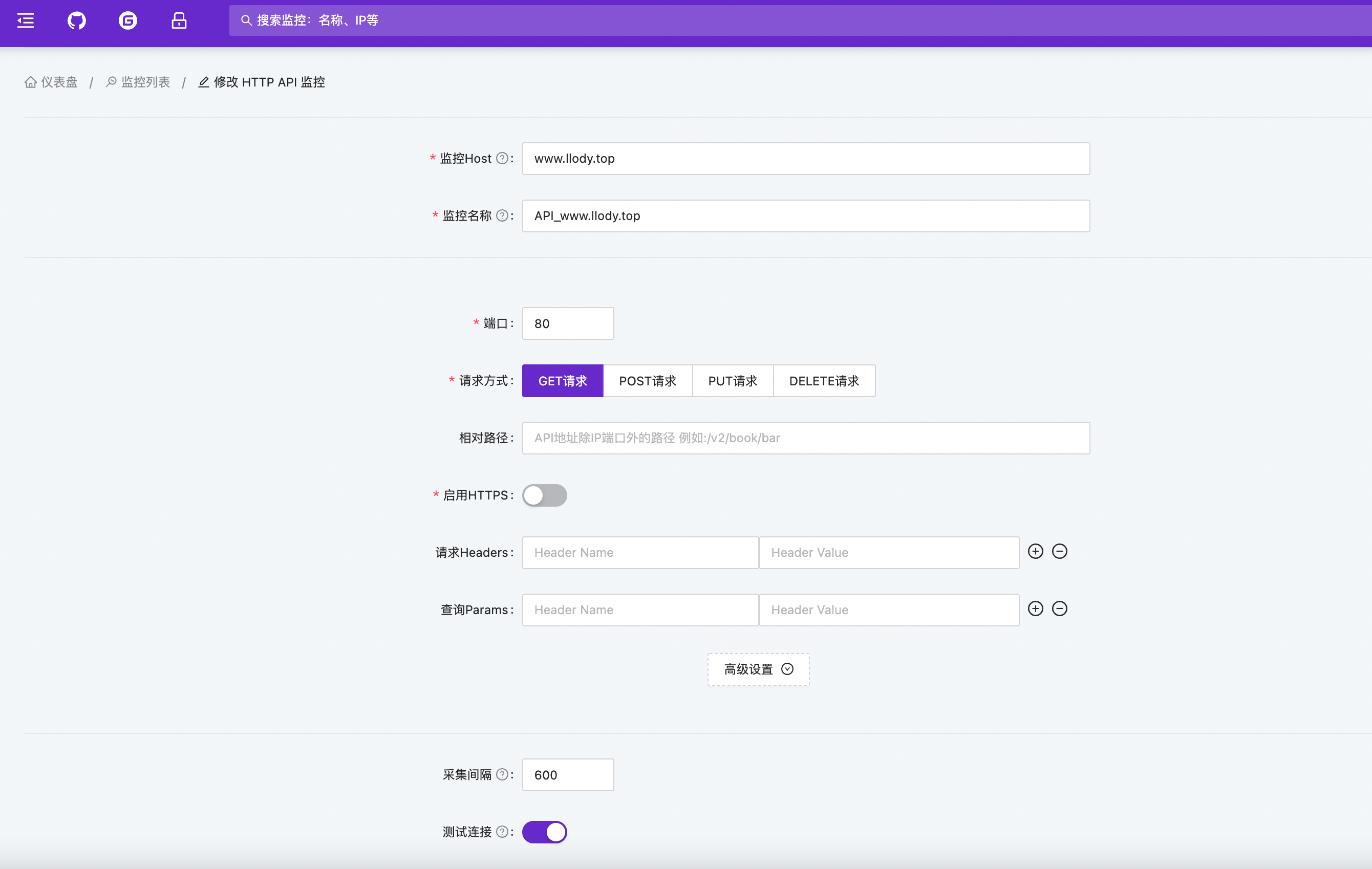
|
||||
|
||||
Linux新增指标:
|
||||
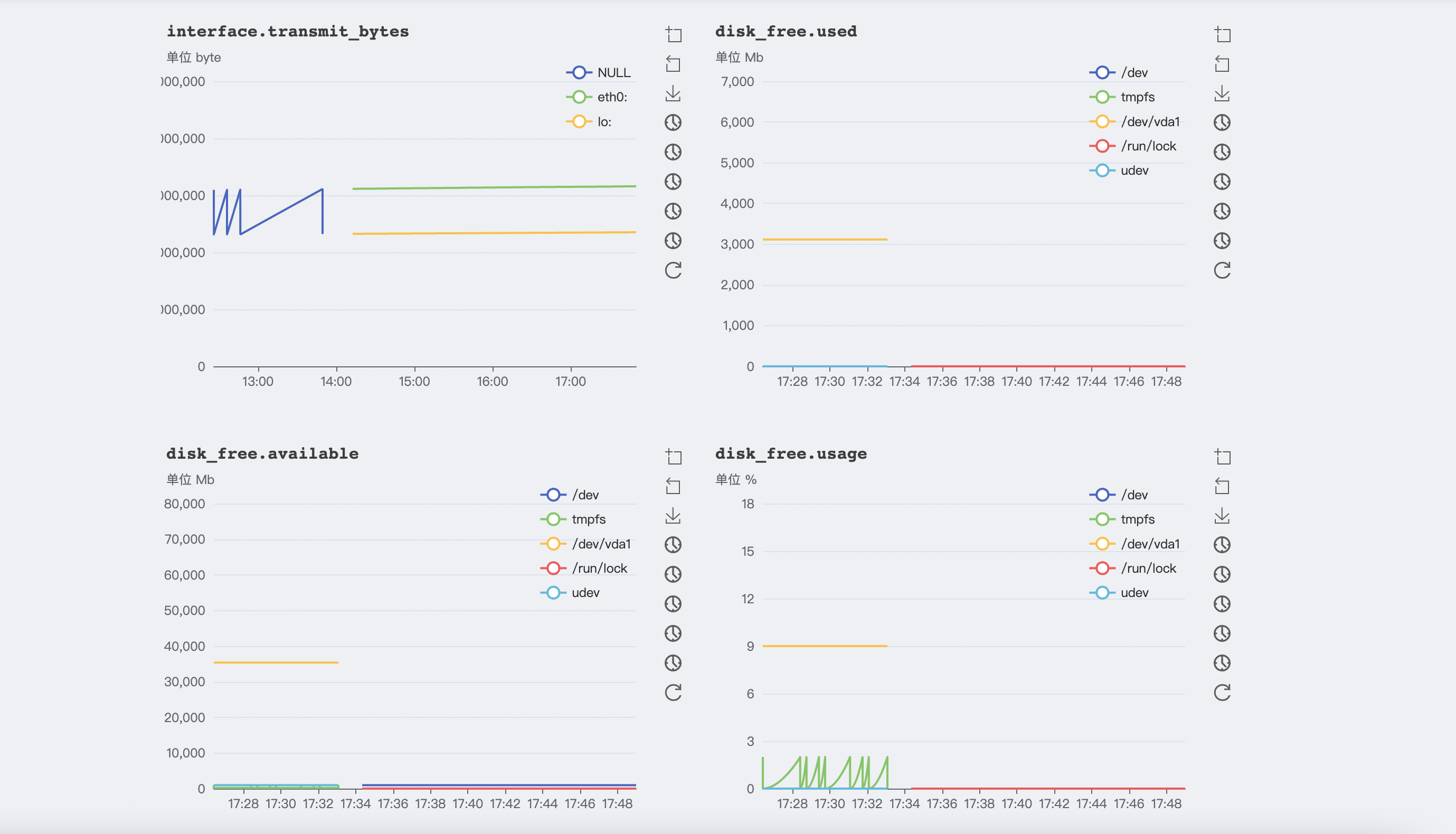
|
||||
|
||||
ORACLE监控:
|
||||
哦豁!oracle环境不在了,之前没有截图,先脑补一张!
|
||||
|
||||
**仓库地址**
|
||||
|
||||
[Github](https://github.com/dromara/hertzbeat) https://github.com/dromara/hertzbeat
|
||||
[Gitee](https://gitee.com/dromara/hertzbeat) https://gitee.com/dromara/hertzbeat
|
||||
|
||||
看到这里不妨给个Star支持下哦,灰常感谢,弯腰!!
|
||||
132
home/docs/advanced/extend-http-default.md
Normal file
132
home/docs/advanced/extend-http-default.md
Normal file
@@ -0,0 +1,132 @@
|
||||
---
|
||||
id: extend-http-default
|
||||
title: HTTP协议系统默认解析方式
|
||||
sidebar_label: 系统默认解析方式
|
||||
---
|
||||
> HTTP接口调用获取响应数据后,用HertzBeat默认的解析方式去解析响应数据。
|
||||
|
||||
**此需接口响应数据结构符合HertzBeat指定的数据结构规则**
|
||||
|
||||
### HertzBeat数据格式规范
|
||||
注意⚠️ 响应数据为JSON
|
||||
|
||||
单层格式:key-value
|
||||
```json
|
||||
{
|
||||
"metricName1": "metricValue",
|
||||
"metricName2": "metricValue",
|
||||
"metricName3": "metricValue",
|
||||
"metricName4": "metricValue"
|
||||
}
|
||||
```
|
||||
多层格式:数组里面套key-value
|
||||
```json
|
||||
[
|
||||
{
|
||||
"metricName1": "metricValue",
|
||||
"metricName2": "metricValue",
|
||||
"metricName3": "metricValue",
|
||||
"metricName4": "metricValue"
|
||||
},
|
||||
{
|
||||
"metricName1": "metricValue",
|
||||
"metricName2": "metricValue",
|
||||
"metricName3": "metricValue",
|
||||
"metricName4": "metricValue"
|
||||
}
|
||||
]
|
||||
```
|
||||
样例:
|
||||
查询自定义系统的CPU信息,其暴露接口为 `/metrics/cpu`,我们需要其中的`hostname,core,useage`指标
|
||||
若只有一台虚拟机,其单层格式为:
|
||||
```json
|
||||
{
|
||||
"hostname": "linux-1",
|
||||
"core": 1,
|
||||
"usage": 78.0,
|
||||
"allTime": 200,
|
||||
"runningTime": 100
|
||||
}
|
||||
```
|
||||
若有多台虚拟机,其多层格式为:
|
||||
```json
|
||||
[
|
||||
{
|
||||
"hostname": "linux-1",
|
||||
"core": 1,
|
||||
"usage": 78.0,
|
||||
"allTime": 200,
|
||||
"runningTime": 100
|
||||
},
|
||||
{
|
||||
"hostname": "linux-2",
|
||||
"core": 3,
|
||||
"usage": 78.0,
|
||||
"allTime": 566,
|
||||
"runningTime": 34
|
||||
},
|
||||
{
|
||||
"hostname": "linux-3",
|
||||
"core": 4,
|
||||
"usage": 38.0,
|
||||
"allTime": 500,
|
||||
"runningTime": 20
|
||||
}
|
||||
]
|
||||
```
|
||||
|
||||
**对应的监控配置定义文件YML可以配置为如下**
|
||||
|
||||
```yaml
|
||||
# 此监控类型所属类别:service-应用服务监控 db-数据库监控 custom-自定义监控 os-操作系统监控
|
||||
category: custom
|
||||
# 监控应用类型(与文件名保持一致) eg: linux windows tomcat mysql aws...
|
||||
app: example
|
||||
name:
|
||||
zh-CN: 模拟应用类型
|
||||
en-US: EXAMPLE APP
|
||||
# 参数映射map. 这些为输入参数变量,即可以用^_^host^_^的形式写到后面的配置中,系统自动变量值替换
|
||||
# type是参数类型: 0-number数字, 1-string明文字符串, 2-secret加密字符串
|
||||
# 强制固定必须参数 - host
|
||||
configmap:
|
||||
- key: host
|
||||
type: 1
|
||||
- key: port
|
||||
type: 0
|
||||
# 指标组列表
|
||||
metrics:
|
||||
# 第一个监控指标组 cpu
|
||||
# 注意:内置监控指标有 (responseTime - 响应时间)
|
||||
- name: cpu
|
||||
# 指标组调度优先级(0-127)越小优先级越高,优先级低的指标组会等优先级高的指标组采集完成后才会被调度,相同优先级的指标组会并行调度采集
|
||||
# 优先级为0的指标组为可用性指标组,即它会被首先调度,采集成功才会继续调度其它指标组,采集失败则中断调度
|
||||
priority: 0
|
||||
# 指标组中的具体监控指标
|
||||
fields:
|
||||
# 指标信息 包括 field名称 type字段类型:0-number数字,1-string字符串 instance是否为实例主键 unit:指标单位
|
||||
- field: hostname
|
||||
type: 1
|
||||
instance: true
|
||||
- field: usage
|
||||
type: 0
|
||||
unit: '%'
|
||||
- field: core
|
||||
type: 0
|
||||
# 监控采集使用协议 eg: sql, ssh, http, telnet, wmi, snmp, sdk
|
||||
protocol: http
|
||||
# 当protocol为http协议时具体的采集配置
|
||||
http:
|
||||
# 主机host: ipv4 ipv6 域名
|
||||
host: ^_^host^_^
|
||||
# 端口
|
||||
port: ^_^port^_^
|
||||
# url请求接口路径
|
||||
url: /metrics/cpu
|
||||
# 请求方式 GET POST PUT DELETE PATCH
|
||||
method: GET
|
||||
# 是否启用ssl/tls,即是http还是https,默认false
|
||||
ssl: false
|
||||
# 响应数据解析方式: default-系统规则,jsonPath-jsonPath脚本,website-网站可用性指标监控
|
||||
# 这里使用HertzBeat默认解析
|
||||
parseType: default
|
||||
```
|
||||
149
home/docs/advanced/extend-http-jsonpath.md
Normal file
149
home/docs/advanced/extend-http-jsonpath.md
Normal file
@@ -0,0 +1,149 @@
|
||||
---
|
||||
id: extend-http-jsonpath
|
||||
title: HTTP协议JsonPath解析方式
|
||||
sidebar_label: JsonPath解析方式
|
||||
---
|
||||
> HTTP接口调用获取响应数据后,用JsonPath脚本解析的解析方式去解析响应数据。
|
||||
|
||||
注意⚠️ 响应数据为JSON格式
|
||||
|
||||
**使用JsonPath脚本将响应数据解析成符合HertzBeat指定的数据结构规则的数据**
|
||||
|
||||
#### JsonPath操作符
|
||||
[JSONPath在线验证](https://www.jsonpath.cn)
|
||||
|
||||
| JSONPATH | 帮助描述 |
|
||||
| ----------- | ----------- |
|
||||
| $ | 根对象或元素 |
|
||||
| @ | 当前对象或元素 |
|
||||
| . or [] | 子元素操作符 |
|
||||
| .. | 递归匹配所有子元素 |
|
||||
| * | 通配符. 匹配所有对象或元素. |
|
||||
| [] | 下标运算符,JsonPath索引从0开始 |
|
||||
| [,] | 连接运算符,将多个结果拼成数组返回,JSONPath允许使用别名. |
|
||||
| [start:end:step] | 数组切片运算符 |
|
||||
| ?() | 过滤器(脚本)表达式. |
|
||||
| () | 脚本表达式. |
|
||||
|
||||
#### HertzBeat数据格式规范
|
||||
单层格式:key-value
|
||||
```json
|
||||
{
|
||||
"metricName1": "metricValue",
|
||||
"metricName2": "metricValue",
|
||||
"metricName3": "metricValue",
|
||||
"metricName4": "metricValue"
|
||||
}
|
||||
```
|
||||
多层格式:数组里面套key-value
|
||||
```json
|
||||
[
|
||||
{
|
||||
"metricName1": "metricValue",
|
||||
"metricName2": "metricValue",
|
||||
"metricName3": "metricValue",
|
||||
"metricName4": "metricValue"
|
||||
},
|
||||
{
|
||||
"metricName1": "metricValue",
|
||||
"metricName2": "metricValue",
|
||||
"metricName3": "metricValue",
|
||||
"metricName4": "metricValue"
|
||||
}
|
||||
]
|
||||
```
|
||||
|
||||
#### 样例
|
||||
|
||||
查询自定义系统的数值信息,其暴露接口为 `/metrics/person`,我们需要其中的`type,num`指标
|
||||
接口返回的原始数据如下:
|
||||
```json
|
||||
{
|
||||
"firstName": "John",
|
||||
"lastName" : "doe",
|
||||
"age" : 26,
|
||||
"address" : {
|
||||
"streetAddress": "naist street",
|
||||
"city" : "Nara",
|
||||
"postalCode" : "630-0192"
|
||||
},
|
||||
"number": [
|
||||
{
|
||||
"type": "core",
|
||||
"num": 3343
|
||||
},
|
||||
{
|
||||
"type": "home",
|
||||
"num": 4543
|
||||
}
|
||||
]
|
||||
}
|
||||
```
|
||||
|
||||
我们使用JsonPath脚本解析,对应的脚本为: `$.number[*]` ,解析后的数据结构如下:
|
||||
```json
|
||||
[
|
||||
{
|
||||
"type": "core",
|
||||
"num": 3343
|
||||
},
|
||||
{
|
||||
"type": "home",
|
||||
"num": 4543
|
||||
}
|
||||
]
|
||||
```
|
||||
此数据结构符合HertzBeat的数据格式规范,成功提取指标`type,num`值。
|
||||
|
||||
**对应的监控配置定义文件YML可以配置为如下**
|
||||
|
||||
```yaml
|
||||
# 此监控类型所属类别:service-应用服务监控 db-数据库监控 custom-自定义监控 os-操作系统监控
|
||||
category: custom
|
||||
# 监控应用类型(与文件名保持一致) eg: linux windows tomcat mysql aws...
|
||||
app: example
|
||||
name:
|
||||
zh-CN: 模拟应用类型
|
||||
en-US: EXAMPLE APP
|
||||
# 参数映射map. 这些为输入参数变量,即可以用^_^host^_^的形式写到后面的配置中,系统自动变量值替换
|
||||
# type是参数类型: 0-number数字, 1-string明文字符串, 2-secret加密字符串
|
||||
# 强制固定必须参数 - host
|
||||
configmap:
|
||||
- key: host
|
||||
type: 1
|
||||
- key: port
|
||||
type: 0
|
||||
# 指标组列表
|
||||
metrics:
|
||||
# 第一个监控指标组 person
|
||||
# 注意:内置监控指标有 (responseTime - 响应时间)
|
||||
- name: cpu
|
||||
# 指标组调度优先级(0-127)越小优先级越高,优先级低的指标组会等优先级高的指标组采集完成后才会被调度,相同优先级的指标组会并行调度采集
|
||||
# 优先级为0的指标组为可用性指标组,即它会被首先调度,采集成功才会继续调度其它指标组,采集失败则中断调度
|
||||
priority: 0
|
||||
# 指标组中的具体监控指标
|
||||
fields:
|
||||
# 指标信息 包括 field名称 type字段类型:0-number数字,1-string字符串 instance是否为实例主键 unit:指标单位
|
||||
- field: type
|
||||
type: 1
|
||||
instance: true
|
||||
- field: num
|
||||
type: 0
|
||||
# 监控采集使用协议 eg: sql, ssh, http, telnet, wmi, snmp, sdk
|
||||
protocol: http
|
||||
# 当protocol为http协议时具体的采集配置
|
||||
http:
|
||||
# 主机host: ipv4 ipv6 域名
|
||||
host: ^_^host^_^
|
||||
# 端口
|
||||
port: ^_^port^_^
|
||||
# url请求接口路径
|
||||
url: /metrics/person
|
||||
# 请求方式 GET POST PUT DELETE PATCH
|
||||
method: GET
|
||||
# 是否启用ssl/tls,即是http还是https,默认false
|
||||
ssl: false
|
||||
# 响应数据解析方式: default-系统规则,jsonPath-jsonPath脚本,website-网站可用性指标监控
|
||||
# 这里使用jsonPath解析
|
||||
parseType: $.number[*]
|
||||
```
|
||||
215
home/docs/advanced/extend-http.md
Normal file
215
home/docs/advanced/extend-http.md
Normal file
@@ -0,0 +1,215 @@
|
||||
---
|
||||
id: extend-http
|
||||
title: HTTP协议自定义监控
|
||||
sidebar_label: HTTP协议自定义监控
|
||||
---
|
||||
> 从[自定义监控](extend-point)了解熟悉了怎么自定义类型,指标,协议等,这里我们来详细介绍下用HTTP协议自定义指标监控。
|
||||
|
||||
### HTTP协议采集流程
|
||||
【**HTTP接口调用**】->【**响应校验**】->【**响应数据解析**】->【**默认方式解析|JsonPath脚本解析 | XmlPath解析(todo) | Prometheus解析(todo)**】->【**指标数据提取**】
|
||||
|
||||
由流程可见,我们自定义一个HTTP协议的监控类型,需要配置HTTP请求参数,配置获取哪些指标,对响应数据配置解析方式和解析脚本。
|
||||
HTTP协议支持我们自定义HTTP请求路径,请求header,请求参数,请求方式,请求体等。
|
||||
|
||||
**系统默认解析方式**:http接口返回hertzbeat规定的json数据结构,即可用默认解析方式解析数据提取对应的指标数据,详细介绍见 [**系统默认解析**](extend-http-default)
|
||||
**JsonPath脚本解析方式**:用JsonPath脚本对响应的json数据进行解析,返回系统指定的数据结构,然后提供对应的指标数据,详细介绍见 [**JsonPath脚本解析**](extend-http-jsonpath)
|
||||
|
||||
|
||||
### 自定义步骤
|
||||
|
||||
配置自定义监控类型需新增配置两个YML文件
|
||||
1. 用监控类型命名的监控配置定义文件 - 例如:example.yml 需位于安装目录 /hertzbeat/define/app/ 下
|
||||
2. 用监控类型命名的监控参数定义文件 - 例如:example.yml 需位于安装目录 /hertzbeat/define/param/ 下
|
||||
3. 重启hertzbeat系统,我们就适配好了一个新的自定义监控类型。
|
||||
|
||||
-------
|
||||
下面详细介绍下这俩文件的配置用法,请注意看使用注释。
|
||||
|
||||
### 监控配置定义文件
|
||||
|
||||
> 监控配置定义文件用于定义 *监控类型的名称(国际化), 请求参数映射, 指标信息, 采集协议配置信息*等。
|
||||
|
||||
样例:自定义一个名称为example_http的自定义监控类型,其使用HTTP协议采集指标数据。
|
||||
文件名称: example_http.yml 位于 /define/app/example_http.yml
|
||||
|
||||
```yaml
|
||||
# 此监控类型所属类别:service-应用服务监控 db-数据库监控 custom-自定义监控 os-操作系统监控
|
||||
category: custom
|
||||
# 监控应用类型(与文件名保持一致) eg: linux windows tomcat mysql aws...
|
||||
app: example_http
|
||||
name:
|
||||
zh-CN: 模拟应用类型
|
||||
en-US: EXAMPLE APP
|
||||
# 参数映射map. 这些为输入参数变量,即可以用^_^host^_^的形式写到后面的配置中,系统自动变量值替换
|
||||
# type是参数类型: 0-number数字, 1-string明文字符串, 2-secret加密字符串
|
||||
# 强制固定必须参数 - host
|
||||
configmap:
|
||||
- key: host
|
||||
type: 1
|
||||
- key: port
|
||||
type: 0
|
||||
- key: username
|
||||
type: 1
|
||||
- key: password
|
||||
type: 2
|
||||
# 指标组列表
|
||||
metrics:
|
||||
# 第一个监控指标组 cpu
|
||||
# 注意:内置监控指标有 (responseTime - 响应时间)
|
||||
- name: cpu
|
||||
# 指标组调度优先级(0-127)越小优先级越高,优先级低的指标组会等优先级高的指标组采集完成后才会被调度,相同优先级的指标组会并行调度采集
|
||||
# 优先级为0的指标组为可用性指标组,即它会被首先调度,采集成功才会继续调度其它指标组,采集失败则中断调度
|
||||
priority: 0
|
||||
# 指标组中的具体监控指标
|
||||
fields:
|
||||
# 指标信息 包括 field名称 type字段类型:0-number数字,1-string字符串 instance是否为实例主键 unit:指标单位
|
||||
- field: hostname
|
||||
type: 1
|
||||
instance: true
|
||||
- field: usage
|
||||
type: 0
|
||||
unit: '%'
|
||||
- field: cores
|
||||
type: 0
|
||||
- field: waitTime
|
||||
type: 0
|
||||
unit: s
|
||||
# (非必须)监控指标别名,与上面的指标名映射。用于采集接口数据字段不直接是最终指标名称,需要此别名做映射转换
|
||||
aliasFields:
|
||||
- hostname
|
||||
- core1
|
||||
- core2
|
||||
- usage
|
||||
- allTime
|
||||
- runningTime
|
||||
# (非必须)指标计算表达式,与上面的别名一起作用,计算出最终需要的指标值
|
||||
# eg: cores=core1+core2, usage=usage, waitTime=allTime-runningTime
|
||||
calculates:
|
||||
- hostname=hostname
|
||||
- cores=core1+core2
|
||||
- usage=usage
|
||||
- waitTime=allTime-runningTime
|
||||
# 监控采集使用协议 eg: sql, ssh, http, telnet, wmi, snmp, sdk
|
||||
protocol: http
|
||||
# 当protocol为http协议时具体的采集配置
|
||||
http:
|
||||
# 主机host: ipv4 ipv6 域名
|
||||
host: ^_^host^_^
|
||||
# 端口
|
||||
port: ^_^port^_^
|
||||
# url请求接口路径
|
||||
url: /metrics/cpu
|
||||
# 请求方式 GET POST PUT DELETE PATCH
|
||||
method: GET
|
||||
# 是否启用ssl/tls,即是http还是https,默认false
|
||||
ssl: false
|
||||
# 请求头内容
|
||||
headers:
|
||||
apiVersion: v1
|
||||
# 请求参数内容
|
||||
params:
|
||||
param1: param1
|
||||
param2: param2
|
||||
# 认证
|
||||
authorization:
|
||||
# 认证方式: Basic Auth, Digest Auth, Bearer Token
|
||||
type: Basic Auth
|
||||
basicAuthUsername: ^_^username^_^
|
||||
basicAuthPassword: ^_^password^_^
|
||||
# 响应数据解析方式: default-系统规则,jsonPath-jsonPath脚本,website-网站可用性指标监控
|
||||
# todo xmlPath-xmlPath脚本,prometheus-Prometheus数据规则
|
||||
parseType: jsonPath
|
||||
parseScript: '$'
|
||||
|
||||
- name: memory
|
||||
priority: 1
|
||||
fields:
|
||||
- field: hostname
|
||||
type: 1
|
||||
instance: true
|
||||
- field: total
|
||||
type: 0
|
||||
unit: kb
|
||||
- field: usage
|
||||
type: 0
|
||||
unit: '%'
|
||||
- field: speed
|
||||
type: 0
|
||||
protocol: http
|
||||
http:
|
||||
host: ^_^host^_^
|
||||
port: ^_^port^_^
|
||||
url: /metrics/memory
|
||||
method: GET
|
||||
headers:
|
||||
apiVersion: v1
|
||||
params:
|
||||
param1: param1
|
||||
param2: param2
|
||||
authorization:
|
||||
type: Basic Auth
|
||||
basicAuthUsername: ^_^username^_^
|
||||
basicAuthPassword: ^_^password^_^
|
||||
parseType: default
|
||||
```
|
||||
|
||||
### 监控参数定义文件
|
||||
|
||||
> 监控参数定义文件用于定义 *需要的输入参数字段结构定义(前端页面根据结构渲染输入参数框)*。
|
||||
|
||||
样例:自定义一个名称为example_http的自定义监控类型,其使用HTTP协议采集指标数据。
|
||||
文件名称: example_http.yml 位于 //define/param/example_http.yml
|
||||
|
||||
```yaml
|
||||
# 监控应用类型名称(与文件名保持一致) eg: linux windows tomcat mysql aws...
|
||||
app: example_http
|
||||
# 强制固定必须参数 - host(ipv4,ipv6,域名)
|
||||
param:
|
||||
# field-字段名称标识符
|
||||
- field: host
|
||||
# name-参数字段显示名称
|
||||
name: 主机Host
|
||||
# type-字段类型,样式(大部分映射input标签type属性)
|
||||
type: host
|
||||
# 是否是必输项 true-必填 false-可选
|
||||
required: true
|
||||
- field: port
|
||||
name: 端口
|
||||
type: number
|
||||
# 当type为number时,用range表示范围
|
||||
range: '[0,65535]'
|
||||
required: true
|
||||
# 端口默认值
|
||||
defaultValue: 80
|
||||
# 参数输入框提示信息
|
||||
placeholder: '请输入端口'
|
||||
- field: username
|
||||
name: 用户名
|
||||
type: text
|
||||
# 当type为text时,用limit表示字符串限制大小
|
||||
limit: 20
|
||||
required: false
|
||||
- field: password
|
||||
name: 密码
|
||||
type: password
|
||||
required: false
|
||||
- field: ssl
|
||||
name: 启动SSL
|
||||
# 当type为boolean时,前端用switch展示开关
|
||||
type: boolean
|
||||
required: false
|
||||
- field: method
|
||||
name: 请求方式
|
||||
type: radio
|
||||
required: true
|
||||
# 当type为radio单选框,checkbox复选框时,option表示可选项值列表 {name1:value1,name2:value2}
|
||||
options:
|
||||
- label: GET请求
|
||||
value: GET
|
||||
- label: POST请求
|
||||
value: POST
|
||||
- label: PUT请求
|
||||
value: PUT
|
||||
- label: DELETE请求
|
||||
value: DELETE
|
||||
```
|
||||
252
home/docs/advanced/extend-jdbc.md
Normal file
252
home/docs/advanced/extend-jdbc.md
Normal file
@@ -0,0 +1,252 @@
|
||||
---
|
||||
id: extend-jdbc
|
||||
title: JDBC协议自定义监控
|
||||
sidebar_label: JDBC协议自定义监控
|
||||
---
|
||||
> 从[自定义监控](extend-point)了解熟悉了怎么自定义类型,指标,协议等,这里我们来详细介绍下用JDBC(目前支持mysql,mariadb,postgresql,sqlserver)自定义指标监控。
|
||||
> JDBC协议自定义监控可以让我们很方便的通过写SQL查询语句就能监控到我们想监控的指标
|
||||
|
||||
### JDBC协议采集流程
|
||||
【**系统直连MYSQL**】->【**运行SQL查询语句**】->【**响应数据解析:oneRow, multiRow, columns**】->【**指标数据提取**】
|
||||
|
||||
由流程可见,我们自定义一个JDBC协议的监控类型,需要配置JDBC请求参数,配置获取哪些指标,配置查询SQL语句。
|
||||
|
||||
### 数据解析方式
|
||||
SQL查询回来的数据字段和我们需要的指标映射,就能获取对应的指标数据,目前映射解析方式有三种:oneRow, multiRow, columns
|
||||
|
||||
#### **oneRow**
|
||||
> 查询一行数据, 通过查询返回结果集的列名称,和查询的字段映射
|
||||
|
||||
例如:
|
||||
查询的指标字段为:one tow three four
|
||||
查询SQL:select one, tow, three, four from book limit 1;
|
||||
这里指标字段就能和响应数据一一映射为一行采集数据。
|
||||
|
||||
#### **multiRow**
|
||||
> 查询多行数据, 通过查询返回结果集的列名称,和查询的字段映射
|
||||
|
||||
例如:
|
||||
查询的指标字段为:one tow three four
|
||||
查询SQL:select one, tow, three, four from book;
|
||||
这里指标字段就能和响应数据一一映射为多行采集数据。
|
||||
|
||||
#### **columns**
|
||||
> 采集一行指标数据, 通过查询的两列数据(key-value),key和查询的字段匹配,value为查询字段的值
|
||||
|
||||
例如:
|
||||
查询字段:one tow three four
|
||||
查询SQL:select key, value from book;
|
||||
SQL响应数据:
|
||||
|
||||
| key | value |
|
||||
| ----------- | ----------- |
|
||||
| one | 243 |
|
||||
| two | 435 |
|
||||
| three | 332 |
|
||||
| four | 643 |
|
||||
|
||||
这里指标字段就能和响应数据的key映射,获取对应的value为其采集监控数据。
|
||||
|
||||
### 自定义步骤
|
||||
|
||||
配置自定义监控类型需新增配置两个YML文件
|
||||
1. 用监控类型命名的监控配置定义文件 - 例如:example_sql.yml 需位于安装目录 /hertzbeat/define/app/ 下
|
||||
2. 用监控类型命名的监控参数定义文件 - 例如:example_sql.yml 需位于安装目录 /hertzbeat/define/param/ 下
|
||||
3. 重启hertzbeat系统,我们就适配好了一个新的自定义监控类型。
|
||||
|
||||
-------
|
||||
下面详细介绍下这俩文件的配置用法,请注意看使用注释。
|
||||
|
||||
### 监控配置定义文件
|
||||
|
||||
> 监控配置定义文件用于定义 *监控类型的名称(国际化), 请求参数映射, 指标信息, 采集协议配置信息*等。
|
||||
|
||||
样例:自定义一个名称为example_sql的自定义监控类型,其使用JDBC协议采集指标数据。
|
||||
文件名称: example_sql.yml 位于 /define/app/example_sql.yml
|
||||
|
||||
```yaml
|
||||
# 此监控类型所属类别:service-应用服务监控 db-数据库监控 custom-自定义监控 os-操作系统监控
|
||||
category: db
|
||||
# 监控应用类型(与文件名保持一致) eg: linux windows tomcat mysql aws...
|
||||
app: example_sql
|
||||
name:
|
||||
zh-CN: 模拟MYSQL应用类型
|
||||
en-US: MYSQL EXAMPLE APP
|
||||
# 参数映射map. 这些为输入参数变量,即可以用^_^host^_^的形式写到后面的配置中,系统自动变量值替换
|
||||
# type是参数类型: 0-number数字, 1-string明文字符串, 2-secret加密字符串
|
||||
# 强制固定必须参数 - host
|
||||
configmap:
|
||||
- key: host
|
||||
type: 1
|
||||
- key: port
|
||||
type: 0
|
||||
- key: username
|
||||
type: 1
|
||||
- key: password
|
||||
type: 2
|
||||
- key: database
|
||||
type: 1
|
||||
- key: url
|
||||
type: 1
|
||||
# 指标组列表
|
||||
metrics:
|
||||
- name: basic
|
||||
# 指标组调度优先级(0-127)越小优先级越高,优先级低的指标组会等优先级高的指标组采集完成后才会被调度,相同优先级的指标组会并行调度采集
|
||||
# 优先级为0的指标组为可用性指标组,即它会被首先调度,采集成功才会继续调度其它指标组,采集失败则中断调度
|
||||
priority: 0
|
||||
# 指标组中的具体监控指标
|
||||
fields:
|
||||
# 指标信息 包括 field名称 type字段类型:0-number数字,1-string字符串 instance是否为实例主键 unit:指标单位
|
||||
- field: version
|
||||
type: 1
|
||||
instance: true
|
||||
- field: port
|
||||
type: 1
|
||||
- field: datadir
|
||||
type: 1
|
||||
- field: max_connections
|
||||
type: 0
|
||||
# (非必须)监控指标别名,与上面的指标名映射。用于采集接口数据字段不直接是最终指标名称,需要此别名做映射转换
|
||||
aliasFields:
|
||||
- version
|
||||
- version_compile_os
|
||||
- version_compile_machine
|
||||
- port
|
||||
- datadir
|
||||
- max_connections
|
||||
# (非必须)指标计算表达式,与上面的别名一起作用,计算出最终需要的指标值
|
||||
# eg: cores=core1+core2, usage=usage, waitTime=allTime-runningTime
|
||||
calculates:
|
||||
- port=port
|
||||
- datadir=datadir
|
||||
- max_connections=max_connections
|
||||
- version=version+"_"+version_compile_os+"_"+version_compile_machine
|
||||
protocol: jdbc
|
||||
jdbc:
|
||||
# 主机host: ipv4 ipv6 域名
|
||||
host: ^_^host^_^
|
||||
# 端口
|
||||
port: ^_^port^_^
|
||||
platform: mysql
|
||||
username: ^_^username^_^
|
||||
password: ^_^password^_^
|
||||
database: ^_^database^_^
|
||||
# SQL查询方式: oneRow, multiRow, columns
|
||||
queryType: columns
|
||||
# sql
|
||||
sql: show global variables where Variable_name like 'version%' or Variable_name = 'max_connections' or Variable_name = 'datadir' or Variable_name = 'port';
|
||||
url: ^_^url^_^
|
||||
|
||||
- name: status
|
||||
priority: 1
|
||||
fields:
|
||||
# 指标信息 包括 field名称 type字段类型:0-number数字,1-string字符串 instance是否为实例主键 unit:指标单位
|
||||
- field: threads_created
|
||||
type: 0
|
||||
- field: threads_connected
|
||||
type: 0
|
||||
- field: threads_cached
|
||||
type: 0
|
||||
- field: threads_running
|
||||
type: 0
|
||||
# (非必须)监控指标别名,与上面的指标名映射。用于采集接口数据字段不直接是最终指标名称,需要此别名做映射转换
|
||||
aliasFields:
|
||||
- threads_created
|
||||
- threads_connected
|
||||
- threads_cached
|
||||
- threads_running
|
||||
# (非必须)指标计算表达式,与上面的别名一起作用,计算出最终需要的指标值
|
||||
# eg: cores=core1+core2, usage=usage, waitTime=allTime-runningTime
|
||||
calculates:
|
||||
- threads_created=threads_created
|
||||
- threads_connected=threads_connected
|
||||
- threads_cached=threads_cached
|
||||
- threads_running=threads_running
|
||||
protocol: jdbc
|
||||
jdbc:
|
||||
# 主机host: ipv4 ipv6 域名
|
||||
host: ^_^host^_^
|
||||
# 端口
|
||||
port: ^_^port^_^
|
||||
platform: mysql
|
||||
username: ^_^username^_^
|
||||
password: ^_^password^_^
|
||||
database: ^_^database^_^
|
||||
# SQL查询方式: oneRow, multiRow, columns
|
||||
queryType: columns
|
||||
# sql
|
||||
sql: show global status where Variable_name like 'thread%' or Variable_name = 'com_commit' or Variable_name = 'com_rollback' or Variable_name = 'questions' or Variable_name = 'uptime';
|
||||
url: ^_^url^_^
|
||||
|
||||
- name: innodb
|
||||
priority: 2
|
||||
fields:
|
||||
# 指标信息 包括 field名称 type字段类型:0-number数字,1-string字符串 instance是否为实例主键 unit:指标单位
|
||||
- field: innodb_data_reads
|
||||
type: 0
|
||||
unit: 次数
|
||||
- field: innodb_data_writes
|
||||
type: 0
|
||||
unit: 次数
|
||||
- field: innodb_data_read
|
||||
type: 0
|
||||
unit: kb
|
||||
- field: innodb_data_written
|
||||
type: 0
|
||||
unit: kb
|
||||
protocol: jdbc
|
||||
jdbc:
|
||||
# 主机host: ipv4 ipv6 域名
|
||||
host: ^_^host^_^
|
||||
# 端口
|
||||
port: ^_^port^_^
|
||||
platform: mysql
|
||||
username: ^_^username^_^
|
||||
password: ^_^password^_^
|
||||
database: ^_^database^_^
|
||||
# SQL查询方式: oneRow, multiRow, columns
|
||||
queryType: columns
|
||||
# sql
|
||||
sql: show global status where Variable_name like 'innodb%';
|
||||
url: ^_^url^_^
|
||||
```
|
||||
|
||||
### 监控参数定义文件
|
||||
|
||||
> 监控参数定义文件用于定义 *需要的输入参数字段结构定义(前端页面根据结构渲染输入参数框)*。
|
||||
|
||||
样例:自定义一个名称为example_sql的自定义监控类型,其使用JDBC协议采集指标数据。
|
||||
文件名称: example_sql.yml 位于 /define/param/example_sql.yml
|
||||
|
||||
```yaml
|
||||
app: example_sql
|
||||
param:
|
||||
- field: host
|
||||
name: 主机Host
|
||||
type: host
|
||||
required: true
|
||||
- field: port
|
||||
name: 端口
|
||||
type: number
|
||||
range: '[0,65535]'
|
||||
required: true
|
||||
defaultValue: 80
|
||||
placeholder: '请输入端口'
|
||||
- field: database
|
||||
name: 数据库名称
|
||||
type: text
|
||||
required: false
|
||||
- field: username
|
||||
name: 用户名
|
||||
type: text
|
||||
limit: 20
|
||||
required: false
|
||||
- field: password
|
||||
name: 密码
|
||||
type: password
|
||||
required: false
|
||||
- field: url
|
||||
name: URL
|
||||
type: text
|
||||
required: false
|
||||
```
|
||||
@@ -3,13 +3,14 @@ id: extend-point
|
||||
title: 自定义监控
|
||||
sidebar_label: 自定义监控
|
||||
---
|
||||
> HertzBeat拥有自定义监控能力,您只需配置两个YML文件就能适配一款自定义的监控类型。目前自定义监控支持HTTP协议,MYSQL协议,后续会支持更多通用协议。
|
||||
> HertzBeat拥有自定义监控能力,您只需配置两个YML文件就能适配一款自定义的监控类型。
|
||||
> 目前自定义监控支持[HTTP协议](extend-http),[JDBC协议](extend-jdbc)(mysql,mariadb,postgresql..),[SSH协议](extend-ssh),后续会支持更多通用协议(ssh telnet wmi snmp)。
|
||||
|
||||
### 自定义步骤
|
||||
|
||||
配置自定义监控类型需新增配置两个YML文件
|
||||
1. 用监控类型命名的监控配置定义文件 - example.yml 需位于安装目录 /hertz-beat/define/app/ 下
|
||||
2. 用监控类型命名的监控参数定义文件 - example.yml 需位于安装目录 /hertz-beat/define/param/ 下
|
||||
1. 用监控类型命名的监控配置定义文件 - 例如:example.yml 需位于安装目录 /hertzbeat/define/app/ 下
|
||||
2. 用监控类型命名的监控参数定义文件 - 例如:example.yml 需位于安装目录 /hertzbeat/define/param/ 下
|
||||
3. 重启hertzbeat系统,我们就适配好了一个新的自定义监控类型。
|
||||
|
||||
-------
|
||||
@@ -20,15 +21,18 @@ sidebar_label: 自定义监控
|
||||
> 监控配置定义文件用于定义 *监控类型的名称(国际化), 请求参数映射, 指标信息, 采集协议配置信息*等。
|
||||
|
||||
样例:自定义一个名称为example的自定义监控类型,其使用HTTP协议采集指标数据。
|
||||
文件名称: example.yml 位于 /hertz-beat/define/app/example.yml
|
||||
文件名称: example.yml 位于 /define/app/example.yml
|
||||
|
||||
```yaml
|
||||
# 此监控类型所属类别:service-应用服务监控 db-数据库监控 custom-自定义监控 os-操作系统监控
|
||||
category: custom
|
||||
# 监控应用类型(与文件名保持一致) eg: linux windows tomcat mysql aws...
|
||||
app: example
|
||||
name:
|
||||
zh-CN: 模拟应用类型
|
||||
en-US: EXAMPLE APP
|
||||
# 参数映射map. type是参数类型: 0-number数字, 1-string明文字符串, 2-secret加密字符串
|
||||
# 参数映射map. 这些为输入参数变量,即可以用^_^host^_^的形式写到后面的配置中,系统自动变量值替换
|
||||
# type是参数类型: 0-number数字, 1-string明文字符串, 2-secret加密字符串
|
||||
# 强制固定必须参数 - host
|
||||
configmap:
|
||||
- key: host
|
||||
@@ -145,7 +149,7 @@ metrics:
|
||||
> 监控参数定义文件用于定义 *需要的输入参数字段结构定义(前端页面根据结构渲染输入参数框)*。
|
||||
|
||||
样例:自定义一个名称为example的自定义监控类型,其使用HTTP协议采集指标数据。
|
||||
文件名称: example.yml 位于 /hertz-beat/define/param/example.yml
|
||||
文件名称: example.yml 位于 /define/param/example.yml
|
||||
|
||||
```yaml
|
||||
# 监控应用类型名称(与文件名保持一致) eg: linux windows tomcat mysql aws...
|
||||
|
||||
220
home/docs/advanced/extend-ssh.md
Normal file
220
home/docs/advanced/extend-ssh.md
Normal file
@@ -0,0 +1,220 @@
|
||||
---
|
||||
id: extend-ssh
|
||||
title: SSH协议自定义监控
|
||||
sidebar_label: SSH协议自定义监控
|
||||
---
|
||||
> 从[自定义监控](extend-point)了解熟悉了怎么自定义类型,指标,协议等,这里我们来详细介绍下用SSH协议自定义指标监控。
|
||||
> SSH协议自定义监控可以让我们很方便的通过写sh命令脚本就能监控采集到我们想监控的Linux指标
|
||||
|
||||
### SSH协议采集流程
|
||||
【**系统直连Linux**】->【**运行SHELL命令脚本语句**】->【**响应数据解析:oneRow, multiRow**】->【**指标数据提取**】
|
||||
|
||||
由流程可见,我们自定义一个SSH协议的监控类型,需要配置SSH请求参数,配置获取哪些指标,配置查询脚本语句。
|
||||
|
||||
### 数据解析方式
|
||||
SHELL脚本查询回来的数据字段和我们需要的指标映射,就能获取对应的指标数据,目前映射解析方式有两种:oneRow, multiRow,能满足绝大部分指标需求。
|
||||
|
||||
#### **oneRow**
|
||||
> 查询出一列数据, 通过查询返回结果集的字段值(一行一个值)与字段映射
|
||||
|
||||
例如:
|
||||
需要查询Linux的指标 hostname-主机名称,uptime-启动时间
|
||||
主机名称原始查询命令:`hostname`
|
||||
启动时间原始查询命令:`uptime | awk -F "," '{print $1}'`
|
||||
则在hertzbeat对应的这两个指标的查询脚本为(用`;`将其连接到一起):
|
||||
`hostname; uptime | awk -F "," '{print $1}'`
|
||||
终端响应的数据为:
|
||||
```
|
||||
tombook
|
||||
14:00:15 up 72 days
|
||||
```
|
||||
则最后采集到的指标数据一一映射为:
|
||||
hostname值为 `tombook`
|
||||
uptime值为 `14:00:15 up 72 days`
|
||||
|
||||
这里指标字段就能和响应数据一一映射为一行采集数据。
|
||||
|
||||
#### **multiRow**
|
||||
> 查询多行数据, 通过查询返回结果集的列名称,和查询的指标字段映射
|
||||
|
||||
例如:
|
||||
查询的Linux内存相关指标字段:total-内存总量 used-已使用内存 free-空闲内存 buff-cache-缓存大小 available-可用内存
|
||||
内存指标原始查询命令为:`free -m`, 控制台响应:
|
||||
```shell
|
||||
total used free shared buff/cache available
|
||||
Mem: 7962 4065 333 1 3562 3593
|
||||
Swap: 8191 33 8158
|
||||
```
|
||||
在heartbeat中multiRow格式解析需要响应数据列名称和指标值一一映射,则对应的查询SHELL脚本为:
|
||||
`free -m | grep Mem | awk 'BEGIN{print "total used free buff_cache available"} {print $2,$3,$4,$6,$7}'`
|
||||
控制台响应为:
|
||||
```shell
|
||||
total used free buff_cache available
|
||||
7962 4066 331 3564 3592
|
||||
```
|
||||
|
||||
这里指标字段就能和响应数据一一映射为采集数据。
|
||||
|
||||
### 自定义步骤
|
||||
|
||||
配置自定义监控类型需新增配置两个YML文件
|
||||
1. 用监控类型命名的监控配置定义文件 - 例如:example_linux.yml 需位于安装目录 /hertzbeat/define/app/ 下
|
||||
2. 用监控类型命名的监控参数定义文件 - 例如:example_linux.yml 需位于安装目录 /hertzbeat/define/param/ 下
|
||||
3. 重启hertzbeat系统,我们就适配好了一个新的自定义监控类型。
|
||||
|
||||
-------
|
||||
下面详细介绍下这俩文件的配置用法,请注意看使用注释。
|
||||
|
||||
### 监控配置定义文件
|
||||
|
||||
> 监控配置定义文件用于定义 *监控类型的名称(国际化), 请求参数映射, 指标信息, 采集协议配置信息*等。
|
||||
|
||||
样例:自定义一个名称为example_linux的自定义监控类型,其使用SSH协议采集指标数据。
|
||||
文件名称: example_linux.yml 位于 /define/app/example_linux.yml
|
||||
|
||||
```yaml
|
||||
# 此监控类型所属类别:service-应用服务监控 db-数据库监控 custom-自定义监控 os-操作系统监控
|
||||
category: os
|
||||
# 监控应用类型(与文件名保持一致) eg: linux windows tomcat mysql aws...
|
||||
app: example_linux
|
||||
name:
|
||||
zh-CN: 模拟LINUX应用类型
|
||||
en-US: LINUX EXAMPLE APP
|
||||
# 参数映射map. 这些为输入参数变量,即可以用^_^host^_^的形式写到后面的配置中,系统自动变量值替换
|
||||
# type是参数类型: 0-number数字, 1-string明文字符串, 2-secret加密字符串
|
||||
# 强制固定必须参数 - host
|
||||
configmap:
|
||||
- key: host
|
||||
type: 1
|
||||
- key: port
|
||||
type: 0
|
||||
- key: username
|
||||
type: 1
|
||||
- key: password
|
||||
type: 2
|
||||
# 指标组列表
|
||||
metrics:
|
||||
# 第一个监控指标组 basic
|
||||
# 注意:内置监控指标有 (responseTime - 响应时间)
|
||||
- name: basic
|
||||
# 指标组调度优先级(0-127)越小优先级越高,优先级低的指标组会等优先级高的指标组采集完成后才会被调度,相同优先级的指标组会并行调度采集
|
||||
# 优先级为0的指标组为可用性指标组,即它会被首先调度,采集成功才会继续调度其它指标组,采集失败则中断调度
|
||||
priority: 0
|
||||
# 指标组中的具体监控指标
|
||||
fields:
|
||||
# 指标信息 包括 field名称 type字段类型:0-number数字,1-string字符串 instance是否为实例主键 unit:指标单位
|
||||
- field: hostname
|
||||
type: 1
|
||||
instance: true
|
||||
- field: version
|
||||
type: 1
|
||||
- field: uptime
|
||||
type: 1
|
||||
# 监控采集使用协议 eg: sql, ssh, http, telnet, wmi, snmp, sdk
|
||||
protocol: ssh
|
||||
# 当protocol为http协议时具体的采集配置
|
||||
ssh:
|
||||
# 主机host: ipv4 ipv6 域名
|
||||
host: ^_^host^_^
|
||||
# 端口
|
||||
port: ^_^port^_^
|
||||
username: ^_^username^_^
|
||||
password: ^_^password^_^
|
||||
script: (uname -r ; hostname ; uptime | awk -F "," '{print $1}' | sed "s/ //g") | sed ":a;N;s/\n/^/g;ta" | awk -F '^' 'BEGIN{print "version hostname uptime"} {print $1, $2, $3}'
|
||||
# 响应数据解析方式:oneRow, multiRow
|
||||
parseType: multiRow
|
||||
|
||||
- name: cpu
|
||||
priority: 1
|
||||
fields:
|
||||
# 指标信息 包括 field名称 type字段类型:0-number数字,1-string字符串 instance是否为实例主键 unit:指标单位
|
||||
- field: info
|
||||
type: 1
|
||||
- field: cores
|
||||
type: 0
|
||||
unit: 核数
|
||||
- field: interrupt
|
||||
type: 0
|
||||
unit: 个数
|
||||
- field: load
|
||||
type: 1
|
||||
- field: context_switch
|
||||
type: 0
|
||||
unit: 个数
|
||||
# 监控采集使用协议 eg: sql, ssh, http, telnet, wmi, snmp, sdk
|
||||
protocol: ssh
|
||||
# 当protocol为http协议时具体的采集配置
|
||||
ssh:
|
||||
# 主机host: ipv4 ipv6 域名
|
||||
host: ^_^host^_^
|
||||
# 端口
|
||||
port: ^_^port^_^
|
||||
username: ^_^username^_^
|
||||
password: ^_^password^_^
|
||||
script: "LANG=C lscpu | awk -F: '/Model name/ {print $2}';awk '/processor/{core++} END{print core}' /proc/cpuinfo;uptime | sed 's/,/ /g' | awk '{for(i=NF-2;i<=NF;i++)print $i }' | xargs;vmstat 1 1 | awk 'NR==3{print $11}';vmstat 1 1 | awk 'NR==3{print $12}'"
|
||||
parseType: oneRow
|
||||
|
||||
- name: memory
|
||||
priority: 2
|
||||
fields:
|
||||
# 指标信息 包括 field名称 type字段类型:0-number数字,1-string字符串 instance是否为实例主键 unit:指标单位
|
||||
- field: total
|
||||
type: 0
|
||||
unit: Mb
|
||||
- field: used
|
||||
type: 0
|
||||
unit: Mb
|
||||
- field: free
|
||||
type: 0
|
||||
unit: Mb
|
||||
- field: buff_cache
|
||||
type: 0
|
||||
unit: Mb
|
||||
- field: available
|
||||
type: 0
|
||||
unit: Mb
|
||||
# 监控采集使用协议 eg: sql, ssh, http, telnet, wmi, snmp, sdk
|
||||
protocol: ssh
|
||||
# 当protocol为http协议时具体的采集配置
|
||||
ssh:
|
||||
# 主机host: ipv4 ipv6 域名
|
||||
host: ^_^host^_^
|
||||
# 端口
|
||||
port: ^_^port^_^
|
||||
username: ^_^username^_^
|
||||
password: ^_^password^_^
|
||||
script: free -m | grep Mem | awk 'BEGIN{print "total used free buff_cache available"} {print $2,$3,$4,$6,$7}'
|
||||
parseType: multiRow
|
||||
```
|
||||
|
||||
### 监控参数定义文件
|
||||
|
||||
> 监控参数定义文件用于定义 *需要的输入参数字段结构定义(前端页面根据结构渲染输入参数框)*。
|
||||
|
||||
样例:自定义一个名称为example_linux的自定义监控类型,其使用SSH协议采集指标数据。
|
||||
文件名称: example_linux.yml 位于 /define/param/example_linux.yml
|
||||
|
||||
```yaml
|
||||
app: example_linux
|
||||
param:
|
||||
- field: host
|
||||
name: 主机Host
|
||||
type: host
|
||||
required: true
|
||||
- field: port
|
||||
name: 端口
|
||||
type: number
|
||||
range: '[0,65535]'
|
||||
required: true
|
||||
defaultValue: 22
|
||||
placeholder: '请输入端口'
|
||||
- field: username
|
||||
name: 用户名
|
||||
type: text
|
||||
limit: 20
|
||||
required: true
|
||||
- field: password
|
||||
name: 密码
|
||||
type: password
|
||||
required: true
|
||||
```
|
||||
@@ -1,65 +0,0 @@
|
||||
---
|
||||
id: contributing
|
||||
title: 参与贡献
|
||||
sidebar_label: 参与贡献
|
||||
---
|
||||
|
||||
Contributing to Sureness
|
||||
=======================================
|
||||
Very welcome to Contribute this project, go further and better with sureness.
|
||||
Firstly, thanks for your interest in contributing! I hope that this will be a pleasant first experience for you, and that you will return to continue contributing.
|
||||
|
||||
Components of Repository:
|
||||
- [sureness's kernel code--sureness-core](https://github.com/usthe/sureness/tree/master/core)
|
||||
- [sureness integration springboot sample(configuration file scheme)--sample-bootstrap](https://github.com/usthe/sureness/tree/master/sample-bootstrap)
|
||||
- [sureness integration springboot sample(database scheme)-sample-tom](https://github.com/usthe/sureness/tree/master/sample-tom)
|
||||
- [sample projects using sureness in each framework(javalin,ktor,quarkus)--samples](https://github.com/usthe/sureness/tree/master/samples)
|
||||
|
||||
## How to contribute?
|
||||
|
||||
Most of the contributions that we receive are code contributions, but you can
|
||||
also contribute to the documentation or simply report solid bugs
|
||||
for us to fix.
|
||||
|
||||
For new contributors, please take a look at issues or pull requests with a tag called below.
|
||||
|
||||
[Good first issue](https://github.com/usthe/sureness/issues?q=is%3Aissue+is%3Aopen+label%3A%22good+first+issue%22)
|
||||
[Help wanted](https://github.com/usthe/sureness/issues?q=is%3Aissue+is%3Aopen+label%3A%22help+wanted%22)
|
||||
[Good first pull request](https://github.com/usthe/sureness/issues?q=label%3A%22good+first+pull+request%22+)
|
||||
|
||||
## Join discussion
|
||||
|
||||
[Github Discussion](https://github.com/usthe/sureness/discussions)
|
||||
[Gitter Channel](https://gitter.im/usthe/sureness)
|
||||
|
||||
----
|
||||
----
|
||||
|
||||
参与贡献
|
||||
=======================================
|
||||
|
||||
非常欢迎参与项目贡献,我们致力于维护一个互相帮助的快乐社区。
|
||||
|
||||
仓库的组成部分:
|
||||
- [sureness的核心代码--sureness-core](https://github.com/usthe/sureness/tree/master/core)
|
||||
- [使用sureness集成springboot搭建权限项目(配置文件方案)--sample-bootstrap](https://github.com/usthe/sureness/tree/master/sample-bootstrap)
|
||||
- [使用sureness集成springboot搭建权限项目(数据库方案)--sample-tom](https://github.com/usthe/sureness/tree/master/sample-tom)
|
||||
- [各个框架使用sureness的样例项目(javalin,ktor,quarkus)--samples](https://github.com/usthe/sureness/tree/master/samples)
|
||||
|
||||
|
||||
## 如何贡献?
|
||||
|
||||
我们不仅仅接收代码的贡献提交,您也可以通过提交文档的更新或者BUG的报告来参与社区贡献。
|
||||
|
||||
如果是新的贡献者,请首先了解参考如下样例的提交Issues,提交Pull Requests如果工作。
|
||||
|
||||
[Good first issue](https://github.com/usthe/sureness/issues?q=is%3Aissue+is%3Aopen+label%3A%22good+first+issue%22)
|
||||
[Help wanted](https://github.com/usthe/sureness/issues?q=is%3Aissue+is%3Aopen+label%3A%22help+wanted%22)
|
||||
[Good first pull request](https://github.com/usthe/sureness/issues?q=label%3A%22good+first+pull+request%22+)
|
||||
|
||||
## 加入交流
|
||||
|
||||
[Github Discussion](https://github.com/usthe/sureness/discussions)
|
||||
[Gitter Channel](https://gitter.im/usthe/sureness)
|
||||
QQ交流群:390083213
|
||||
微信公众号:sureness
|
||||
40
home/docs/help/alert_dingtalk.md
Normal file
40
home/docs/help/alert_dingtalk.md
Normal file
@@ -0,0 +1,40 @@
|
||||
---
|
||||
id: alert_dingtalk
|
||||
title: 告警钉钉机器人通知
|
||||
sidebar_label: 告警钉钉机器人通知
|
||||
---
|
||||
|
||||
> 阈值触发后发送告警信息,通过钉钉机器人通知到接收人。
|
||||
|
||||
### 操作步骤
|
||||
|
||||
1. **【钉钉桌面客户端】-> 【群设置】-> 【智能群助手】-> 【添加新建机器人-选自定义】-> 【设置机器人名称头像】-> 【注意⚠️设置自定义关键字: TanCloud】 ->【添加成功后复制其WebHook地址】**
|
||||
|
||||
> 注意⚠️ 新增机器人时需在安全设置块需设置其自定义关键字: TanCloud ,其它安全设置加签或IP段不填写
|
||||
|
||||

|
||||
|
||||
2. **【保存机器人的WebHook地址access_token值】**
|
||||
|
||||
> 例如: webHook地址:`https://oapi.dingtalk.com/robot/send?access_token=43aac28a236e001285ed84e473f8eabee70f63c7a70287acb0e0f8b65fade64f`
|
||||
> 其机器人access_token值为 `43aac28a236e001285ed84e473f8eabee70f63c7a70287acb0e0f8b65fade64f`
|
||||
|
||||
3. **【告警通知】->【新增接收人】 ->【选择钉钉机器人通知方式】->【设置钉钉机器人ACCESS_TOKEN】-> 【确定】**
|
||||
|
||||

|
||||
|
||||
4. ** 配置关联的告警通知策略⚠️ 【新增通知策略】-> 【将刚设置的接收人关联】-> 【确定】**
|
||||
|
||||
> ** 注意⚠️ 新增了接收人并不代表已经生效可以接收告警信息,还需配置关联的告警通知策略,即指定哪些消息发给哪些接收人 **。
|
||||
|
||||

|
||||
|
||||
|
||||
### 钉钉机器人通知常见问题
|
||||
|
||||
1. 钉钉群未收到机器人告警通知
|
||||
> 请排查在告警中心是否已有触发的告警信息
|
||||
> 请排查钉钉机器人是否配置了安全自定义关键字:TanCloud
|
||||
> 请排查是否配置正确机器人ACCESS_TOKEN,是否已配置告警策略关联
|
||||
|
||||
其它问题可以通过交流群ISSUE反馈哦!
|
||||
37
home/docs/help/alert_email.md
Normal file
37
home/docs/help/alert_email.md
Normal file
@@ -0,0 +1,37 @@
|
||||
---
|
||||
id: alert_email
|
||||
title: 告警邮件通知
|
||||
sidebar_label: 告警邮件通知
|
||||
---
|
||||
|
||||
> 阈值触发后发送告警信息,通过邮件通知到接收人。
|
||||
|
||||
### 操作步骤
|
||||
|
||||
1. **【告警通知】->【新增接收人】 ->【选择邮件通知方式】**
|
||||
|
||||

|
||||
|
||||
2. **【获取验证码】-> 【输入邮箱验证码】-> 【确定】**
|
||||

|
||||
|
||||

|
||||
|
||||
3. ** 配置关联的告警通知策略⚠️ 【新增通知策略】-> 【将刚设置的接收人关联】-> 【确定】**
|
||||
|
||||
> ** 注意⚠️ 新增了接收人并不代表已经生效可以接收告警信息,还需配置关联的告警通知策略,即指定哪些消息发给哪些接收人 **。
|
||||
|
||||

|
||||
|
||||
|
||||
### 邮件通知常见问题
|
||||
|
||||
1. 自己内网部署的HertzBeat无法接收到邮件通知
|
||||
> HertzBeat需要自己配置邮件服务器,TanCloud无需,请确认是否在application.yml配置了自己的邮件服务器
|
||||
|
||||
2. 云环境TanCloud无法接收到邮件通知
|
||||
> 请排查在告警中心是否已有触发的告警信息
|
||||
> 请排查是否配置正确邮箱,是否已配置告警策略关联
|
||||
> 请查询邮箱的垃圾箱里是否把告警邮件拦截
|
||||
|
||||
其它问题可以通过交流群ISSUE反馈哦!
|
||||
33
home/docs/help/alert_feishu.md
Normal file
33
home/docs/help/alert_feishu.md
Normal file
@@ -0,0 +1,33 @@
|
||||
---
|
||||
id: alert_feishu
|
||||
title: 告警飞书机器人通知
|
||||
sidebar_label: 告警飞书机器人通知
|
||||
---
|
||||
|
||||
> 阈值触发后发送告警信息,通过飞书机器人通知到接收人。
|
||||
|
||||
### 操作步骤
|
||||
|
||||
1. **【飞书客户端】-> 【群设置】-> 【群机器人】-> 【添加新建机器人】-> 【设置机器人名称头像】-> 【添加成功后复制其WebHook地址】**
|
||||
|
||||
2. **【保存机器人的WebHook地址的KEY值】**
|
||||
|
||||
> 例如: webHook地址:`https://open.feishu.cn/open-apis/bot/v2/hook/3adafc96-23d0-4cd5-8feb-17f6e0b5fcs4`
|
||||
> 其机器人KEY值为 `3adafc96-23d0-4cd5-8feb-17f6e0b5fcs4`
|
||||
|
||||
3. **【告警通知】->【新增接收人】 ->【选择飞书机器人通知方式】->【设置飞书机器人KEY】-> 【确定】**
|
||||
|
||||
4. ** 配置关联的告警通知策略⚠️ 【新增通知策略】-> 【将刚设置的接收人关联】-> 【确定】**
|
||||
|
||||
> ** 注意⚠️ 新增了接收人并不代表已经生效可以接收告警信息,还需配置关联的告警通知策略,即指定哪些消息发给哪些接收人 **。
|
||||
|
||||

|
||||
|
||||
|
||||
### 飞书机器人通知常见问题
|
||||
|
||||
1. 飞书群未收到机器人告警通知
|
||||
> 请排查在告警中心是否已有触发的告警信息
|
||||
> 请排查是否配置正确机器人KEY,是否已配置告警策略关联
|
||||
|
||||
其它问题可以通过交流群ISSUE反馈哦!
|
||||
36
home/docs/help/alert_threshold.md
Normal file
36
home/docs/help/alert_threshold.md
Normal file
@@ -0,0 +1,36 @@
|
||||
---
|
||||
id: alert_threshold
|
||||
title: 阈值告警配置
|
||||
sidebar_label: 阈值告警配置
|
||||
---
|
||||
|
||||
> 对监控指标配置告警阈值(警告告警,严重告警,紧急告警),系统根据阈值配置和采集指标数据计算触发告警。
|
||||
|
||||
### 操作步骤
|
||||
|
||||
1. **【告警配置】->【新增阈值】-> 【配置后确定】**
|
||||
|
||||

|
||||
|
||||
如上图:
|
||||
|
||||
**指标对象**:选择我们需要配置阈值的监控指标对象 例如:网站监控类型下的 -> summary指标集合下的 -> responseTime响应时间指标
|
||||
**阈值触发表达式**:根据此表达式来计算判断是否触发阈值,表达式环境变量和操作符见页面提示,例如:设置响应时间大于50触发告警,表达式为 `responseTime > 50`。阈值表达式详细帮助见 [阈值表达式帮助](alert_threshold_expr)
|
||||
**告警级别**:触发阈值的告警级别,从低到高依次为:警告-warning,严重-critical,紧急-emergency
|
||||
**触发次数**:设置触发阈值多少次之后才会真正的触发告警
|
||||
**通知模版**:告警触发后发送的通知信息模版,模版环境变量见页面提示,例如:`${app}.${metrics}.${metric}指标的值为${responseTime},大于50触发告警`
|
||||
**全局默认**: 设置此阈值是否对全局的此类指标都应用有效,默认否。新增阈值后还需将阈值与监控对象关联,这样阈值才会对此监控生效。
|
||||
**启用告警**:此告警阈值配置开启生效或关闭
|
||||
|
||||
2. ** 阈值关联监控⚠️ 【告警配置】-> 【将刚设置的阈值】-> 【配置关联监控】-> 【配置后确定】**
|
||||
|
||||
> ** 注意⚠️ 新增阈值后还需将阈值与监控对象关联(即设置此阈值对哪些监控有效),这样阈值才会对此监控生效 **。
|
||||
|
||||

|
||||
|
||||

|
||||
|
||||
**阈值告警配置完毕,已经被成功触发的告警信息可以在【告警中心】看到。**
|
||||
**若需要将告警信息邮件,微信,钉钉飞书通知给相关人员,可以在【告警通知】配置。**
|
||||
|
||||
其它问题可以通过交流群ISSUE反馈哦!
|
||||
49
home/docs/help/alert_threshold_expr.md
Normal file
49
home/docs/help/alert_threshold_expr.md
Normal file
@@ -0,0 +1,49 @@
|
||||
---
|
||||
id: alert_threshold_expr
|
||||
title: 阈值触发表达式
|
||||
sidebar_label: 阈值触发表达式
|
||||
---
|
||||
|
||||
> 在我们配置阈值告警时,需要配置阈值触发表达式,系统根据表达式和监控指标值计算触发是否告警,这里详细介绍下表达式使用。
|
||||
|
||||
#### 表达式支持的操作符
|
||||
|
||||
```
|
||||
equals(str1,str2)
|
||||
==
|
||||
<
|
||||
<=
|
||||
>
|
||||
>=
|
||||
!=
|
||||
( )
|
||||
+
|
||||
-
|
||||
&&
|
||||
||
|
||||
```
|
||||
|
||||
丰富的操作符让我们可以很自由的定义表达式。
|
||||
注意⚠️ 字符串的相等请用 `equals(str1,str2)` 数字类型的相等判断请用== 或 !=
|
||||
|
||||
#### 支持的环境变量
|
||||
> 环境变量即指标值等支持的变量,用于在表达式中,阈值计算判断时会将变量替换成实际值进行计算
|
||||
|
||||
非固定环境变量:这些变量会根据我们选择的监控指标对象而动态变化,例如我们选择了**网站监控的响应时间指标**,则环境变量就有 `responseTime - 此为响应时间变量`
|
||||
如果我们想设置**网站监控的响应时间大于400时**触发告警,则表达式为 `responseTime>400`
|
||||
|
||||
固定环境变量(不常用):`instance : 所属行实例值`
|
||||
此变量主要用于计算多实例时,比如采集到c盘d盘的`usage`(`usage为非固定环境变量`),我们只想设置**c盘的usage大于80**时告警,则表达式为 `equals(instance,"c")&&usage>80`
|
||||
|
||||
#### 表达式设置案例
|
||||
|
||||
1. 网站监控->响应时间大于等于400ms时触发告警
|
||||
`responseTime>=400`
|
||||
2. API监控->响应时间大于3000ms时触发告警
|
||||
`responseTime>3000`
|
||||
3. 全站监控->URL(instance)路径为 `https://baidu.com/book/3` 的响应时间大于200ms时触发告警
|
||||
`equals(instance,"https://baidu.com/book/3")&&responseTime>200`
|
||||
4. MYSQL监控->status指标组->threads_running(运行线程数)指标大于7时触发告警
|
||||
`threads_running>7`
|
||||
|
||||
若遇到问题可以通过交流群ISSUE交流反馈哦!
|
||||
47
home/docs/help/alert_webhook.md
Normal file
47
home/docs/help/alert_webhook.md
Normal file
@@ -0,0 +1,47 @@
|
||||
---
|
||||
id: alert_webhook
|
||||
title: 告警WebHook回调通知
|
||||
sidebar_label: 告警WebHook通知
|
||||
---
|
||||
|
||||
> 阈值触发后发送告警信息,通过post请求方式调用WebHook接口通知到接收人。
|
||||
|
||||
### 操作步骤
|
||||
|
||||
1. **【告警通知】->【新增接收人】 ->【选择WebHook通知方式】-> 【设置WebHook回调地址】 -> 【确定】**
|
||||
|
||||

|
||||
|
||||
2. ** 配置关联的告警通知策略⚠️ 【新增通知策略】-> 【将刚设置的接收人关联】-> 【确定】**
|
||||
|
||||
> ** 注意⚠️ 新增了接收人并不代表已经生效可以接收告警信息,还需配置关联的告警通知策略,即指定哪些消息发给哪些接收人 **。
|
||||
|
||||

|
||||
|
||||
### WebHook回调POST请求体BODY内容
|
||||
|
||||
内容格式:JSON
|
||||
```json
|
||||
{
|
||||
"id":76456,
|
||||
"target":"available",
|
||||
"monitorId":5739609486000128,
|
||||
"monitorName":"API_poetry.apiopen.top",
|
||||
"priority":0,
|
||||
"content":"监控紧急可用性告警: UN_CONNECTABLE",
|
||||
"status":0,
|
||||
"times":1,
|
||||
"tenantId":10000,
|
||||
"gmtCreate":"2022-02-25T13:32:13",
|
||||
"gmtUpdate":"2022-02-25T13:32:13"
|
||||
}
|
||||
```
|
||||
|
||||
|
||||
### webhook通知常见问题
|
||||
|
||||
1. WebHook回调未生效
|
||||
> 请查看告警中心是否已经产生此条告警信息
|
||||
> 请排查配置的WebHook回调地址是否正确
|
||||
|
||||
其它问题可以通过交流群ISSUE反馈哦!
|
||||
37
home/docs/help/alert_wework.md
Normal file
37
home/docs/help/alert_wework.md
Normal file
@@ -0,0 +1,37 @@
|
||||
---
|
||||
id: alert_wework
|
||||
title: 告警企业微信通知
|
||||
sidebar_label: 告警企业微信通知
|
||||
---
|
||||
|
||||
> 阈值触发后发送告警信息,通过企业微信机器人通知到接收人。
|
||||
|
||||
### 操作步骤
|
||||
|
||||
1. **【企业微信端】-> 【群设置】-> 【群机器人】-> 【添加新建机器人】-> 【设置机器人名称头像】-> 【添加成功后复制其WebHook地址】**
|
||||
|
||||

|
||||
|
||||
2. **【保存机器人的WebHook地址的KEY值】**
|
||||
|
||||
> 例如: webHook地址:`https://qyapi.weixin.qq.com/cgi-bin/webhook/send?key=3adafc96-23d0-4cd5-8feb-17f6e0b5fcs4`
|
||||
> 其机器人KEY值为 `3adafc96-23d0-4cd5-8feb-17f6e0b5fcs4`
|
||||
|
||||
3. **【告警通知】->【新增接收人】 ->【选择企业微信机器人通知方式】->【设置企业微信机器人KEY】-> 【确定】**
|
||||
|
||||

|
||||
|
||||
4. ** 配置关联的告警通知策略⚠️ 【新增通知策略】-> 【将刚设置的接收人关联】-> 【确定】**
|
||||
|
||||
> ** 注意⚠️ 新增了接收人并不代表已经生效可以接收告警信息,还需配置关联的告警通知策略,即指定哪些消息发给哪些接收人 **。
|
||||
|
||||

|
||||
|
||||
|
||||
### 企业微信机器人通知常见问题
|
||||
|
||||
1. 企业微信群未收到机器人告警通知
|
||||
> 请排查在告警中心是否已有触发的告警信息
|
||||
> 请排查是否配置正确机器人KEY,是否已配置告警策略关联
|
||||
|
||||
其它问题可以通过交流群ISSUE反馈哦!
|
||||
35
home/docs/help/api.md
Normal file
35
home/docs/help/api.md
Normal file
@@ -0,0 +1,35 @@
|
||||
---
|
||||
id: api
|
||||
title: 监控:HTTP API
|
||||
sidebar_label: HTTP API
|
||||
---
|
||||
|
||||
> 调用HTTP API接口,查看接口是否可用,对其响应时间等指标进行监测
|
||||
|
||||
### 配置参数
|
||||
|
||||
| 参数名称 | 参数帮助描述 |
|
||||
| ----------- | ----------- |
|
||||
| 监控Host | 被监控的对端IPV4,IPV6或域名。注意⚠️不带协议头(eg: https://, http://)。 |
|
||||
| 监控名称 | 标识此监控的名称,名称需要保证唯一性。 |
|
||||
| 端口 | 网站对外提供的端口,http一般默认为80,https一般默认为443。 |
|
||||
| 相对路径 | 网站地址除IP端口外的后缀路径,例如 `www.tancloud.cn/console` 网站的相对路径为 `/console`。 |
|
||||
| 请求方式 | 设置接口调用的请求方式:GET,POST,PUT,DELETE。 |
|
||||
| 启用HTTPS | 是否通过HTTPS访问网站,注意⚠️开启HTTPS一般默认对应端口需要改为443 |
|
||||
| 用户名 | 接口Basic认证或Digest认证时使用的用户名 |
|
||||
| 密码 | 接口Basic认证或Digest认证时使用的密码 |
|
||||
| Content-Type | 设置携带BODY请求体数据请求时的资源类型 |
|
||||
| 请求BODY | 设置携带BODY请求体数据,PUT POST请求方式时有效 |
|
||||
| 采集间隔 | 监控周期性采集数据间隔时间,单位秒,可设置的最小间隔为10秒 |
|
||||
| 是否探测 | 新增监控前是否先探测检查监控可用性,探测成功才会继续新增修改操作 |
|
||||
| 描述备注 | 更多标识和描述此监控的备注信息,用户可以在这里备注信息 |
|
||||
|
||||
### 采集指标
|
||||
|
||||
#### 指标集合:summary
|
||||
|
||||
| 指标名称 | 指标单位 | 指标帮助描述 |
|
||||
| ----------- | ----------- | ----------- |
|
||||
| responseTime | ms毫秒 | 网站响应时间 |
|
||||
|
||||
|
||||
34
home/docs/help/fullsite.md
Normal file
34
home/docs/help/fullsite.md
Normal file
@@ -0,0 +1,34 @@
|
||||
---
|
||||
id: fullsite
|
||||
title: 监控:全站监控
|
||||
sidebar_label: 全站监控
|
||||
---
|
||||
|
||||
> 对网站的全部页面监测是否可用
|
||||
> 往往一个网站有多个不同服务提供的页面,我们通过采集网站暴露出来的网站地图SiteMap来监控全站。
|
||||
> 注意⚠️,此监控需您网站支持SiteMap。我们支持XML和TXT格式的SiteMap。
|
||||
|
||||
### 配置参数
|
||||
|
||||
| 参数名称 | 参数帮助描述 |
|
||||
| ----------- | ----------- |
|
||||
| 监控Host | 被监控的对端IPV4,IPV6或域名。注意⚠️不带协议头(eg: https://, http://)。 |
|
||||
| 监控名称 | 标识此监控的名称,名称需要保证唯一性。 |
|
||||
| 端口 | 网站对外提供的端口,http一般默认为80,https一般默认为443。 |
|
||||
| 网站地图 | 网站SiteMap地图地址的相对路径,例如:/sitemap.xml。 |
|
||||
| 启用HTTPS | 是否通过HTTPS访问网站,注意⚠️开启HTTPS一般默认对应端口需要改为443 |
|
||||
| 采集间隔 | 监控周期性采集数据间隔时间,单位秒,可设置的最小间隔为10秒 |
|
||||
| 是否探测 | 新增监控前是否先探测检查监控可用性,探测成功才会继续新增修改操作 |
|
||||
| 描述备注 | 更多标识和描述此监控的备注信息,用户可以在这里备注信息 |
|
||||
|
||||
### 采集指标
|
||||
|
||||
#### 指标集合:summary
|
||||
|
||||
| 指标名称 | 指标单位 | 指标帮助描述 |
|
||||
| ----------- | ----------- | ----------- |
|
||||
| url | 无 | 网页的URL路径 |
|
||||
| statusCode | 无 | 请求此网页的响应HTTP状态码 |
|
||||
| responseTime | ms毫秒 | 网站响应时间 |
|
||||
| errorMsg | 无 | 请求此网站反馈的错误信息 |
|
||||
|
||||
@@ -1,5 +1,50 @@
|
||||
---
|
||||
id: guide
|
||||
title: 帮助入门
|
||||
title: 帮助中心
|
||||
sidebar_label: 帮助入门
|
||||
---
|
||||
|
||||
> TanCloud - 易用友好的高性能监控云
|
||||
> 使用过程中的帮助文档,辅助信息
|
||||
|
||||
## 🔬 监控服务
|
||||
|
||||
> 定时采集监控对端服务暴露的性能指标,提供可视化界面,处理数据供告警等服务调度。
|
||||
> 规划的监控类型:应用服务,数据库,操作系统,云原生,开源中间件
|
||||
|
||||
### 应用服务监控
|
||||
|
||||
[网站监测](website)      [HTTP API](api)      [PING连通性](ping)      [端口可用性](port)      [全站监控](fullsite)
|
||||
|
||||
### 数据库监控
|
||||
|
||||
[MYSQL数据库监控](mysql)      [MariaDB数据库监控](mariadb)      [PostgreSQL数据库监控](postgresql)      [SqlServer数据库监控](sqlserver)      [Oracle数据库监控](oracle)
|
||||
|
||||
### 操作系统监控
|
||||
|
||||
[Linux操作系统监控](linux)     
|
||||
|
||||
## 💡 告警服务
|
||||
|
||||
> 更自由化的阈值告警配置,支持邮箱,短信,webhook,钉钉,企业微信,飞书机器人等告警通知。
|
||||
> 告警服务的定位是阈值准确及时触发,告警通知及时可达。
|
||||
|
||||
### 告警中心
|
||||
|
||||
> 已触发的告警信息中心,提供告警删除,告警处理,标记未处理,告警级别状态等查询过滤。
|
||||
|
||||
### 告警配置
|
||||
|
||||
> 指标阈值配置,提供表达式形式的指标阈值配置,可设置告警级别,触发次数,告警通知模版和是否启用,关联监控等功能。
|
||||
|
||||
详见 [阈值告警](alert_threshold)      [阈值表达式](alert_threshold_expr)
|
||||
|
||||
### 告警通知
|
||||
|
||||
> 触发告警信息后,除了显示在告警中心列表外,还可以用指定方式(邮件钉钉微信飞书等)通知给指定接收人。
|
||||
> 告警通知提供设置不同类型的通知方式,如邮件接收人,企业微信机器人通知,钉钉机器人通知,飞书机器人通知。
|
||||
> 接收人设置后需要设置关联的告警通知策略,来配置哪些告警信息发给哪些接收人。
|
||||
|
||||
|
||||
[配置邮箱通知](alert_email)      [配置WebHook通知](alert_webhook)      [配置企业微信机器人通知](alert_wework)
|
||||
[配置钉钉机器人通知](alert_dingtalk)      [配置飞书机器人通知](alert_feishu)
|
||||
|
||||
47
home/docs/help/issue.md
Normal file
47
home/docs/help/issue.md
Normal file
@@ -0,0 +1,47 @@
|
||||
---
|
||||
id: issue
|
||||
title: 常见问题
|
||||
sidebar_label: 常见问题
|
||||
---
|
||||
|
||||
### 监控常见问题
|
||||
|
||||
1. ** 页面反馈:monitor.host:监控Host必须是ipv4,ipv6或域名 **
|
||||
> 如信息所示,输入的监控Host须是ipv4,ipv6或域名,不能携带协议头,例如协议头http
|
||||
|
||||
2. ** 网站API等监控反馈statusCode:403或401,但对端服务本身无需认证,浏览器直接访问是OK **
|
||||
> 请排查是否是被防火墙拦截,如宝塔等默认设置了对请求header中`User-Agent=Apache-HttpClient`的拦截,若被拦截请删除此拦截规则。(v1.0.beat5版本已将user-agent模拟成浏览器此问题不存在)
|
||||
|
||||
3. 安装包部署的hertzbeat下ping连通性监控异常
|
||||
安装包安装部署的hertzbeat,对ping连通性监控不可用,但本地直接ping是可用的。
|
||||
> 安装包部署需要配置java虚拟机root权限启动hertzbeat从而使用ICMP,若未启用root权限则是判断telnet对端7号端口是否开通
|
||||
> docker安装默认启用无此问题
|
||||
|
||||
### Docker部署常见问题
|
||||
|
||||
1. **MYSQL,TDENGINE和HertzBeat都Docker部署在同一主机上,HertzBeat使用localhost或127.0.0.1连接数据库失败**
|
||||
此问题本质为Docker容器访问宿主机端口连接失败,由于docker默认网络模式为Bridge模式,其通过localhost访问不到宿主机。
|
||||
> 解决办法一:配置application.yml将数据库的连接地址由localhost修改为宿主机的对外IP
|
||||
> 解决办法二:使用Host网络模式启动Docker,即使Docker容器和宿主机共享网络 `docker run -d --network host .....`
|
||||
|
||||
2. **按照流程部署,访问 http://ip:1157/console 无界面**
|
||||
请参考下面几点排查问题:
|
||||
> 一:依赖服务MYSQL数据库,TDENGINE数据库是否已按照启动成功,对应hertzbeat数据库是否已创建,SQL脚本是否执行
|
||||
> 二:HertzBeat的配置文件 `application.yml` 里面的依赖服务IP账户密码等配置是否正确
|
||||
> 三:若都无问题可以 `docker logs hertzbeat` 查看容器日志是否有明显错误,提issue或交流群或社区反馈
|
||||
|
||||
3. **日志报错TDengine连接或插入SQL失败**
|
||||
> 一:排查配置的数据库账户密码是否正确,数据库是否创建
|
||||
> 二:若是安装包安装的TDengine2.3+,除了启动server外,还需执行 `systemctl start taosadapter` 启动 adapter
|
||||
|
||||
### 安装包部署常见问题
|
||||
|
||||
1. **按照流程部署,访问 http://ip:1157/console 无界面**
|
||||
请参考下面几点排查问题:
|
||||
> 一:依赖服务MYSQL数据库,TDENGINE数据库是否已按照启动成功,对应hertzbeat数据库是否已创建,SQL脚本是否执行
|
||||
> 二:HertzBeat的配置文件 `hertzbeat/config/application.yml` 里面的依赖服务IP账户密码等配置是否正确
|
||||
> 三:若都无问题可以查看 `hertzbeat/logs/` 目录下面的运行日志是否有明显错误,提issue或交流群或社区反馈
|
||||
|
||||
2. **日志报错TDengine连接或插入SQL失败**
|
||||
> 一:排查配置的数据库账户密码是否正确,数据库是否创建
|
||||
> 二:若是安装包安装的TDengine2.3+,除了启动server外,还需执行 `systemctl start taosadapter` 启动 adapter
|
||||
81
home/docs/help/linux.md
Normal file
81
home/docs/help/linux.md
Normal file
@@ -0,0 +1,81 @@
|
||||
---
|
||||
id: linux
|
||||
title: 监控:Linux操作系统监控
|
||||
sidebar_label: Linux操作系统
|
||||
---
|
||||
|
||||
> 对Linux操作系统的通用性能指标进行采集监控。
|
||||
|
||||
### 配置参数
|
||||
|
||||
| 参数名称 | 参数帮助描述 |
|
||||
| ----------- | ----------- |
|
||||
| 监控Host | 被监控的对端IPV4,IPV6或域名。注意⚠️不带协议头(eg: https://, http://)。 |
|
||||
| 监控名称 | 标识此监控的名称,名称需要保证唯一性。 |
|
||||
| 端口 | Linux SSH对外提供的端口,默认为22。 |
|
||||
| 用户名 | SSH连接用户名,可选 |
|
||||
| 密码 | SSH连接密码,可选 |
|
||||
| 采集间隔 | 监控周期性采集数据间隔时间,单位秒,可设置的最小间隔为10秒 |
|
||||
| 是否探测 | 新增监控前是否先探测检查监控可用性,探测成功才会继续新增修改操作 |
|
||||
| 描述备注 | 更多标识和描述此监控的备注信息,用户可以在这里备注信息 |
|
||||
|
||||
### 采集指标
|
||||
|
||||
#### 指标集合:basic
|
||||
|
||||
| 指标名称 | 指标单位 | 指标帮助描述 |
|
||||
| ----------- | ----------- | ----------- |
|
||||
| hostname | 无 | 主机名称 |
|
||||
| version | 无 | 操作系统版本 |
|
||||
| uptime | 无 | 系统运行时间 |
|
||||
|
||||
#### 指标集合:cpu
|
||||
|
||||
| 指标名称 | 指标单位 | 指标帮助描述 |
|
||||
| ----------- | ----------- | ----------- |
|
||||
| info | 无 | CPU型号 |
|
||||
| cores | 核数 | CPU内核数量 |
|
||||
| interrupt | 个数 | CPU中断数量 |
|
||||
| load | 无 | CPU最近1/5/15分钟的平均负载 |
|
||||
| context_switch | 个数 | 当前上下文切换数量 |
|
||||
| usage | % | CPU使用率 |
|
||||
|
||||
|
||||
#### 指标集合:memory
|
||||
|
||||
| 指标名称 | 指标单位 | 指标帮助描述 |
|
||||
| ----------- | ----------- | ----------- |
|
||||
| total | Mb | 总内存容量 |
|
||||
| used | Mb | 用户程序内存量 |
|
||||
| free | Mb | 空闲内存容量 |
|
||||
| buff_cache | Mb | 缓存占用内存 |
|
||||
| available | Mb | 剩余可用内存容 |
|
||||
| usage | % | 内存使用率 |
|
||||
|
||||
#### 指标集合:disk
|
||||
|
||||
| 指标名称 | 指标单位 | 指标帮助描述 |
|
||||
| ----------- | ----------- | ----------- |
|
||||
| disk_num | 块数 | 磁盘总数 |
|
||||
| partition_num | 分区数 | 分区总数 |
|
||||
| block_write | 块数 | 写入磁盘的总块数 |
|
||||
| block_read | 块数 | 从磁盘读出的块数 |
|
||||
| write_rate | iops | 每秒写磁盘块的速率 |
|
||||
|
||||
#### 指标集合:interface
|
||||
|
||||
| 指标名称 | 指标单位 | 指标帮助描述 |
|
||||
| ----------- | ----------- | ----------- |
|
||||
| interface_name | 无 | 网卡名称 |
|
||||
| receive_bytes | byte | 入站数据流量(bytes) |
|
||||
| transmit_bytes | byte | 出站数据流量(bytes) |
|
||||
|
||||
#### 指标集合:disk_free
|
||||
|
||||
| 指标名称 | 指标单位 | 指标帮助描述 |
|
||||
| ----------- | ----------- | ----------- |
|
||||
| filesystem | 无 | 文件系统的名称 |
|
||||
| used | Mb | 已使用磁盘大小 |
|
||||
| available | Mb | 可用磁盘大小 |
|
||||
| usage | % | 使用率 |
|
||||
| mounted | 无 | 挂载点目录 |
|
||||
56
home/docs/help/mariadb.md
Normal file
56
home/docs/help/mariadb.md
Normal file
@@ -0,0 +1,56 @@
|
||||
---
|
||||
id: mariadb
|
||||
title: 监控:MariaDB数据库监控
|
||||
sidebar_label: MariaDB数据库
|
||||
---
|
||||
|
||||
> 对MariaDB数据库的通用性能指标进行采集监控。支持MariaDB5+。
|
||||
|
||||
### 配置参数
|
||||
|
||||
| 参数名称 | 参数帮助描述 |
|
||||
| ----------- | ----------- |
|
||||
| 监控Host | 被监控的对端IPV4,IPV6或域名。注意⚠️不带协议头(eg: https://, http://)。 |
|
||||
| 监控名称 | 标识此监控的名称,名称需要保证唯一性。 |
|
||||
| 端口 | 数据库对外提供的端口,默认为3306。 |
|
||||
| 查询超时时间 | 设置SQL查询未响应数据时的超时时间,单位ms毫秒,默认3000毫秒。 |
|
||||
| 数据库名称 | 数据库实例名称,可选。 |
|
||||
| 用户名 | 数据库连接用户名,可选 |
|
||||
| 密码 | 数据库连接密码,可选 |
|
||||
| URL | 数据库连接URL,可选,若配置,则URL里面的数据库名称,用户名密码等参数会覆盖上面配置的参数 |
|
||||
| 采集间隔 | 监控周期性采集数据间隔时间,单位秒,可设置的最小间隔为10秒 |
|
||||
| 是否探测 | 新增监控前是否先探测检查监控可用性,探测成功才会继续新增修改操作 |
|
||||
| 描述备注 | 更多标识和描述此监控的备注信息,用户可以在这里备注信息 |
|
||||
|
||||
### 采集指标
|
||||
|
||||
#### 指标集合:basic
|
||||
|
||||
| 指标名称 | 指标单位 | 指标帮助描述 |
|
||||
| ----------- | ----------- | ----------- |
|
||||
| version | 无 | 数据库版本 |
|
||||
| port | 无 | 数据库暴露服务端口 |
|
||||
| datadir | 无 | 数据库存储数据盘地址 |
|
||||
| max_connections | 无 | 数据库最大连接数 |
|
||||
|
||||
#### 指标集合:status
|
||||
|
||||
| 指标名称 | 指标单位 | 指标帮助描述 |
|
||||
| ----------- | ----------- | ----------- |
|
||||
| threads_created | 无 | MariaDB已经创建的总连接数 |
|
||||
| threads_connected | 无 | MariaDB已经连接的连接数 |
|
||||
| threads_cached | 无 | MariaDB当前缓存的连接数 |
|
||||
| threads_running | 无 | MariaDB当前活跃的连接数 |
|
||||
|
||||
|
||||
#### 指标集合:innodb
|
||||
|
||||
| 指标名称 | 指标单位 | 指标帮助描述 |
|
||||
| ----------- | ----------- | ----------- |
|
||||
| innodb_data_reads | 无 | innodb平均每秒从文件中读取的次数 |
|
||||
| innodb_data_writes | 无 | innodb平均每秒从文件中写入的次数 |
|
||||
| innodb_data_read | KB | innodb平均每秒钟读取的数据量,单位为KB |
|
||||
| innodb_data_written | KB | innodb平均每秒钟写入的数据量,单位为KB |
|
||||
|
||||
|
||||
|
||||
56
home/docs/help/mysql.md
Normal file
56
home/docs/help/mysql.md
Normal file
@@ -0,0 +1,56 @@
|
||||
---
|
||||
id: mysql
|
||||
title: 监控:MYSQL数据库监控
|
||||
sidebar_label: MYSQL数据库
|
||||
---
|
||||
|
||||
> 对MYSQL数据库的通用性能指标进行采集监控。支持MYSQL5+。
|
||||
|
||||
### 配置参数
|
||||
|
||||
| 参数名称 | 参数帮助描述 |
|
||||
| ----------- | ----------- |
|
||||
| 监控Host | 被监控的对端IPV4,IPV6或域名。注意⚠️不带协议头(eg: https://, http://)。 |
|
||||
| 监控名称 | 标识此监控的名称,名称需要保证唯一性。 |
|
||||
| 端口 | 数据库对外提供的端口,默认为3306。 |
|
||||
| 查询超时时间 | 设置SQL查询未响应数据时的超时时间,单位ms毫秒,默认3000毫秒。 |
|
||||
| 数据库名称 | 数据库实例名称,可选。 |
|
||||
| 用户名 | 数据库连接用户名,可选 |
|
||||
| 密码 | 数据库连接密码,可选 |
|
||||
| URL | 数据库连接URL,可选,若配置,则URL里面的数据库名称,用户名密码等参数会覆盖上面配置的参数 |
|
||||
| 采集间隔 | 监控周期性采集数据间隔时间,单位秒,可设置的最小间隔为10秒 |
|
||||
| 是否探测 | 新增监控前是否先探测检查监控可用性,探测成功才会继续新增修改操作 |
|
||||
| 描述备注 | 更多标识和描述此监控的备注信息,用户可以在这里备注信息 |
|
||||
|
||||
### 采集指标
|
||||
|
||||
#### 指标集合:basic
|
||||
|
||||
| 指标名称 | 指标单位 | 指标帮助描述 |
|
||||
| ----------- | ----------- | ----------- |
|
||||
| version | 无 | 数据库版本 |
|
||||
| port | 无 | 数据库暴露服务端口 |
|
||||
| datadir | 无 | 数据库存储数据盘地址 |
|
||||
| max_connections | 无 | 数据库最大连接数 |
|
||||
|
||||
#### 指标集合:status
|
||||
|
||||
| 指标名称 | 指标单位 | 指标帮助描述 |
|
||||
| ----------- | ----------- | ----------- |
|
||||
| threads_created | 无 | MySql已经创建的总连接数 |
|
||||
| threads_connected | 无 | MySql已经连接的连接数 |
|
||||
| threads_cached | 无 | MySql当前缓存的连接数 |
|
||||
| threads_running | 无 | MySql当前活跃的连接数 |
|
||||
|
||||
|
||||
#### 指标集合:innodb
|
||||
|
||||
| 指标名称 | 指标单位 | 指标帮助描述 |
|
||||
| ----------- | ----------- | ----------- |
|
||||
| innodb_data_reads | 无 | innodb平均每秒从文件中读取的次数 |
|
||||
| innodb_data_writes | 无 | innodb平均每秒从文件中写入的次数 |
|
||||
| innodb_data_read | KB | innodb平均每秒钟读取的数据量,单位为KB |
|
||||
| innodb_data_written | KB | innodb平均每秒钟写入的数据量,单位为KB |
|
||||
|
||||
|
||||
|
||||
62
home/docs/help/oracle.md
Normal file
62
home/docs/help/oracle.md
Normal file
@@ -0,0 +1,62 @@
|
||||
---
|
||||
id: oracle
|
||||
title: 监控:ORACLE数据库监控
|
||||
sidebar_label: ORACLE数据库
|
||||
---
|
||||
|
||||
> 对ORACLE数据库的通用性能指标进行采集监控。
|
||||
|
||||
### 配置参数
|
||||
|
||||
| 参数名称 | 参数帮助描述 |
|
||||
| ----------- | ----------- |
|
||||
| 监控Host | 被监控的对端IPV4,IPV6或域名。注意⚠️不带协议头(eg: https://, http://)。 |
|
||||
| 监控名称 | 标识此监控的名称,名称需要保证唯一性。 |
|
||||
| 端口 | 数据库对外提供的端口,默认为1521。 |
|
||||
| 查询超时时间 | 设置SQL查询未响应数据时的超时时间,单位ms毫秒,默认3000毫秒。 |
|
||||
| 数据库名称 | 数据库实例名称,可选。 |
|
||||
| 用户名 | 数据库连接用户名,可选 |
|
||||
| 密码 | 数据库连接密码,可选 |
|
||||
| URL | 数据库连接URL,可选,若配置,则URL里面的数据库名称,用户名密码等参数会覆盖上面配置的参数 |
|
||||
| 采集间隔 | 监控周期性采集数据间隔时间,单位秒,可设置的最小间隔为10秒 |
|
||||
| 是否探测 | 新增监控前是否先探测检查监控可用性,探测成功才会继续新增修改操作 |
|
||||
| 描述备注 | 更多标识和描述此监控的备注信息,用户可以在这里备注信息 |
|
||||
|
||||
### 采集指标
|
||||
|
||||
#### 指标集合:basic
|
||||
|
||||
| 指标名称 | 指标单位 | 指标帮助描述 |
|
||||
| ----------- | ----------- | ----------- |
|
||||
| database_version | 无 | 数据库版本 |
|
||||
| database_type | 无 | 数据库类型 |
|
||||
| hostname | 无 | 主机名称 |
|
||||
| instance_name | 无 | 数据库实例名称 |
|
||||
| startup_time | 无 | 数据库启动时间 |
|
||||
| status | 无 | 数据库状态 |
|
||||
|
||||
#### 指标集合:tablespace
|
||||
|
||||
| 指标名称 | 指标单位 | 指标帮助描述 |
|
||||
| ----------- | ----------- | ----------- |
|
||||
| file_id | 无 | 文件ID |
|
||||
| file_name | 无 | 文件名称 |
|
||||
| tablespace_name | 无 | 所属表空间名称 |
|
||||
| status | 无 | 状态 |
|
||||
| bytes | MB | 大小 |
|
||||
| blocks | 无 | 区块数量 |
|
||||
|
||||
#### 指标集合:user_connect
|
||||
|
||||
| 指标名称 | 指标单位 | 指标帮助描述 |
|
||||
| ----------- | ----------- | ----------- |
|
||||
| username | 无 | 用户名 |
|
||||
| counts | 个数 | 当前连接数量 |
|
||||
|
||||
#### 指标集合:performance
|
||||
|
||||
| 指标名称 | 指标单位 | 指标帮助描述 |
|
||||
| ----------- | ----------- | ----------- |
|
||||
| qps | QPS | I/O Requests per Second 每秒IO请求数量 |
|
||||
| tps | TPS | User Transaction Per Sec 每秒用户事物处理数量 |
|
||||
| mbps | MBPS | I/O Megabytes per Second 每秒 I/O 兆字节数量 |
|
||||
27
home/docs/help/ping.md
Normal file
27
home/docs/help/ping.md
Normal file
@@ -0,0 +1,27 @@
|
||||
---
|
||||
id: ping
|
||||
title: 监控:PING连通性
|
||||
sidebar_label: PING连通性
|
||||
---
|
||||
|
||||
> 对对端HOST地址进行PING操作,判断其连通性
|
||||
|
||||
### 配置参数
|
||||
|
||||
| 参数名称 | 参数帮助描述 |
|
||||
| ----------- | ----------- |
|
||||
| 监控Host | 被监控的对端IPV4,IPV6或域名。注意⚠️不带协议头(eg: https://, http://)。 |
|
||||
| 监控名称 | 标识此监控的名称,名称需要保证唯一性。 |
|
||||
| Ping超时时间 | 设置PING未响应数据时的超时时间,单位ms毫秒,默认3000毫秒。 |
|
||||
| 采集间隔 | 监控周期性采集数据间隔时间,单位秒,可设置的最小间隔为10秒 |
|
||||
| 是否探测 | 新增监控前是否先探测检查监控可用性,探测成功才会继续新增修改操作 |
|
||||
| 描述备注 | 更多标识和描述此监控的备注信息,用户可以在这里备注信息 |
|
||||
|
||||
### 采集指标
|
||||
|
||||
#### 指标集合:summary
|
||||
|
||||
| 指标名称 | 指标单位 | 指标帮助描述 |
|
||||
| ----------- | ----------- | ----------- |
|
||||
| responseTime | ms毫秒 | 网站响应时间 |
|
||||
|
||||
29
home/docs/help/port.md
Normal file
29
home/docs/help/port.md
Normal file
@@ -0,0 +1,29 @@
|
||||
---
|
||||
id: port
|
||||
title: 监控:端口可用性
|
||||
sidebar_label: 端口可用性
|
||||
---
|
||||
|
||||
> 判断对端服务暴露端口是否可用,进而判断对端服务是否可用,采集响应时间等指标进行监测
|
||||
|
||||
### 配置参数
|
||||
|
||||
| 参数名称 | 参数帮助描述 |
|
||||
| ----------- | ----------- |
|
||||
| 监控Host | 被监控的对端IPV4,IPV6或域名。注意⚠️不带协议头(eg: https://, http://)。 |
|
||||
| 监控名称 | 标识此监控的名称,名称需要保证唯一性。 |
|
||||
| 端口 | 网站对外提供的端口,http一般默认为80,https一般默认为443。 |
|
||||
| 连接超时时间 | 端口连接的等待超时时间,单位毫秒,默认3000毫秒。 |
|
||||
| 采集间隔 | 监控周期性采集数据间隔时间,单位秒,可设置的最小间隔为10秒 |
|
||||
| 是否探测 | 新增监控前是否先探测检查监控可用性,探测成功才会继续新增修改操作 |
|
||||
| 描述备注 | 更多标识和描述此监控的备注信息,用户可以在这里备注信息 |
|
||||
|
||||
### 采集指标
|
||||
|
||||
#### 指标集合:summary
|
||||
|
||||
| 指标名称 | 指标单位 | 指标帮助描述 |
|
||||
| ----------- | ----------- | ----------- |
|
||||
| responseTime | ms毫秒 | 网站响应时间 |
|
||||
|
||||
|
||||
57
home/docs/help/postgresql.md
Normal file
57
home/docs/help/postgresql.md
Normal file
@@ -0,0 +1,57 @@
|
||||
---
|
||||
id: postgresql
|
||||
title: 监控:PostgreSQL数据库监控
|
||||
sidebar_label: PostgreSQL数据库
|
||||
---
|
||||
|
||||
> 对PostgreSQL数据库的通用性能指标进行采集监控。支持PostgreSQL 10+。
|
||||
|
||||
### 配置参数
|
||||
|
||||
| 参数名称 | 参数帮助描述 |
|
||||
| ----------- | ----------- |
|
||||
| 监控Host | 被监控的对端IPV4,IPV6或域名。注意⚠️不带协议头(eg: https://, http://)。 |
|
||||
| 监控名称 | 标识此监控的名称,名称需要保证唯一性。 |
|
||||
| 端口 | 数据库对外提供的端口,默认为5432。 |
|
||||
| 查询超时时间 | 设置SQL查询未响应数据时的超时时间,单位ms毫秒,默认3000毫秒。 |
|
||||
| 数据库名称 | 数据库实例名称,可选。 |
|
||||
| 用户名 | 数据库连接用户名,可选 |
|
||||
| 密码 | 数据库连接密码,可选 |
|
||||
| URL | 数据库连接URL,可选,若配置,则URL里面的数据库名称,用户名密码等参数会覆盖上面配置的参数 |
|
||||
| 采集间隔 | 监控周期性采集数据间隔时间,单位秒,可设置的最小间隔为10秒 |
|
||||
| 是否探测 | 新增监控前是否先探测检查监控可用性,探测成功才会继续新增修改操作 |
|
||||
| 描述备注 | 更多标识和描述此监控的备注信息,用户可以在这里备注信息 |
|
||||
|
||||
### 采集指标
|
||||
|
||||
#### 指标集合:basic
|
||||
|
||||
| 指标名称 | 指标单位 | 指标帮助描述 |
|
||||
| ----------- | ----------- | ----------- |
|
||||
| server_version | 无 | 数据库服务器的版本号 |
|
||||
| port | 无 | 数据库服务器端暴露服务端口 |
|
||||
| server_encoding | 无 | 数据库服务器端的字符集编码 |
|
||||
| data_directory | 无 | 数据库存储数据盘地址 |
|
||||
| max_connections | 连接数 | 数据库最大连接数 |
|
||||
|
||||
#### 指标集合:state
|
||||
|
||||
| 指标名称 | 指标单位 | 指标帮助描述 |
|
||||
| ----------- | ----------- | ----------- |
|
||||
| name | 无 | 数据库名称,或share-object为共享对象。 |
|
||||
| conflicts | 次数 | 由于与恢复冲突而在这个数据库中被取消的查询的数目 |
|
||||
| deadlocks | 个数 | 在这个数据库中被检测到的死锁数 |
|
||||
| blks_read | 次数 | 在这个数据库中被读取的磁盘块的数量 |
|
||||
| blks_hit | 次数 | 磁盘块被发现已经在缓冲区中的次数,这样不需要一次读取(这只包括 PostgreSQL 缓冲区中的命中,而不包括在操作系统文件系统缓冲区中的命中) |
|
||||
| blk_read_time | ms | 在这个数据库中后端花费在读取数据文件块的时间 |
|
||||
| blk_write_time | ms | 在这个数据库中后端花费在写数据文件块的时间 |
|
||||
| stats_reset | 无 | 这些统计信息上次被重置的时间 |
|
||||
|
||||
|
||||
#### 指标集合:activity
|
||||
|
||||
| 指标名称 | 指标单位 | 指标帮助描述 |
|
||||
| ----------- | ----------- | ----------- |
|
||||
| running | 连接数 | 当前客户端连接数 |
|
||||
|
||||
|
||||
57
home/docs/help/sqlserver.md
Normal file
57
home/docs/help/sqlserver.md
Normal file
@@ -0,0 +1,57 @@
|
||||
---
|
||||
id: sqlserver
|
||||
title: 监控:SqlServer数据库监控
|
||||
sidebar_label: SqlServer数据库
|
||||
---
|
||||
|
||||
> 对SqlServer数据库的通用性能指标进行采集监控。支持SqlServer 2017+。
|
||||
|
||||
### 配置参数
|
||||
|
||||
| 参数名称 | 参数帮助描述 |
|
||||
| ----------- | ----------- |
|
||||
| 监控Host | 被监控的对端IPV4,IPV6或域名。注意⚠️不带协议头(eg: https://, http://)。 |
|
||||
| 监控名称 | 标识此监控的名称,名称需要保证唯一性。 |
|
||||
| 端口 | 数据库对外提供的端口,默认为1433。 |
|
||||
| 查询超时时间 | 设置SQL查询未响应数据时的超时时间,单位ms毫秒,默认3000毫秒。 |
|
||||
| 数据库名称 | 数据库实例名称,可选。 |
|
||||
| 用户名 | 数据库连接用户名,可选 |
|
||||
| 密码 | 数据库连接密码,可选 |
|
||||
| URL | 数据库连接URL,可选,若配置,则URL里面的数据库名称,用户名密码等参数会覆盖上面配置的参数 |
|
||||
| 采集间隔 | 监控周期性采集数据间隔时间,单位秒,可设置的最小间隔为10秒 |
|
||||
| 是否探测 | 新增监控前是否先探测检查监控可用性,探测成功才会继续新增修改操作 |
|
||||
| 描述备注 | 更多标识和描述此监控的备注信息,用户可以在这里备注信息 |
|
||||
|
||||
### 采集指标
|
||||
|
||||
#### 指标集合:basic
|
||||
|
||||
| 指标名称 | 指标单位 | 指标帮助描述 |
|
||||
| ----------- | ----------- | ----------- |
|
||||
| machine_name | 无 | 运行服务器实例的 Windows 计算机名称 |
|
||||
| server_name | 无 | 与Windows实例关联的服务器和实例信息SQL Server |
|
||||
| version | 无 | 实例的版本,SQL Server,格式为"major.minor.build.revision" |
|
||||
| edition | 无 | 已安装的 实例的产品SQL Server版本 |
|
||||
| start_time | 无 | 数据库启动时间 |
|
||||
|
||||
#### 指标集合:performance_counters
|
||||
|
||||
| 指标名称 | 指标单位 | 指标帮助描述 |
|
||||
| ----------- | ----------- | ----------- |
|
||||
| database_pages | 无 | Database pages, 已获得的页面数(缓冲池) |
|
||||
| target_pages | 无 | Target pages, 缓冲池必须的理想页面数 |
|
||||
| page_life_expectancy | s,秒 | Page life expectancy, 数据页在缓冲池中驻留的时间,这个时间一般会大于 300 |
|
||||
| buffer_cache_hit_ratio | % | Buffer cache hit ratio, 数据库缓冲池高速缓冲命中率,被请求的数据在缓冲池中被找到的概率,一般会大于 80% 才算正常,否则可能是缓冲池容量太小 |
|
||||
| checkpoint_pages_sec | 无 | Checkpoint pages/sec, 检查点每秒写入磁盘的脏页个数,如果数据过高,证明缺少内存容量 |
|
||||
| page_reads_sec | 无 | Page reads/sec, 缓存池中每秒读的页数 |
|
||||
| page_writes_sec | 无 | Page writes/sec, 缓存池中每秒写的页数 |
|
||||
|
||||
|
||||
#### 指标集合:connection
|
||||
|
||||
| 指标名称 | 指标单位 | 指标帮助描述 |
|
||||
| ----------- | ----------- | ----------- |
|
||||
| user_connection | 无 | 已连接的会话数 |
|
||||
|
||||
|
||||
|
||||
Some files were not shown because too many files have changed in this diff Show More
Reference in New Issue
Block a user